AI app for hospitality and events · no coding needed
Neighborhood Voice Walkthrough
A live, generative walkthrough that adapts to user questions, not a pre-recorded video.
Made for: Travel planners at boutique booking agencies
What it does for you
The problem
Travellers commit to trips without testing the rhythm of a neighbourhood.
What it gives you
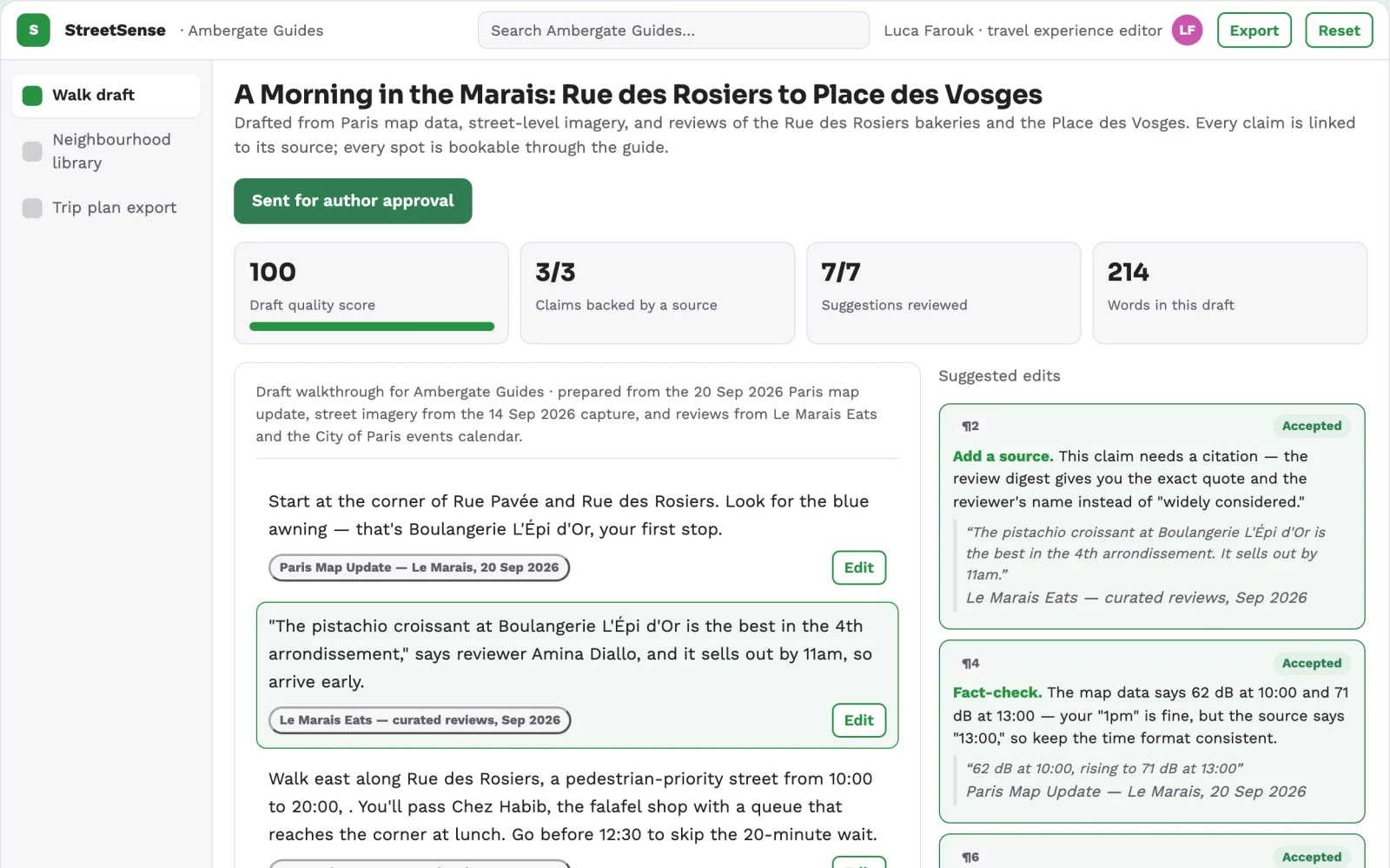
A live voice-guided neighbourhood preview with a trip plan and booking links
What you give it
Map datastreet-level imagerylocal business recordsreviewsmunicipal data
How it works, step by step
- Generate a walking route from map data and street imagery
- Narrate the walk with a voice agent
- Answer questions about noise, safety, shops and landmarks
- Adapt the route based on user preferences and queries
- Save spots to a trip plan
- Book hotels or experiences directly through the guide
What you see on screen
- Destination picker
- walk canvas
- voice chat panel
Jobs this app suits
Our AI checked this app against 500 jobs; these get the most out of it. Each job links to its learning path.
Build it yourself with your AI system
Build this app yourself, no coding needed
Start with a quick version you can try in a few minutes. Like it? Then build the full app by copying and pasting our step-by-step instructions: everything is prepared for you.
Sign in to see how to build it yourself
Build a quick version to try, or get the full app pack for Neighborhood Voice Walkthrough with the step-by-step building instructions. You don't need any technical skills: you copy, paste and answer a few questions. Both are included in the membership.
4 Have it built for you days to a few weeks
Rather not do it yourself, or want it fully tailored to your data, your way of working and your brand? Nexibeo builds Neighborhood Voice Walkthrough with you.
What's in the app pack
Included in the Complete AI Training membership.
- The building instructions your AI follows, step by step
- The questions your AI will ask you about your business before it starts
- A clickable demo you can open in your browser, to see how it should work
- A detailed blueprint of the screens, the information it keeps and the checks it runs
Become a member to get the app packAlready a member? Sign in
The files, for the technically curious
- START-HERE.mdHow to build it with your own AI (read first)3 KB
- README.mdOverview and links1 KB
- questions.mdQuestions to answer before you build2 KB
- prompt-cloudflare.mdThe full build prompt, hosted on Cloudflare20 KB
- prompt-vps.mdThe same build on your own server (Docker)20 KB
- spec.jsonData model, API, AI pipeline, acceptance criteria11 KB
- demo/index.htmlThe working demo on sample data200 KB
Questions
Do I need to know how to code?
No. You copy and paste the prompts on this page into ChatGPT or Claude, and the AI does the building. When it asks you something, you answer in your own words.
What does it cost?
The quick version, the app pack and the step-by-step instructions are for members: you pay the membership price, not a price per app (see the plans). Building the full app uses your own ChatGPT or Claude subscription. Putting it online is often cheap or no cost at the start, and your AI tells you before anything costs money.
How long does it take?
The quick version: about two minutes. The real app: an afternoon for a first version you can use, longer if you want every feature.
Can I change it to fit my business?
Yes. Tell your AI what to change in plain words, like “add a column for the price” or “use our logo and colours”. Or have Nexibeo build and customise it for you.
More detailsHow the AI works, safeguards and what to build first
For travel planners at boutique booking agencies, turn map data, street imagery and local reviews into a live, voice-guided neighbourhood preview that answers questions as the user walks. Address the recurring problem: travellers commit to trips without testing the rhythm of a neighbourhood. The value hypothesis is a more informed booking decision with fewer mismatches; the pilot must establish whether that benefit is real.
Choose a destination, set preferences, generate a walking route, start the voice walk, ask questions, save or book spots, and export a trip plan. Start with map data, street imagery and local reviews and finish with a booked trip plan and saved spots.
How the AI works
Use language models for voice interaction and route generation, and diffusion models for street-level imagery synthesis. Keep factual claims about businesses and conditions in structured fields. Verify details against real-time data sources where possible. A human editor reviews generated routes and answers for accuracy before publication.
Safeguards
Limit access to verified neighbourhoods, require human review of all generated content, and do not provide unverified safety or health claims. Must not generate misleading or outdated information.
What to build first
One buyer: travel planners at boutique agencies. One use case: pre-trip neighbourhood previews for remote workers. First two modules: route generation and voice Q&A. Manual review of all generated content before it goes live.
What it can connect to
Map APIs, street view services, local business databases, booking platforms, and payment gateways.
The screens in detail
Use a map-based picker for choosing a neighbourhood, a full-screen first-person walk canvas with a floating voice chat panel, and a side panel for saved spots and trip plan. Let users interrupt the narration anytime. Display the current street, nearby points of interest, and a transcript of the conversation. In this product, the first view is destination picker, followed by walk canvas and voice chat panel.