AI app for marketing · no coding needed
Contextual Street Signage
Outdoor ads that adapt to context in real time, with privacy built in and interactions you can verify.
Made for: Marketing managers at outdoor advertising firms
What it does for you
The problem
Static billboards waste impressions on uninterested audiences and fail to prove engagement.
What it gives you
Dynamic ad creatives, verified interaction metrics, weekly performance reports
What you give it
Live camera feedcreative librarycontextual data (e.g.pollen countsports scores)
How it works, step by step
- Capture and process camera feed locally
- Classify vehicle type and pedestrian demographics
- Select and render relevant creative in under two seconds
- Optionally ask a question and listen for verbal responses
- Log dwell time and interaction outcomes
- Generate weekly performance reports without storing personal data
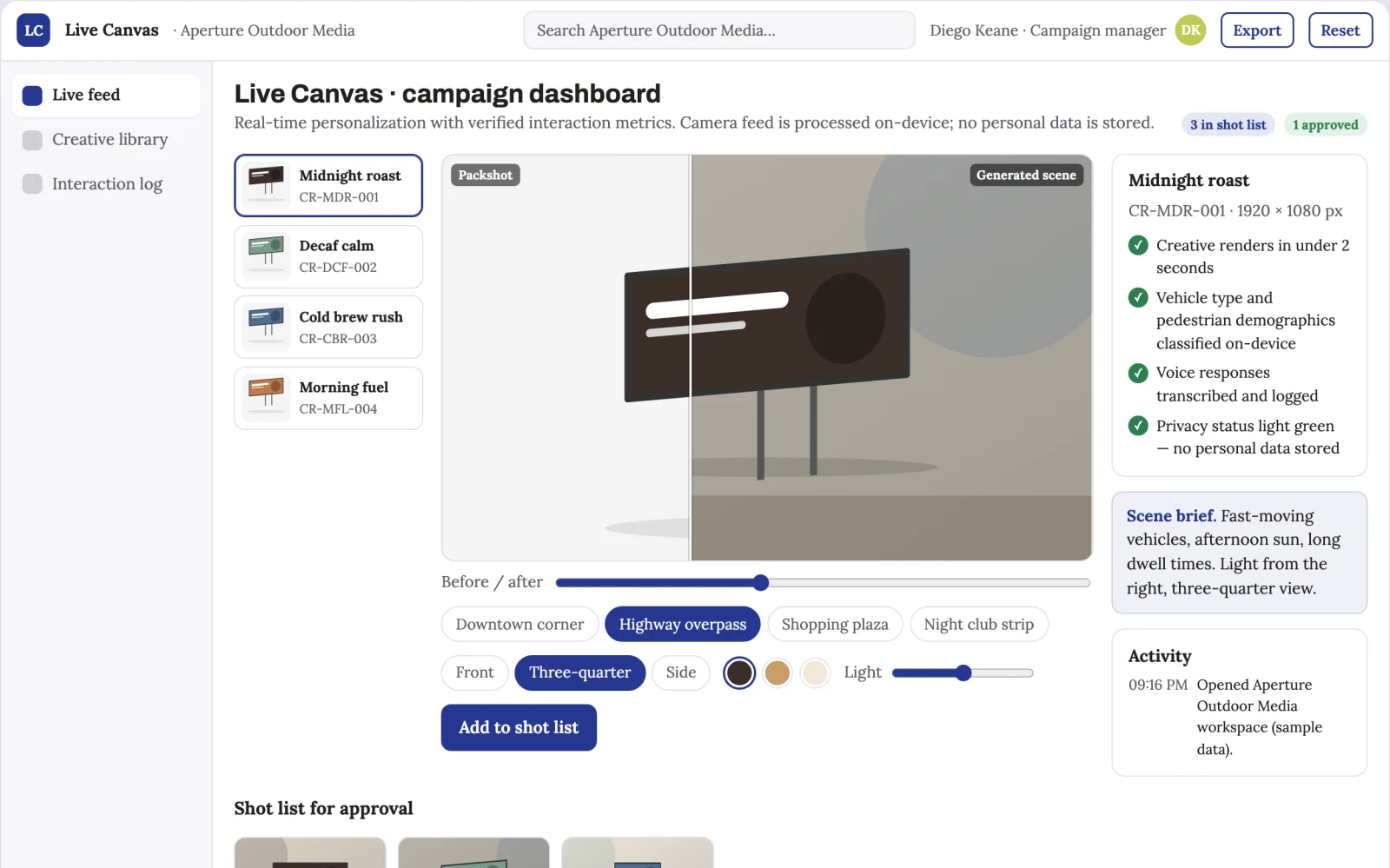
What you see on screen
- Live feed dashboard
- creative library
- interaction log
Jobs this app suits
Our AI checked this app against 500 jobs; these get the most out of it. Each job links to its learning path.
Build it yourself with your AI system
Build this app yourself, no coding needed
Start with a quick version you can try in a few minutes. Like it? Then build the full app by copying and pasting our step-by-step instructions: everything is prepared for you.
Sign in to see how to build it yourself
Build a quick version to try, or get the full app pack for Contextual Street Signage with the step-by-step building instructions. You don't need any technical skills: you copy, paste and answer a few questions. Both are included in the membership.
4 Have it built for you days to a few weeks
Rather not do it yourself, or want it fully tailored to your data, your way of working and your brand? Nexibeo builds Contextual Street Signage with you.
What's in the app pack
Included in the Complete AI Training membership.
- The building instructions your AI follows, step by step
- The questions your AI will ask you about your business before it starts
- A clickable demo you can open in your browser, to see how it should work
- A detailed blueprint of the screens, the information it keeps and the checks it runs
Become a member to get the app packAlready a member? Sign in
The files, for the technically curious
- START-HERE.mdHow to build it with your own AI (read first)3 KB
- README.mdOverview and links1 KB
- questions.mdQuestions to answer before you build2 KB
- prompt-cloudflare.mdThe full build prompt, hosted on Cloudflare22 KB
- prompt-vps.mdThe same build on your own server (Docker)22 KB
- spec.jsonData model, API, AI pipeline, acceptance criteria12 KB
- demo/index.htmlThe working demo on sample data192 KB
Questions
Do I need to know how to code?
No. You copy and paste the prompts on this page into ChatGPT or Claude, and the AI does the building. When it asks you something, you answer in your own words.
What does it cost?
The quick version, the app pack and the step-by-step instructions are for members: you pay the membership price, not a price per app (see the plans). Building the full app uses your own ChatGPT or Claude subscription. Putting it online is often cheap or no cost at the start, and your AI tells you before anything costs money.
How long does it take?
The quick version: about two minutes. The real app: an afternoon for a first version you can use, longer if you want every feature.
Can I change it to fit my business?
Yes. Tell your AI what to change in plain words, like “add a column for the price” or “use our logo and colours”. Or have Nexibeo build and customise it for you.
More detailsHow the AI works, safeguards and what to build first
For marketing managers at outdoor advertising firms, turn live camera feeds and contextual data into dynamically personalized ad creatives with verified interaction metrics. This addresses the problem of unmeasured, inefficient outdoor advertising by enabling real-time relevance and provable engagement, increasing ad effectiveness and justifying premium pricing.
Install edge device, configure camera and mic, upload creative library, set targeting rules, activate live mode, monitor interactions, and review weekly reports. Start with live camera feed and creative assets and finish with verified interaction metrics and performance insights.
How the AI works
AI uses computer vision to classify objects and estimate age/gender from gait, and natural language processing for voice interactions. It selects creatives based on real-time context. A human reviews interaction logs and creative performance to ensure relevance and adjust targeting rules before any data is used for billing.
Safeguards
Local processing only, no cloud upload of raw video, automatic pixel deletion, visible privacy light, and strict access controls. Must not store any facial recognition data or personally identifiable information.
What to build first
One buyer: an outdoor advertising firm. One use case: a single screen with 10 creatives for two local advertisers. First two modules: live feed processing and creative selection. Manual review of interaction logs and weekly reports.
What it can connect to
Camera hardware, digital screen APIs, weather and local data feeds, and ad management platforms for creative uploads.
The screens in detail
Use a live feed dashboard for real-time monitoring, a creative library for managing variants, and an interaction log for tracking dwell time and voice responses. Show alerts for high engagement and a status light for privacy assurance. In this product, the first view is live feed dashboard, followed by creative library and interaction log.