
AI news ·
From Idea to App in a Click: Google AI Studio's Vibe Coding
Google's vibe coding in AI Studio turns one prompt into a working app, skipping glue work and SDK wrangling. Ship faster with auto-config, Annotation Mode, and an app gallery.
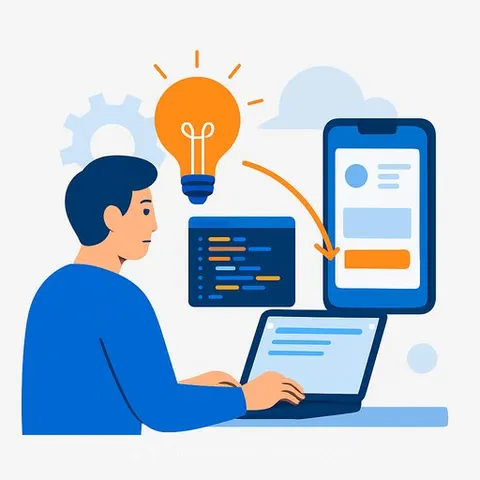
Google's "Vibe Coding" hits AI Studio: idea-to-app without the busywork
Google AI Studio just introduced vibe coding, a faster way to move from prompt to working app. For developers, this is a shift in how you prototype, test, and ship. Less glue work. More iteration.
What vibe coding actually does
- Turns a single prompt into a multi-part application, orchestrated by Gemini.
- Auto-selects models and APIs for your use case, so you skip SDK wrangling and service stitching.
- Gives you an immediate starting point you can refine in minutes instead of days.
Features that matter to devs
- Multimodal creation: generate videos from scripts with Veo, build image editing tools with Nano Banana, and spin up writing platforms backed by Google Search.
- Auto-config: AI Studio configures the right endpoints, auth, and model combos for the project.
- Annotation Mode: highlight any part of the app UI, tell Gemini what to change, and see updates in real time-no deep code spelunking for every tweak.
- "I'm Feeling Lucky": one click drops fresh prompts into your workspace when you're stuck.
- App Gallery: browse, preview, and remix working examples to shortcut discovery.
- Brainstorming Loading Screen: while builds run, Gemini suggests ideas tied to your project, turning idle moments into next steps.
- Bring Your Own Key: if the free quota runs out, plug in your API key and keep moving; AI Studio switches back when your quota renews.
Practical workflow to ship faster
- Start with the outcome: "Generate customer support summaries from call transcripts, export to Sheets."
- Write one prompt with inputs, outputs, and edge cases. Let AI Studio draft the app.
- Review the generated architecture and model choices. Adjust constraints (latency, cost, safety) early.
- Use App Gallery projects as benchmarks. Remix what works; discard the rest.
- Refine with Annotation Mode. Change copy, flows, or tool wiring by selecting UI sections and prompting.
- Wire external services last. Keep an eye on rate limits and retries.
- If you hit quota, drop in your own key to maintain momentum. Swap back automatically later.
- Add logging around prompts, inputs, and outputs. You'll thank yourself during QA.
- Export or hand off the scaffold once it's stable. Keep prompts and config under version control.
Team impact
- Prototype speed: PMs and designers can stand up functional drafts without blocking engineering.
- Shorter feedback loops: faster UI/content edits with Annotation Mode reduce ticket churn.
- Onboarding: juniors and non-devs can contribute safely inside AI Studio before production hardening.
- QA: the Brainstorming screen surfaces test ideas and edge cases you can add to your suite.
- Cost awareness: BYO key lets you keep progress steady while tracking spend by project.
Caveats and considerations
- Determinism: expect variance across runs; lock prompts, seeds, and model versions for critical paths.
- Latency and cost: review model selection. Light tasks may not need the largest model.
- Compliance: route sensitive data through approved services; audit prompts and outputs.
- Integration boundaries: AI Studio gets you to "works now." Production still needs monitoring, tests, CI/CD, and fallbacks.
Where to start
Try vibe coding in Google AI Studio and pressure-test it against a real feature or internal tool. Keep the scope tight, measure time saved, then scale.
Sharpen your edge
If you're formalizing skills around AI-assisted prototyping, model selection, and prompt iteration, this curated track helps you ramp faster.
AI courses by leading providers - developer focused
Bottom line: vibe coding turns app creation into a fast feedback loop. Less overhead, more building. Put it against one sticky problem this week and see where it breaks-and where it flies.