
AI news ·
Google Workspace Studio adds data residency controls for the US and EU
Google Workspace Studio now enforces data residency for the US or EU, letting regulated orgs run automations across Gmail, Drive, and Docs with in-region processing.
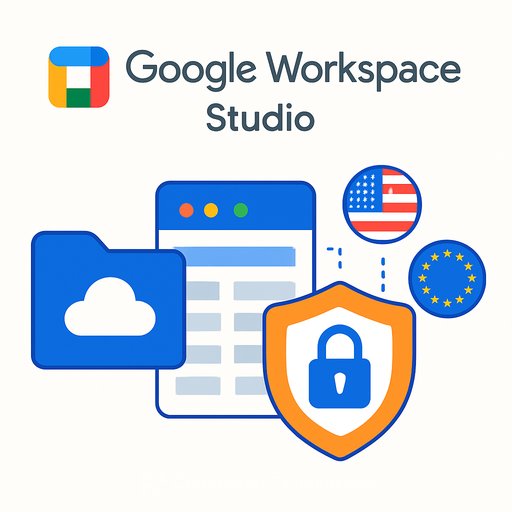
Google has made Data Regions support generally available for Workspace Studio, giving IT administrators the ability to ensure workflow automations store and process data within specific geographic boundaries. The update, which began rolling out November 10, 2026, matters for organizations in healthcare, finance, insurance, and other regulated sectors where data residency requirements directly shape which tools teams can deploy.
Core Workspace Studio execution and storage backends now natively adhere to assigned United States or European Union data region policies. This covers integrations with Gmail, Google Drive, Google Docs, Google Sheets, Google Calendar, Google Meet, and Google Chat. Organizations with strict compliance obligations can automate cross-app document workflows while keeping data at rest and in-use processing within their designated region.
New admin controls for regional enforcement
A dedicated Workspace Studio control has been added inside the Data Regions advanced settings panel in the Google Admin console. Administrators can now decide whether users assigned to a data region may access non-regionalized steps and generative AI capabilities, or whether those features should be blocked to keep all processing strictly in-region. This control can be applied to specific organizational units or groups, letting compliance teams enforce localized policies without disrupting global teams.
What gets restricted when non-regionalized features are turned off
When an administrator disables non-regionalized features for Workspace Studio-or for Gemini in Google Workspace-several capabilities become unavailable. Steps connecting to services that rely on multi-region processing, including Google Tasks, Google Forms, Gemini Notebook, Webhooks, and Drive event triggers, are greyed out in the Studio builder and blocked at runtime.
Generative AI features inside Studio are also disabled. This includes AI steps, natural language flow generation, and Skills. Both the Workspace Studio and Gemini in Google Workspace controls must be turned on for generative AI features to function. Users who are not covered by a Data Region policy, or whose organizational unit has non-regionalized features enabled, see no change to their Workspace Studio functionality.
Availability across editions
Data Regions support for Workspace Studio is available on Business Standard and Business Plus, which provide in-region data storage only. Enterprise Standard offers in-region storage, while Enterprise Plus and Frontline Plus add in-region data processing. Education Standard and Education Plus provide in-region storage. The feature is also available through Assured Controls, Assured Controls Plus, and Enterprise Data Regions add-ons.
The rollout affects both Rapid Release and Scheduled Release domains, with gradual visibility over a period of up to 15 days starting November 10. The feature is on by default, meaning non-regionalized processing is enabled until an administrator adjusts the setting at the domain, OU, or group level. Security administrators can track and verify regional data compliance through the Security Investigation Tool.
Why this matters for operations and compliance teams
For professionals managing workflows in insurance, healthcare, real estate, or IT operations, this update removes a barrier that previously kept automated processes out of regulated environments. Administrators can now deploy automations across Gmail, Drive, Docs, and Sheets with the assurance that data residency policies are enforced at the infrastructure level-not through workarounds or manual audits. End users in restricted organizational units will see clear banners explaining when steps or AI tools are unavailable due to policy, reducing confusion and support tickets. For teams exploring how to build these automations effectively, AI Agent Courses cover practical workflow design with tools like Workspace Studio.