
AI news ·
Write better without ChatGPT: 5 tools that keep your voice intact
Five no-AI tools help you plan, draft, edit, and ship while keeping your voice. LibreOffice, Grammarly, Scrivener, Hemingway, and Ulysses keep you focused and distraction-free.
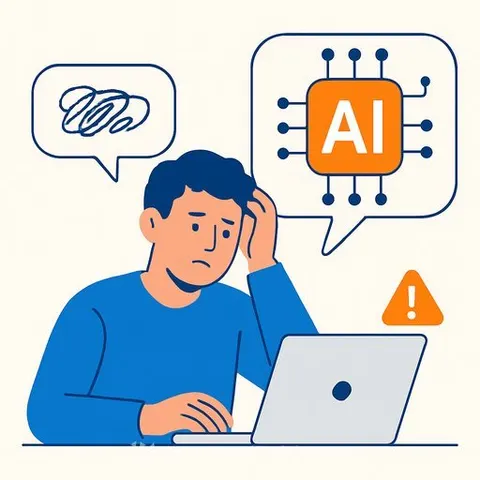
5 AI-free writing tools that make you a better writer - without ChatGPT doing the work for you
Good tools don't replace your voice; they help you keep it sharp. If AI keeps turning your drafts into generic marketing copy, you're not alone. Many publications also push back on AI-assisted work, so keeping your process clean matters.
The tools below help you plan, draft, edit, and ship-without predicting your next word or rewriting your paragraphs. They stay out of the way so you can do the actual writing.
1) LibreOffice
LibreOffice is a free, open-source alternative to Microsoft Office that runs locally. No subscriptions, no cloud interruptions, no AI prompts. Just a reliable word processor that lets you focus.
- Writer includes Master Documents for big projects and a Navigator for quick jumps between chapters.
- Works offline and saves in standard formats like .docx for easy sharing.
- Fast, stable, and distraction-free for long sessions.
2) Grammarly
Grammarly checks grammar, punctuation, and style without generating content. It flags issues and suggests fixes-you stay in control and choose what to accept.
- Use the free version for basics; premium adds clarity and conciseness suggestions.
- You can ignore any generative features and stick to core checks.
- Browser extensions catch mistakes across email, docs, and web tools.
3) Scrivener
Scrivener was built for long-form work-novels, nonfiction, screenplays. It keeps your manuscript, research, notes, and structure in one place so you don't lose track.
- Corkboard and Outliner views help you map scenes, chapters, and arcs.
- Store character sheets, images, and research alongside your draft.
- Compile to ebooks, print-ready files, or standard manuscript formats.
There's a learning curve, but if you're writing a book, it's worth it.
4) Hemingway Editor
Hemingway Editor spots bloat without touching your voice. It highlights complex sentences, passive voice, and weak phrasing so you can tighten the draft yourself.
- Color codes: yellow (hard to read), red (very hard), purple (simpler alternative), blue (adverbs to trim).
- Free web version for quick edits; desktop app works offline and saves files.
- Uses readability principles-not generative AI.
5) Ulysses
Ulysses is a fast, minimal Markdown editor built for momentum. You write in plain text, then export cleanly to blogs, CMS, ebooks, or documents.
- Folders and tags keep multiple projects tidy without clutter.
- iCloud sync across Mac, iPhone, and iPad for writing anywhere.
- Markdown keeps files small, portable, and future-proof.
Why these tools work for real writers
- They don't write for you. They keep your voice intact and your judgment in the driver's seat.
- They reduce friction. Fewer pop-ups and "suggested rewrites," more focused drafting and editing.
- They're reliable offline. Especially useful on flights, retreats, and distraction-free sprints.
A simple workflow that respects your voice
- Draft in LibreOffice or Ulysses to keep it clean and fast.
- Structure big projects in Scrivener (outline, research, scene order).
- Polish with Grammarly for correctness and Hemingway for clarity.
- Ship using Scrivener's compile or Ulysses export to your destination.
You don't need AI to write better. You need a workflow that supports deliberate practice, tight editing, and consistent output. These five tools do exactly that-so the words stay yours.