AI agent for vp of business developments
Acquisition Target Screening Agent
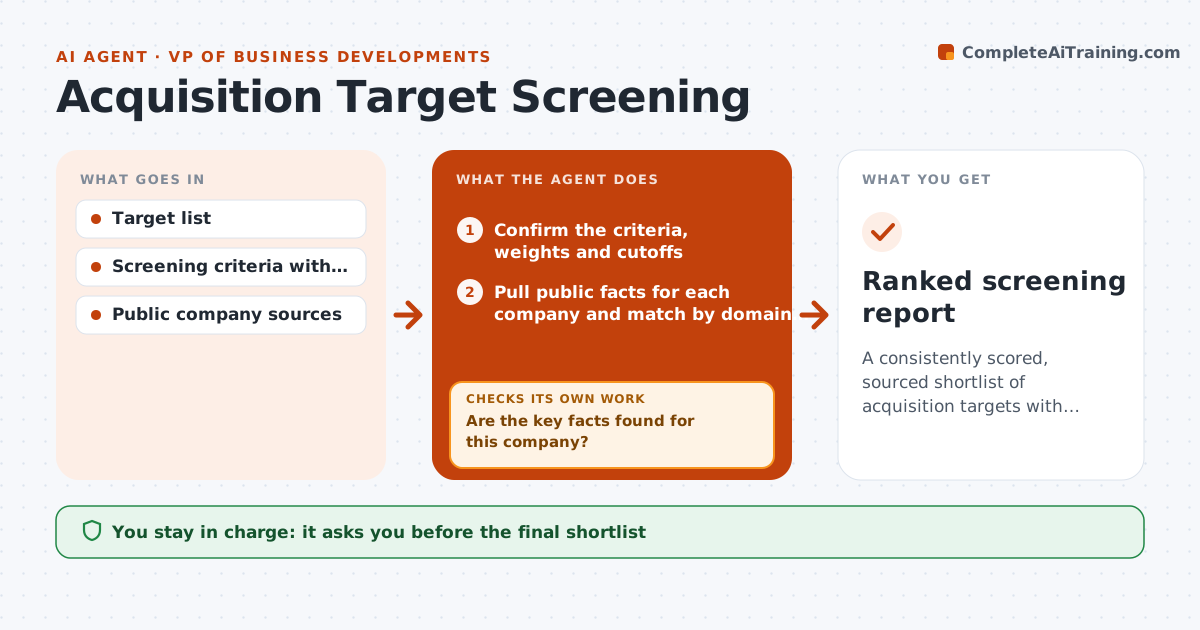
A consistently scored, sourced shortlist of acquisition targets with low-confidence items clearly marked.
What it does
A list of 120 possible targets usually gets screened by whoever has time, using whatever they remember. This agent screens every company the same way. For each name it pulls public facts such as size, products, ownership and recent news, then scores it against your agreed criteria like revenue range, geography, product fit and ownership type. If key data is missing, it searches again with other sources before scoring, and if the gap remains it marks the score as low confidence instead of guessing. It checks that each score has a source behind it. You get a ranked shortlist with the reasons, the confidence level and the open questions. You approve the shortlist before anyone contacts a target. Edge case: companies with similar names are matched on domain and registration, not name alone.
How it works
Follow the arrows from top to bottom. The orange dashed arrow is the loop: when a check fails, the agent goes back and tries again.
Read the steps as a list
- Target list received
- Confirm the criteria, weights and cutoffs
- Pull public facts for each company and match by domain and registration
- Are the key facts found for this company?If not: search alternative sources; if still missing, mark that criterion low confidence. Back to step 3.
- Score each criterion and add the weighted total
- Does every score cite a source and does the match look like the right company?If not: recheck identity and sources, then rescore. Back to step 3.
- Rank targets and group them by tier and confidence
- Compile open questions for each shortlisted target
- Leader approves the shortlist before any outreachThe agent waits here for your OK.
- Ranked screening report
How it decides
It scores each criterion from sourced facts and sets confidence by how many criteria rest on found data. Missing data triggers another search before a score is set.
- Revenue outside the set range: exclude and log the reason
- Ownership by a government or a rival: mark as blocked
- More than two criteria low confidence: send to a manual review tier
- Score within 5 points of the cutoff: list as borderline for the leader
Make it yours
Every agent is a starting point. You choose these settings for your own situation.
- Criteria and weights
- Revenue and geography ranges
- Minimum confidence for the shortlist
- Data sources allowed
- Shortlist size (default 10)
What keeps you in control
It always asks you first
- The final shortlist
- Any outreach to a target
Hard limits
- Never contact a target or its staff
- Never use non-public information
It stops when
- Done: all targets scored and tiered
- Stop: criteria not agreed, ask the leader
Set it up
We guide you through the set-up, step by step
Members get the full set-up guide for this agent. No technical skills needed: you copy, paste and upload.
- One set of instructions to paste into your AI, with the clicks for ChatGPT, Claude, Microsoft 365 Copilot, Gemini and Grok
- The agent then walks you through connecting your own data, one source at a time
- A downloadable copy with the flow chart, the rules and the full guide