AI agent for business coachs
Business Health Assessment Agent
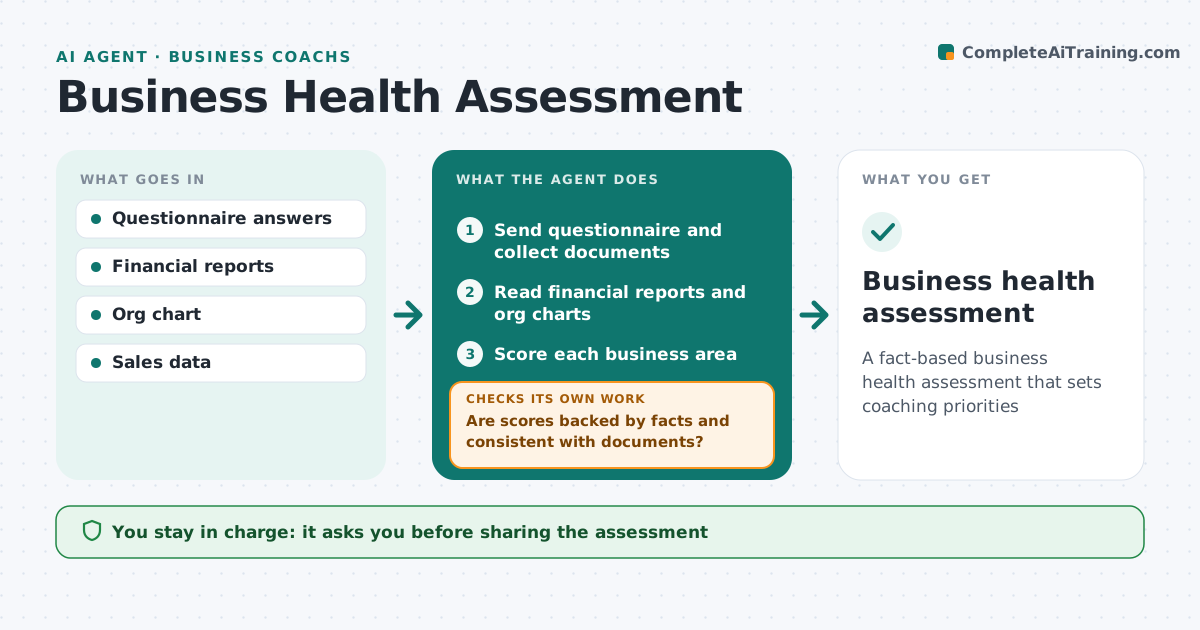
A fact-based business health assessment that sets coaching priorities
What it does
At the start of an engagement, and once a year after, coaches need a rounded view of the client's business, not one based on a single conversation. This agent sends a structured questionnaire covering sales, marketing, operations, people, finance and the owner's time. It reads the answers with documents such as financial reports and org charts. It scores each area and checks scores are backed by facts. An owner who rates everything high is compared with the numbers before scores are accepted. If an answer is vague or conflicts with documents, it asks a follow-up. It ranks weak spots by impact and drafts an assessment with strengths and first priorities. The coach reviews it before discussing it with the client.
How it works
Follow the arrows from top to bottom. The orange dashed arrow is the loop: when a check fails, the agent goes back and tries again.
Read the steps as a list
- New client or anniversary
- Send questionnaire and collect documents
- Read financial reports and org charts
- Score each business area
- Are scores backed by facts and consistent with documents?If not: send follow-up questions on vague or conflicting answers. Back to step 4.
- Rank weak spots by impact
- Draft assessment with strengths, weak spots and priorities
- Coach reviews before discussing with the clientThe agent waits here for your OK.
- Business health assessment
How it decides
It scores each area from answers and documents and asks follow-ups wherever the two do not agree.
- Numbers outweigh self-ratings
- Three priorities at most
- Owner time is always an area
Make it yours
Every agent is a starting point. You choose these settings for your own situation.
- Areas assessed
- Scoring scale
- Questionnaire length
- Number of priorities
What keeps you in control
It always asks you first
- Sharing the assessment
Hard limits
- Never judges the owner personally
It stops when
- Done: assessment ready
- Stop: client does not complete the questionnaire
Set it up
We guide you through the set-up, step by step
Members get the full set-up guide for this agent. No technical skills needed: you copy, paste and upload.
- One set of instructions to paste into your AI, with the clicks for ChatGPT, Claude, Microsoft 365 Copilot, Gemini and Grok
- The agent then walks you through connecting your own data, one source at a time
- A downloadable copy with the flow chart, the rules and the full guide