AI agent for business coachs
Client Onboarding Intake Completion Agent
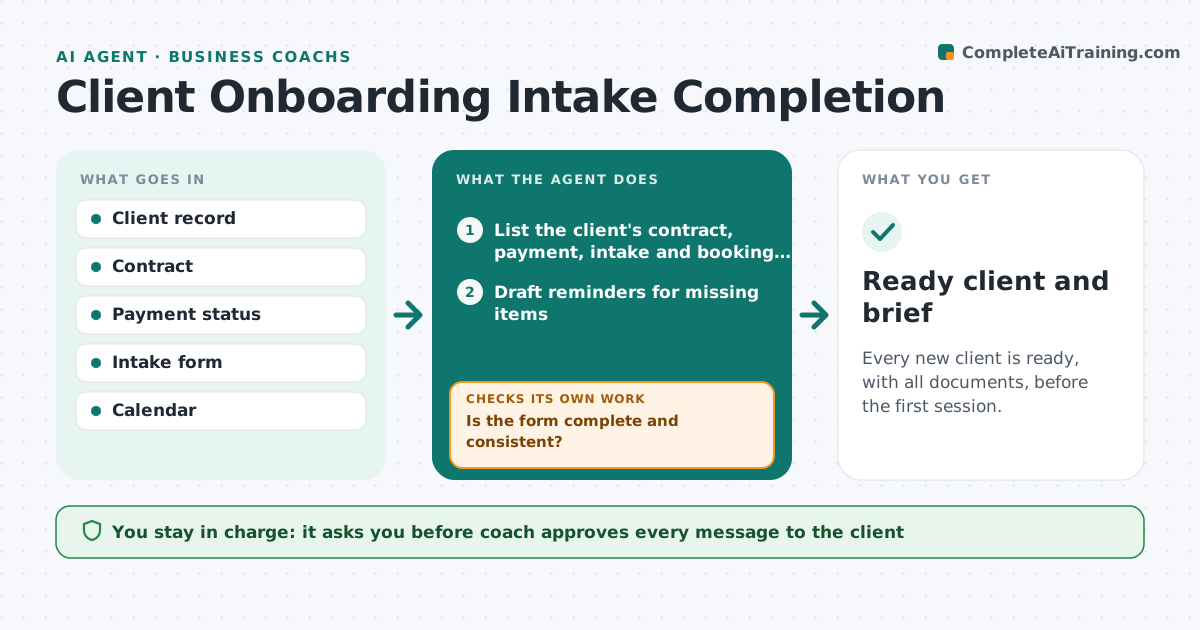
Every new client is ready, with all documents, before the first session.
What it does
New coaching clients send contracts, payments, intake forms and scheduling details in pieces over several days. Sessions start without the information the coach needs. This agent tracks each new client's contract, payment, intake form and scheduling, sends reminders, checks the form for blank or contradictory answers and asks follow-ups. When complete, it builds the first-session brief. It decides what is missing from a checklist and what is contradictory by comparing answers. The coach approves messages. Edge case: a client says they want help with a promotion but lists no interest in a bigger role, so the agent asks a clarifying question.
How it works
Follow the arrows from top to bottom. The orange dashed arrow is the loop: when a check fails, the agent goes back and tries again.
Read the steps as a list
- New client signs up
- List the client's contract, payment, intake and booking status
- Draft reminders for missing items
- Coach approves the messagesThe agent waits here for your OK.
- Read the intake form when it arrives
- Is the form complete and consistent?If not: draft follow-up questions for the blanks and contradictions. Back to step 2.
- Confirm the first session booking
- Build the first-session brief
- Ready client and brief
How it decides
It checks a fixed checklist of contract, payment, form and booking, and finds contradictions by comparing form answers to each other.
- Remind after 2 days of silence
- Flag blank required answers
- Flag two answers that contradict
- Do not build the brief until the contract and payment are in
Make it yours
Every agent is a starting point. You choose these settings for your own situation.
- Checklist items
- Reminder spacing
- Form questions
- Brief format
- Time to first session
What keeps you in control
It always asks you first
- Coach approves every message to the client
Hard limits
- Never send a message without approval
- Never use intake data for anything but coaching
It stops when
- Done: all items complete and the brief is built
- Stop: the client does not respond after three reminders
Set it up
We guide you through the set-up, step by step
Members get the full set-up guide for this agent. No technical skills needed: you copy, paste and upload.
- One set of instructions to paste into your AI, with the clicks for ChatGPT, Claude, Microsoft 365 Copilot, Gemini and Grok
- The agent then walks you through connecting your own data, one source at a time
- A downloadable copy with the flow chart, the rules and the full guide