AI agent for business coachs
Client Financial Metrics Review Agent
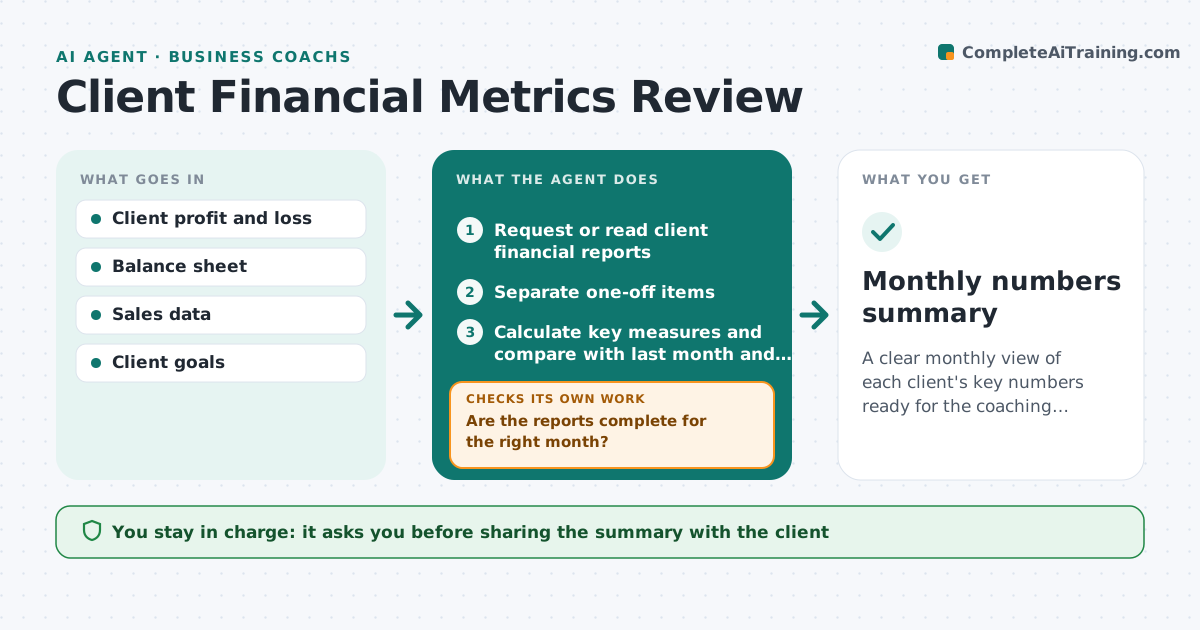
A clear monthly view of each client's key numbers ready for the coaching session
What it does
Many coaching clients run small businesses with numbers they rarely look at, so sessions skip the figures. Each month this agent asks the client for profit and loss, balance sheet and sales figures, or reads them from a shared accounting connection. It checks reports are complete and cover the right month, and asks again if not. It calculates a small set of measures such as gross margin, cash runway, debtor days and sales growth. A one-off item such as an asset sale is separated so it does not distort the trend. It compares with last month and the client's goals and finds the biggest changes. It drafts a one-page summary with questions for the session. The coach decides what to discuss.
How it works
Follow the arrows from top to bottom. The orange dashed arrow is the loop: when a check fails, the agent goes back and tries again.
Read the steps as a list
- Month ends
- Request or read client financial reports
- Are the reports complete for the right month?If not: ask the client for the missing report. Back to step 2.
- Separate one-off items
- Calculate key measures and compare with last month and goals
- Draft plain-language summary and session questions
- Coach reviews before sharing with the clientThe agent waits here for your OK.
- Monthly numbers summary
How it decides
It highlights measures that moved more than the set percent or are off track against the client's goals, after removing one-off items.
- Flag moves over 10% month on month
- One-off items are shown separately
- Cash runway under 3 months is always flagged
Make it yours
Every agent is a starting point. You choose these settings for your own situation.
- Measures tracked
- Change threshold (default 10%)
- Day of month to start
- Summary length
What keeps you in control
It always asks you first
- Sharing the summary with the client
Hard limits
- Never gives tax or legal advice
- Keeps client financials private
It stops when
- Done: summary ready for session
- Stop: client has not sent reports after two requests; note it for the session
Set it up
We guide you through the set-up, step by step
Members get the full set-up guide for this agent. No technical skills needed: you copy, paste and upload.
- One set of instructions to paste into your AI, with the clicks for ChatGPT, Claude, Microsoft 365 Copilot, Gemini and Grok
- The agent then walks you through connecting your own data, one source at a time
- A downloadable copy with the flow chart, the rules and the full guide