AI agent for business coachs
Client Referral and Testimonial Request Agent
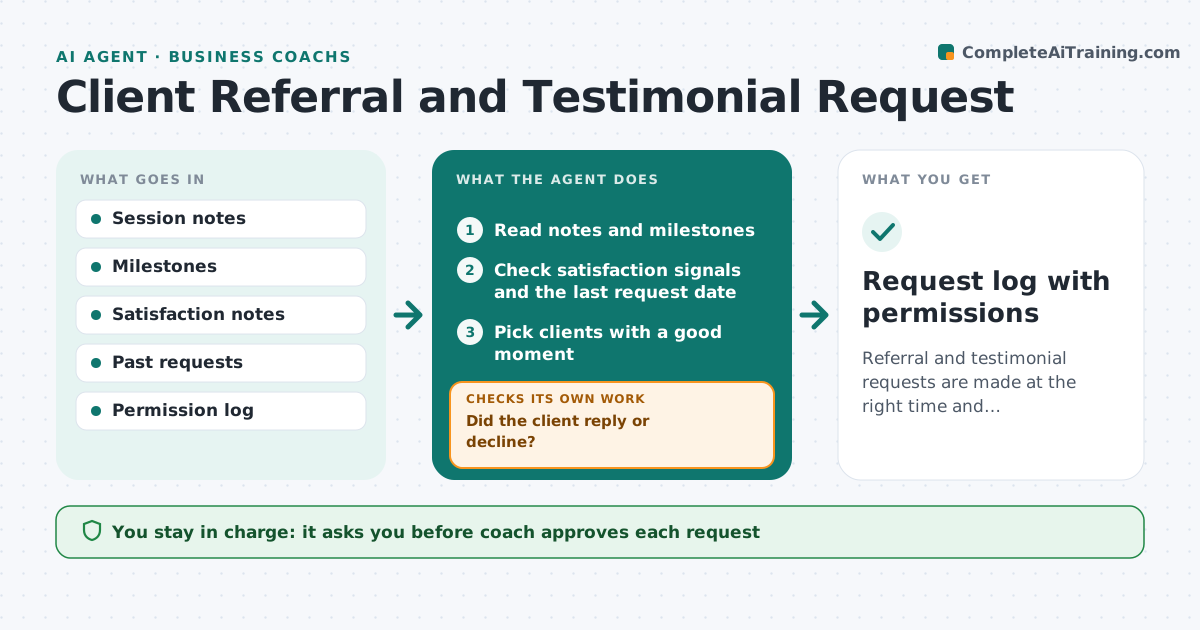
Referral and testimonial requests are made at the right time and respectfully.
What it does
Coaches who grow by referral rarely ask at the right time. A client who just hit a goal is the best person to ask, but the moment passes. This agent watches for milestones and positive notes, picks suitable moments, drafts the request, tracks replies and logs permissions. If a client says no it records that and stops. It decides by milestone, recent satisfaction and the time since the last request. The coach approves each request. Edge case: a client had a strong win but mentioned a difficult month, so the agent waits for a better moment.
How it works
Follow the arrows from top to bottom. The orange dashed arrow is the loop: when a check fails, the agent goes back and tries again.
Read the steps as a list
- New session notes are logged
- Read notes and milestones
- Check satisfaction signals and the last request date
- Pick clients with a good moment
- Draft a short personal request
- Coach approves each requestThe agent waits here for your OK.
- Track replies and log permissions
- Did the client reply or decline?If not: schedule one reminder after 14 days and then stop. Back to step 3.
- Request log with permissions
How it decides
It flags a moment when a milestone is reached and notes are positive. It avoids a request within 90 days of a previous one.
- Do not ask within 90 days of the last request
- Ask only after a milestone with positive notes
- Stop after one reminder
- Record any no and never ask again about that request
Make it yours
Every agent is a starting point. You choose these settings for your own situation.
- Minimum days between requests (default 90)
- Milestone types
- Reminder count
- Request style
- Permission wording
What keeps you in control
It always asks you first
- Coach approves each request
Hard limits
- Never send without approval
- Never use a quote without recorded permission
It stops when
- Done: reply logged and permission recorded
- Stop: the client declines
Set it up
We guide you through the set-up, step by step
Members get the full set-up guide for this agent. No technical skills needed: you copy, paste and upload.
- One set of instructions to paste into your AI, with the clicks for ChatGPT, Claude, Microsoft 365 Copilot, Gemini and Grok
- The agent then walks you through connecting your own data, one source at a time
- A downloadable copy with the flow chart, the rules and the full guide