AI agent for business coachs
Client Session Outcome Tracking Agent
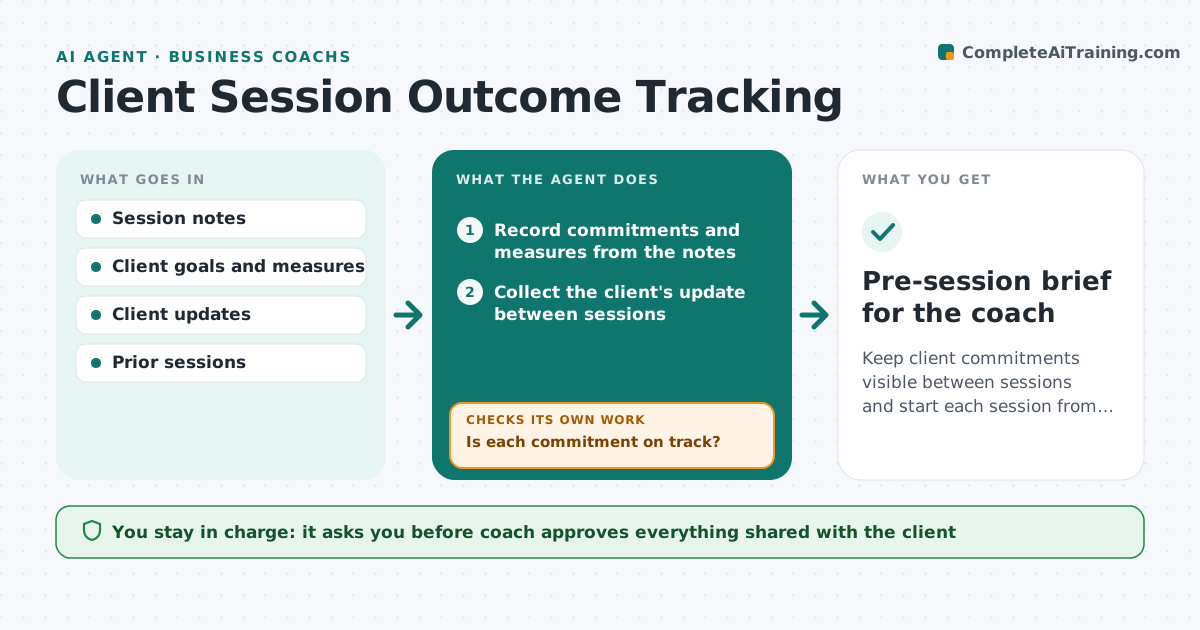
Keep client commitments visible between sessions and start each session from facts.
What it does
Between coaching sessions, commitments and results are lost, and the next session starts from memory. After each session, the agent records the client's commitments and the measures that matter, then collects updates from the client between sessions. It compares progress with targets and flags stalls. Before the next session, it drafts focus questions based on what moved and what did not. It adapts the plan if a pattern shows. The coach approves what is shared with the client. Edge case: a client committed to three outreach calls a week and reported one for two weeks, so the agent flags the stall and asks about the barrier.
How it works
Follow the arrows from top to bottom. The orange dashed arrow is the loop: when a check fails, the agent goes back and tries again.
Read the steps as a list
- Session ends
- Record commitments and measures from the notes
- Collect the client's update between sessions
- Compare progress with targets
- Is each commitment on track?If not: Flag a stall and draft a question about the barrier. Back to step 3.
- Look at prior sessions for a pattern
- Draft focus questions for the next session
- Coach approves what is shared with the clientThe agent waits here for your OK.
- Send the approved check-in
- Did the client respond before the next session?If not: Send one reminder and note the silence for the coach. Back to step 3.
- Pre-session brief for the coach
How it decides
A commitment is on track when the update meets its measure. A miss over two check-ins is a stall and triggers a question about the cause rather than a repeat of the task.
- Two missed check-ins is a stall
- Questions ask about barriers before repeating the task
- A client who does not reply gets one reminder
- Share only what the coach approves
Make it yours
Every agent is a starting point. You choose these settings for your own situation.
- Check-in frequency (default weekly)
- Stall rule (default 2 misses)
- Measures tracked
- Message tone
What keeps you in control
It always asks you first
- Coach approves everything shared with the client
Hard limits
- Never gives advice to the client directly
- Never shares session notes with others
It stops when
- Done: next session brief delivered
- Stop: client pauses coaching
Set it up
We guide you through the set-up, step by step
Members get the full set-up guide for this agent. No technical skills needed: you copy, paste and upload.
- One set of instructions to paste into your AI, with the clicks for ChatGPT, Claude, Microsoft 365 Copilot, Gemini and Grok
- The agent then walks you through connecting your own data, one source at a time
- A downloadable copy with the flow chart, the rules and the full guide