AI agent for business coachs
Coach Client Data Privacy and Notes Agent
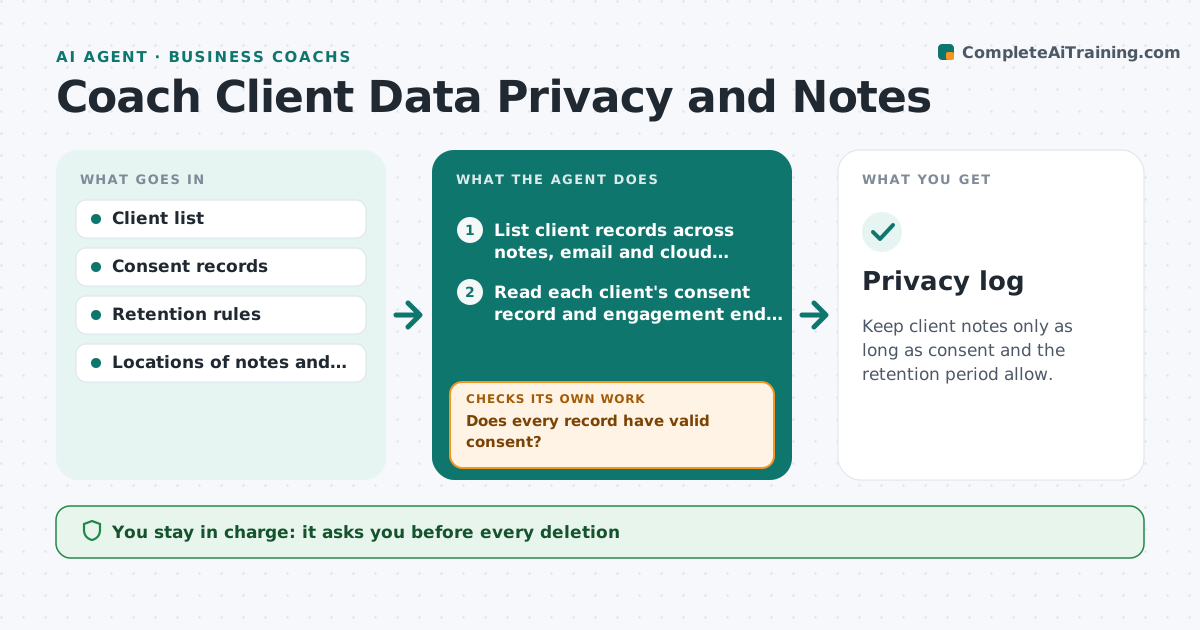
Keep client notes only as long as consent and the retention period allow.
What it does
Coaches keep session notes, recordings and assessments in many places: a notebook app, email, cloud folders. Many have no record of what the client agreed to or how long notes are kept. This agent checks stored client notes against each client's consent and the coach's retention settings. It flags records past their limit or without consent, drafts a deletion list and a note to the client where needed, and rechecks after cleanup. The coach approves any deletion. Edge case: notes needed for a dispute or a legal hold are kept and marked, not put on the deletion list.
How it works
Follow the arrows from top to bottom. The orange dashed arrow is the loop: when a check fails, the agent goes back and tries again.
Read the steps as a list
- Monthly privacy review begins
- List client records across notes, email and cloud folders
- Read each client's consent record and engagement end date
- Does every record have valid consent?If not: List the record as missing consent and draft a request to the client. Back to step 3.
- Compare each record with the retention period
- Draft the deletion list and exclude holds
- Coach approves any deletionThe agent waits here for your OK.
- Check the locations after deletion
- Are all listed records gone and the log updated?If not: Find the leftover copies and add them to the list. Back to step 7.
- Privacy log
How it decides
Compares each record's date and consent with the retention rule; a record past its limit or with no consent goes on the deletion list.
- Default retention is 24 months after the engagement ends
- No consent record means hold and ask
- Legal holds are never deleted
- Copies in email and backups are included
Make it yours
Every agent is a starting point. You choose these settings for your own situation.
- Retention period (default 24 months)
- Locations to scan
- Consent form types
- Legal hold rules
- Review frequency
What keeps you in control
It always asks you first
- Every deletion
- Any message to clients about consent
- Any change to retention rules
Hard limits
- Never delete anything itself
- Never read notes beyond what it needs to classify
It stops when
- Done: records match consent and retention
- Stop: legal hold or dispute
- Stop: records not accessible
Set it up
We guide you through the set-up, step by step
Members get the full set-up guide for this agent. No technical skills needed: you copy, paste and upload.
- One set of instructions to paste into your AI, with the clicks for ChatGPT, Claude, Microsoft 365 Copilot, Gemini and Grok
- The agent then walks you through connecting your own data, one source at a time
- A downloadable copy with the flow chart, the rules and the full guide