AI agent for business coachs
Coaching Client Resource Library Matching Agent
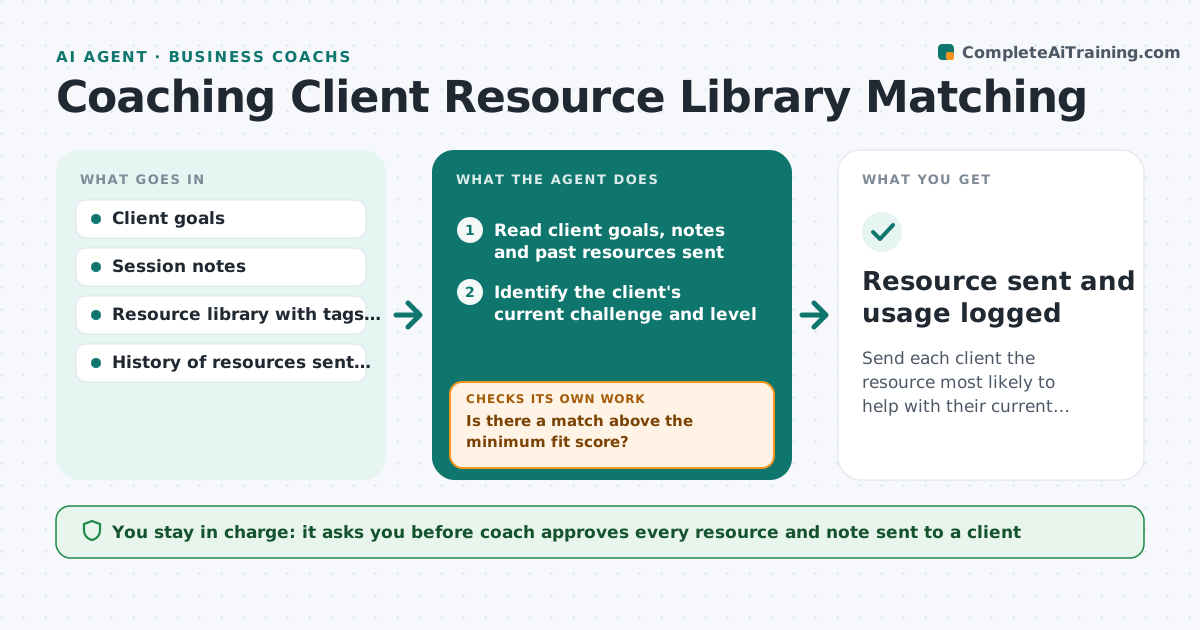
Send each client the resource most likely to help with their current goal
What it does
A coach with 200 articles, worksheets and exercises tends to send the same five, even when a client needs something else. This agent finds the best match. After each session, it reads the client's goals and the coach's session notes, searches the library for materials that fit the current challenge, then checks the client's level and what they have already received or used. It picks one or two resources, explains in a line why each fits and drafts a short note. After the session it tracks whether the client opened or used the resource and learns what worked. The coach approves what is sent. Edge case: the best resource is a long one. The agent suggests a short extract first.
How it works
Follow the arrows from top to bottom. The orange dashed arrow is the loop: when a check fails, the agent goes back and tries again.
Read the steps as a list
- Session notes saved
- Read client goals, notes and past resources sent
- Identify the client's current challenge and level
- Search the library for matching resources
- Score matches and remove those already sent or too advanced
- Is there a match above the minimum fit score?If not: Broaden the search by theme or suggest creating a new resource. Back to step 4.
- Draft a short note explaining why each resource fits
- Coach approves what is sentThe agent waits here for your OK.
- Send the resource and log it
- Did the client open or use it within a week?If not: Offer a shorter or different format at the next contact. Back to step 5.
- Resource sent and usage logged
How it decides
It scores resources by fit with the current goal and challenge, matches level and skips ones already sent. It prefers short resources when the client has not used the last one.
- Never resend a resource used in the last 6 months
- Match level: beginner, intermediate or advanced
- Maximum two resources per session
- Unopened resources lead to a shorter format
Make it yours
Every agent is a starting point. You choose these settings for your own situation.
- Maximum resources per session (default 2)
- Fit score minimum
- Resource formats allowed
- Wait before resending (default 6 months)
- Tone of the note
What keeps you in control
It always asks you first
- Coach approves every resource and note sent to a client
Hard limits
- Never shares one client's notes with another
- Does not send without coach approval
It stops when
- Done: resource sent and its use tracked
- Stop: no suitable resource, add a gap to the library wish list
Set it up
We guide you through the set-up, step by step
Members get the full set-up guide for this agent. No technical skills needed: you copy, paste and upload.
- One set of instructions to paste into your AI, with the clicks for ChatGPT, Claude, Microsoft 365 Copilot, Gemini and Grok
- The agent then walks you through connecting your own data, one source at a time
- A downloadable copy with the flow chart, the rules and the full guide