AI agent for event planners
Conference Speaker Material Agent
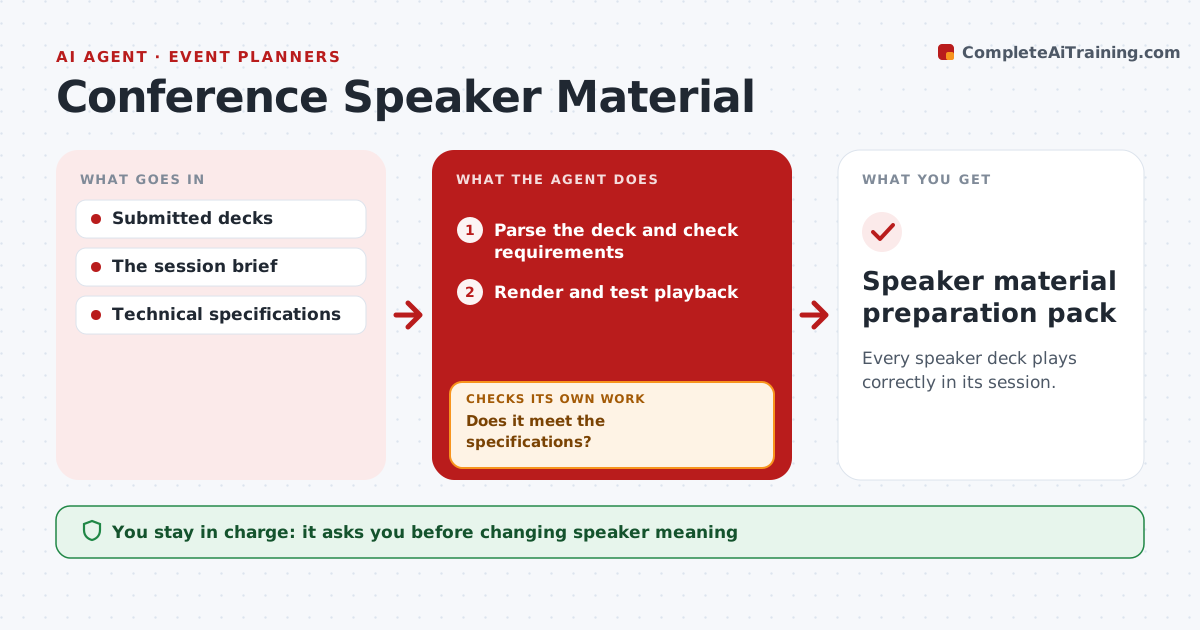
Every speaker deck plays correctly in its session.
What it does
Speaker decks arrive with missing fonts, broken videos or the wrong format for the room's screens. When a deck is submitted, this agent checks it against the session's technical specifications, such as aspect ratio, fonts, embedded media and file size. It applies permitted repairs only to a copy, choosing the repair based on the problem it found. It then renders the deck and tests playback. If a repair changes the content or breaks media, it restores the original and asks the speaker to review. It never changes what the speaker is saying. The content coordinator approves the final deck before distribution. Edge case: a speaker uses a licensed font that cannot be embedded, so the agent asks for a substitute rather than choosing one.
How it works
Follow the arrows from top to bottom. The orange dashed arrow is the loop: when a check fails, the agent goes back and tries again.
Read the steps as a list
- Deck submitted
- Parse the deck and check requirements
- Does it meet the specifications?If not: apply a permitted repair to a copy. Back to step 2.
- Render and test playback
- Is the content unchanged and does media play?If not: restore and ask the speaker to review. Back to step 3.
- Content coordinator approves the final deckThe agent waits here for your OK.
- Speaker material preparation pack
How it decides
It chooses repairs from detected problems (fonts, media, aspect ratio) and keeps a repair only if the content and playback survive.
- Choose the repair type from the detected problem.
- Restore the original when meaning or playback changes.
- Repairs are made on a copy only.
- Font substitutions are chosen by the speaker.
Make it yours
Every agent is a starting point. You choose these settings for your own situation.
- Technical specifications per room (aspect ratio, resolution, file types)
- Repairs the agent may apply
- Submission deadline before the session (default 3 days)
- Who approves final decks
- Message tone to speakers
What keeps you in control
It always asks you first
- Changing speaker meaning
- Public distribution
Hard limits
- Never edits the speaker's message.
It stops when
- Done: deck passes.
Set it up
We guide you through the set-up, step by step
Members get the full set-up guide for this agent. No technical skills needed: you copy, paste and upload.
- One set of instructions to paste into your AI, with the clicks for ChatGPT, Claude, Microsoft 365 Copilot, Gemini and Grok
- The agent then walks you through connecting your own data, one source at a time
- A downloadable copy with the flow chart, the rules and the full guide