AI agent for treasury analysts
Counterparty Exposure Limit Monitor Agent
Counterparty exposure inside limits every day, with a tested transfer plan when it is not
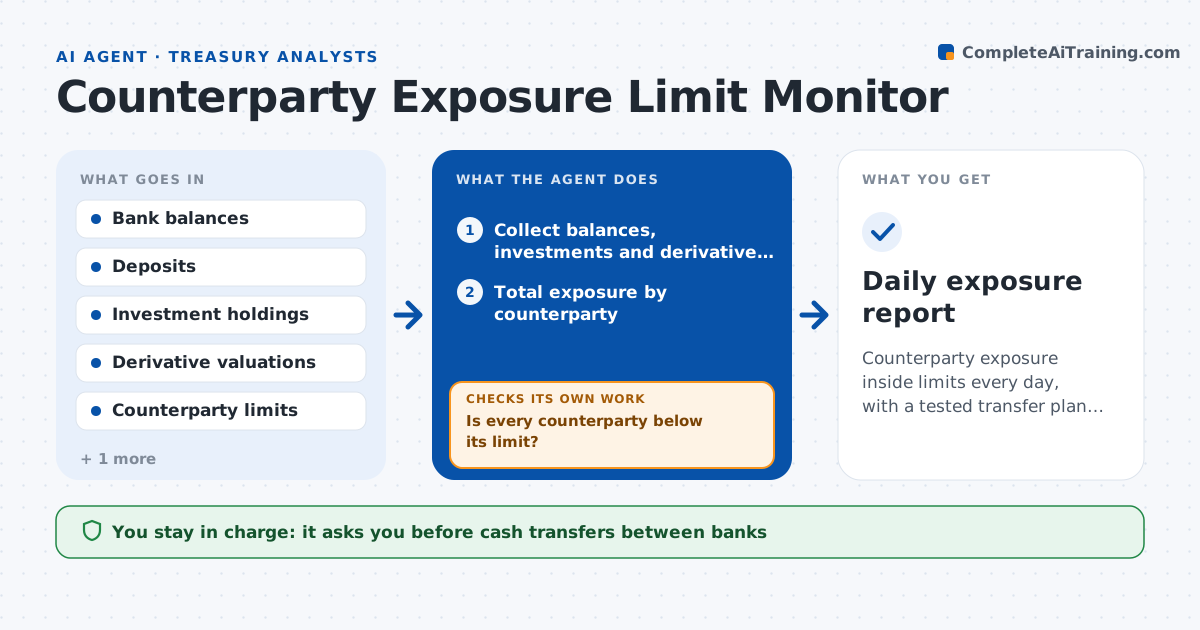
What it does
Money sits in operating accounts, deposits, investments and derivatives at several banks, and each report shows only one piece. This agent adds up balances, deposits, investments and derivative marked-to-market values by counterparty every day, then compares each total with the approved limit. It also checks for rating changes and credit news on each counterparty and lowers a limit only when policy says so. When a limit is breached or close, it works out how to move cash to restore it, choosing banks that have room, and checks that the move does not break other limits. The treasurer approves transfers. Edge case: a derivative that moves in the company's favor increases exposure to the dealer, so the agent includes it before the limit check.
How it works
Follow the arrows from top to bottom. The orange dashed arrow is the loop: when a check fails, the agent goes back and tries again.
Read the steps as a list
- Balances post each business day
- Collect balances, investments and derivative valuations
- Total exposure by counterparty
- Check rating changes and news for each counterparty
- Apply any limit changes required by policy
- Is every counterparty below its limit?If not: calculate the transfer that restores the limit and choose banks with room. Back to step 2.
- Does the transfer keep all other counterparties inside limits?If not: split the transfer across more banks and recalculate. Back to step 6.
- Draft the transfer instructions and a short exposure note
- Treasurer approves the transfersThe agent waits here for your OK.
- Daily exposure report
How it decides
Exposure equals balances plus investments plus positive derivative value. A breach is any total above the limit. A warning starts at 90% of the limit.
- Warn when exposure reaches 90% of the limit
- Include positive derivative value as exposure
- Cut a limit by the policy step when a rating falls below the threshold
- Never move cash to a bank that would pass 85% of its own limit
Make it yours
Every agent is a starting point. You choose these settings for your own situation.
- Counterparty limits
- Warning level (default 90%)
- Data sources for balances and valuations
- Who receives the daily report
What keeps you in control
It always asks you first
- Cash transfers between banks
Hard limits
- Never initiates a transfer
- Never raises a limit
It stops when
- Done: all counterparties are inside limits and the report is sent
- Stop: a balance or valuation feed is missing
Set it up
We guide you through the set-up, step by step
Members get the full set-up guide for this agent. No technical skills needed: you copy, paste and upload.
- One set of instructions to paste into your AI, with the clicks for ChatGPT, Claude, Microsoft 365 Copilot, Gemini and Grok
- The agent then walks you through connecting your own data, one source at a time
- A downloadable copy with the flow chart, the rules and the full guide