
AI agent for epidemiologists
Data Sharing Agreement Compliance Agent
Analyses and outputs that stay within the data sharing agreement, with every issue fixed before release
What it does
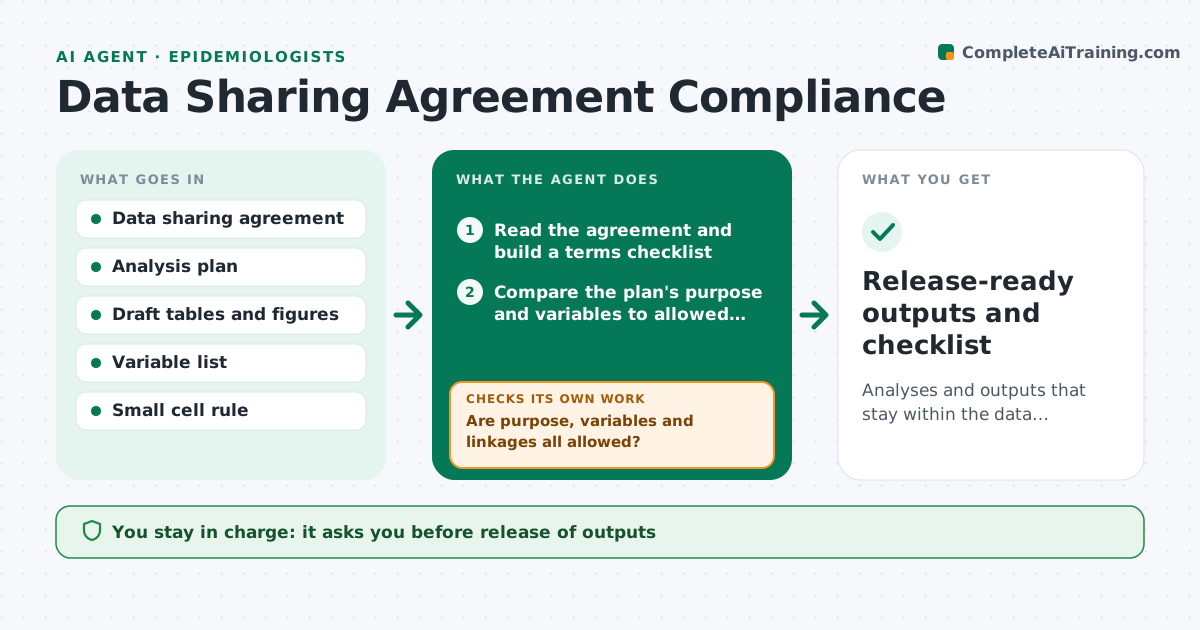
Shared health data comes with strict terms: allowed uses, small cell suppression, no linkage to other datasets. This agent reads the agreement and turns its terms into a checklist. It checks the analysis plan against allowed purposes and variables, and reviews draft tables and outputs for small cell counts and disallowed linkages. Problems are listed with a suggested fix, such as combining categories. After the analyst revises outputs, it rechecks them. The data steward approves release. Edge case: a table of 8 cases in a small county is cell-suppression safe in total, but a breakdown by age creates cells of 2, so the agent flags the breakdown.
How it works
Follow the arrows from top to bottom. The orange dashed arrow is the loop: when a check fails, the agent goes back and tries again.
Read the steps as a list
- Analysis plan or draft output submitted
- Read the agreement and build a terms checklist
- Compare the plan's purpose and variables to allowed uses
- Are purpose, variables and linkages all allowed?If not: list the disallowed items and suggest a change. Back to step 3.
- Read draft tables and figures
- Scan every cell for counts below the minimum
- Does every cell meet the minimum count and rule?If not: suggest combining categories or suppressing cells, then rescan. Back to step 5.
- Draft the compliance note for the data steward
- Data steward approves the releaseThe agent waits here for your OK.
- Release-ready outputs and checklist
How it decides
An output passes when its purpose, variables and linkages are allowed and every cell meets the minimum count.
- Suppress any cell below the agreement's minimum, usually 5 or 11
- Block linkage to any dataset not named in the agreement
- Check complementary suppression in totals
- Flag any new variable not on the approved list
Make it yours
Every agent is a starting point. You choose these settings for your own situation.
- Minimum cell size
- Allowed variables list
- Agreement expiry date
- Steward contact
What keeps you in control
It always asks you first
- Release of outputs
- Any request to amend the agreement
Hard limits
- Never releases data
- Never interprets the law beyond the written terms
It stops when
- Done: outputs pass the checklist
- Stop: agreement is unclear or expired
Set it up
We guide you through the set-up, step by step
Members get the full set-up guide for this agent. No technical skills needed: you copy, paste and upload.
- One set of instructions to paste into your AI, with the clicks for ChatGPT, Claude, Microsoft 365 Copilot, Gemini and Grok
- The agent then walks you through connecting your own data, one source at a time
- A downloadable copy with the flow chart, the rules and the full guide



