AI agent for elected officials
Ethics Disclosure and Gift Compliance Agent
A complete, rule-compliant disclosure filed before each deadline, with items needing approval handled in advance
What it does
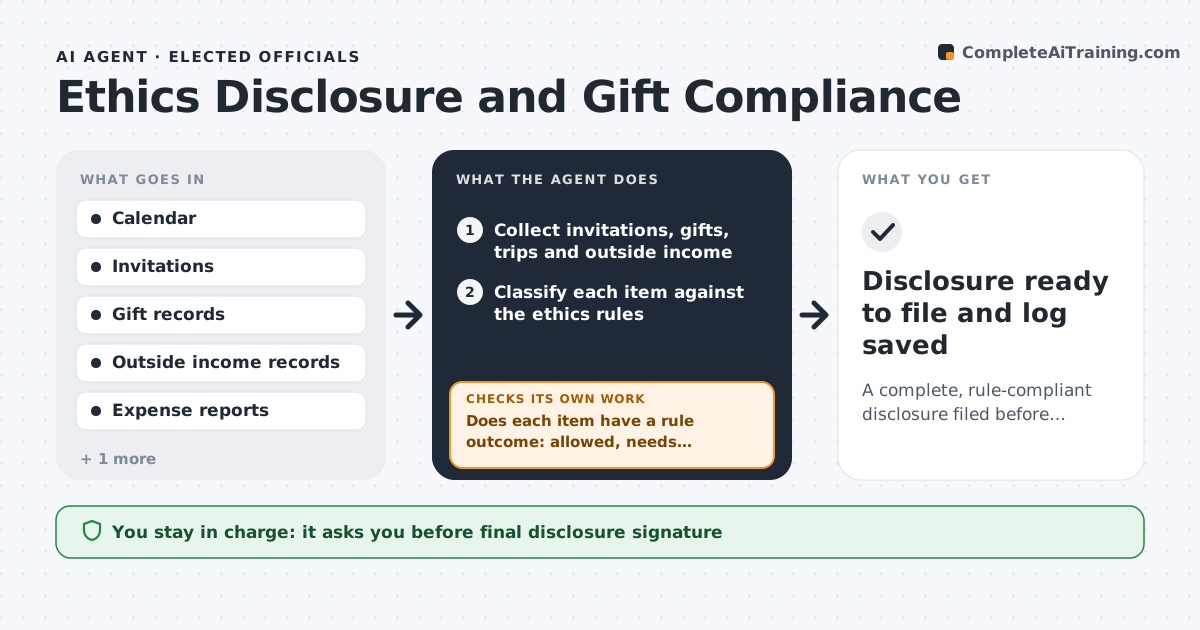
An official receives invitations, gifts and outside income all year, and the rules on limits and disclosure deadlines are easy to miss. This agent collects invitations, gifts, trips and outside income from the calendar, email and expense records. It compares each item with the ethics rules and disclosure deadlines, flags items that need approval beforehand or a filing afterward, and adds gifts from the same giver over the year. It drafts the disclosure form with amounts, dates and sources. Then it rechecks the draft against all records for missing entries and for gifts that cross the limit. The official reviews and signs. Edge case: a conference trip paid for by a third party is flagged for pre-approval before the trip, not after.
How it works
Follow the arrows from top to bottom. The orange dashed arrow is the loop: when a check fails, the agent goes back and tries again.
Read the steps as a list
- Monthly review or deadline approaching
- Collect invitations, gifts, trips and outside income
- Classify each item against the ethics rules
- Total gifts by giver for the year
- Does each item have a rule outcome: allowed, needs approval or must be declined?If not: look up the rule and ask the official for missing facts. Back to step 3.
- Draft the disclosure form with sources
- Compare the draft with all records for missing items
- Is every record accounted for in the draft?If not: add the missing items and recompute totals. Back to step 7.
- Official reviews and signs the disclosureThe agent waits here for your OK.
- Disclosure ready to file and log saved
How it decides
An item needs pre-approval or a filing when it matches a rule trigger by type, value or giver. Gifts are totaled by giver across the year.
- Require pre-approval for third-party paid travel
- Total all gifts from one giver over the year before applying the limit
- Flag any item within 10% of a limit
- Ask the official when the value of an item is unknown
Make it yours
Every agent is a starting point. You choose these settings for your own situation.
- Gift and travel limits
- Disclosure deadlines
- Records sources
- Warning margin (default 10%)
What keeps you in control
It always asks you first
- Final disclosure signature
- Any gift acceptance beyond the limit
Hard limits
- Never files a disclosure
- Does not give legal advice
It stops when
- Done: the disclosure is complete and signed
- Stop: ethics rules for the jurisdiction are missing
Set it up
We guide you through the set-up, step by step
Members get the full set-up guide for this agent. No technical skills needed: you copy, paste and upload.
- One set of instructions to paste into your AI, with the clicks for ChatGPT, Claude, Microsoft 365 Copilot, Gemini and Grok
- The agent then walks you through connecting your own data, one source at a time
- A downloadable copy with the flow chart, the rules and the full guide