AI agent for event planners
Event Seating Constraint Agent
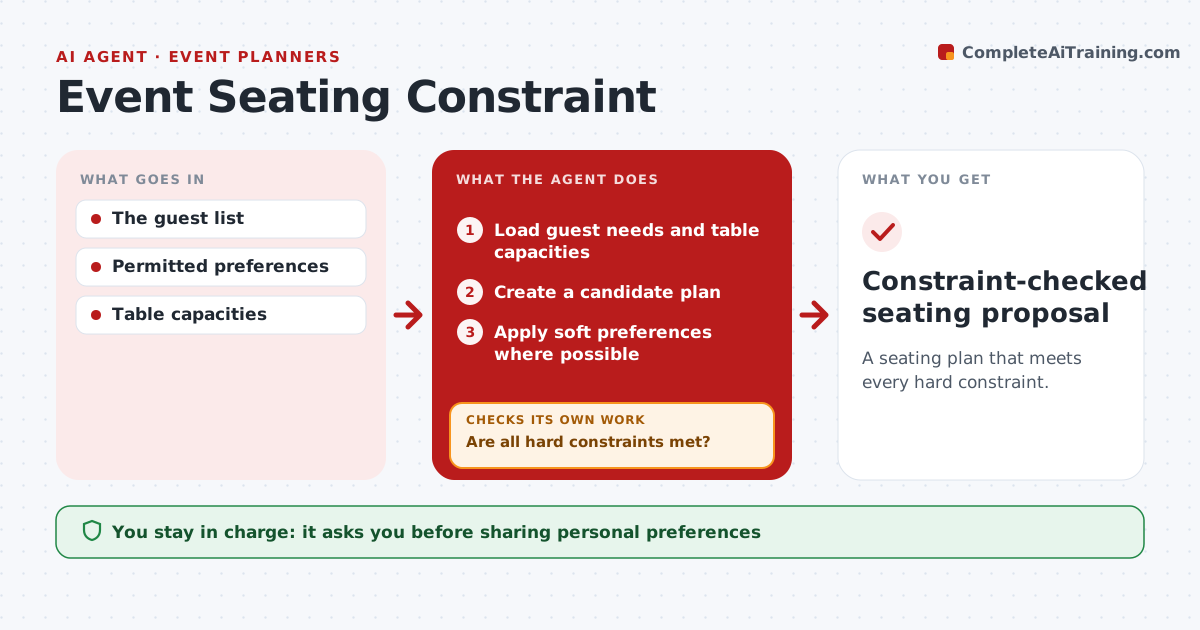
A seating plan that meets every hard constraint.
What it does
Seating plans for events must respect accessibility needs, companions and group preferences, and late changes break them. When the guest list is final or changes, this agent builds a candidate plan and checks the hard constraints first: accessibility, required companions and table capacity. When a constraint fails, it moves a guest to fix it. It then rechecks everything. If the move creates another problem, such as separating a companion or exceeding capacity, it undoes the move and tests another option. Soft preferences come after hard constraints. The planner approves the final plan, and personal preferences are not shared beyond the planner. Edge case: a wheelchair user and their companion must move together, so the agent moves them as a pair.
How it works
Follow the arrows from top to bottom. The orange dashed arrow is the loop: when a check fails, the agent goes back and tries again.
Read the steps as a list
- Guest list final or changed
- Load guest needs and table capacities
- Create a candidate plan
- Are all hard constraints met?If not: move a guest to fix the failure. Back to step 3.
- Is the plan free of new violations after the move?If not: undo and try another move. Back to step 4.
- Apply soft preferences where possible
- Planner approves the final planThe agent waits here for your OK.
- Constraint-checked seating proposal
How it decides
It resolves the failed constraint with the move that causes no new violations.
- Hard constraints first: accessibility, companions, capacity.
- Undo any move that creates a new violation.
- Companions move together.
- Personal preferences are shared only with the planner.
Make it yours
Every agent is a starting point. You choose these settings for your own situation.
- Hard constraints (accessibility, companions, capacity)
- Soft preferences to honor where possible (groups, VIPs)
- Table layout and capacities
- Who approves the final plan
- Output format (table list or floor map)
What keeps you in control
It always asks you first
- Sharing personal preferences
- Final placement
Hard limits
- Keeps preferences private.
It stops when
- Done: plan valid.
Set it up
We guide you through the set-up, step by step
Members get the full set-up guide for this agent. No technical skills needed: you copy, paste and upload.
- One set of instructions to paste into your AI, with the clicks for ChatGPT, Claude, Microsoft 365 Copilot, Gemini and Grok
- The agent then walks you through connecting your own data, one source at a time
- A downloadable copy with the flow chart, the rules and the full guide