AI agent for event planners
Event Venue Sourcing Comparison Agent
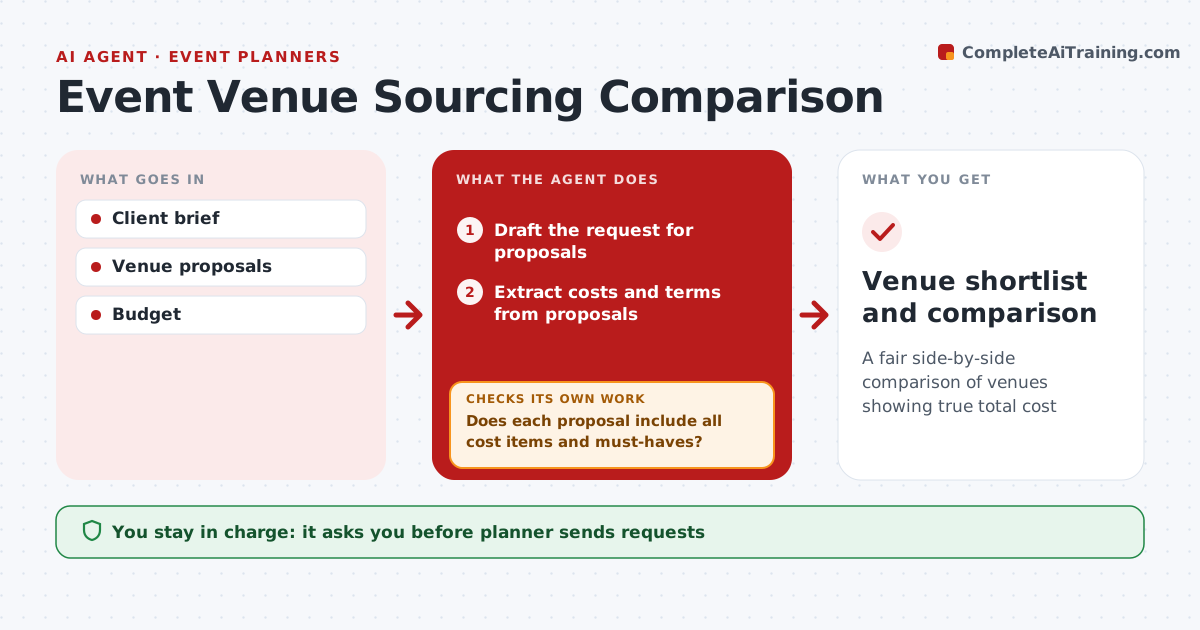
A fair side-by-side comparison of venues showing true total cost
What it does
For each event, planners request proposals from venues and must compare cost, capacity, dates and terms that are written in very different ways. Once the brief is approved, this agent drafts the request for proposals, which the planner sends. It extracts every cost from the replies, including service charges, minimums, fees and taxes, and checks each venue against the must-haves such as capacity, access and AV, which are pass or fail. If a proposal is missing cost items or must-have answers, it drafts follow-up questions to the venue and re-extracts once answered. It then compares total cost per guest and scores attrition and cancellation terms. The planner and client choose. Edge case: food and beverage minimums with high attrition penalties are highlighted even when the headline price looks low.
How it works
Follow the arrows from top to bottom. The orange dashed arrow is the loop: when a check fails, the agent goes back and tries again.
Read the steps as a list
- Brief approved
- Draft the request for proposals
- Planner sends requests to venuesThe agent waits here for your OK.
- Extract costs and terms from proposals
- Does each proposal include all cost items and must-haves?If not: draft follow-up questions to the venue. Back to step 4.
- Compare total cost per guest and terms
- Planner and client choose a venueThe agent waits here for your OK.
- Venue shortlist and comparison
How it decides
Venues must meet all must-haves. They are ranked by total cost per guest and terms risk.
- Must-haves are pass or fail
- Total cost includes service charges and taxes
- Attrition and cancellation terms are scored
Make it yours
Every agent is a starting point. You choose these settings for your own situation.
- Must-haves
- Cost items
- Number of venues
- Scoring weights
What keeps you in control
It always asks you first
- Planner sends requests
- Client signs the venue contract
Hard limits
- Never signs contracts
- Never sends without planner approval
It stops when
- Done: venue chosen
- Stop: event canceled
Set it up
We guide you through the set-up, step by step
Members get the full set-up guide for this agent. No technical skills needed: you copy, paste and upload.
- One set of instructions to paste into your AI, with the clicks for ChatGPT, Claude, Microsoft 365 Copilot, Gemini and Grok
- The agent then walks you through connecting your own data, one source at a time
- A downloadable copy with the flow chart, the rules and the full guide