AI agent for conversion rate optimization specialists
Form and Checkout Friction Audit Agent
Find and confirm fixes for friction in key forms and checkout
What it does
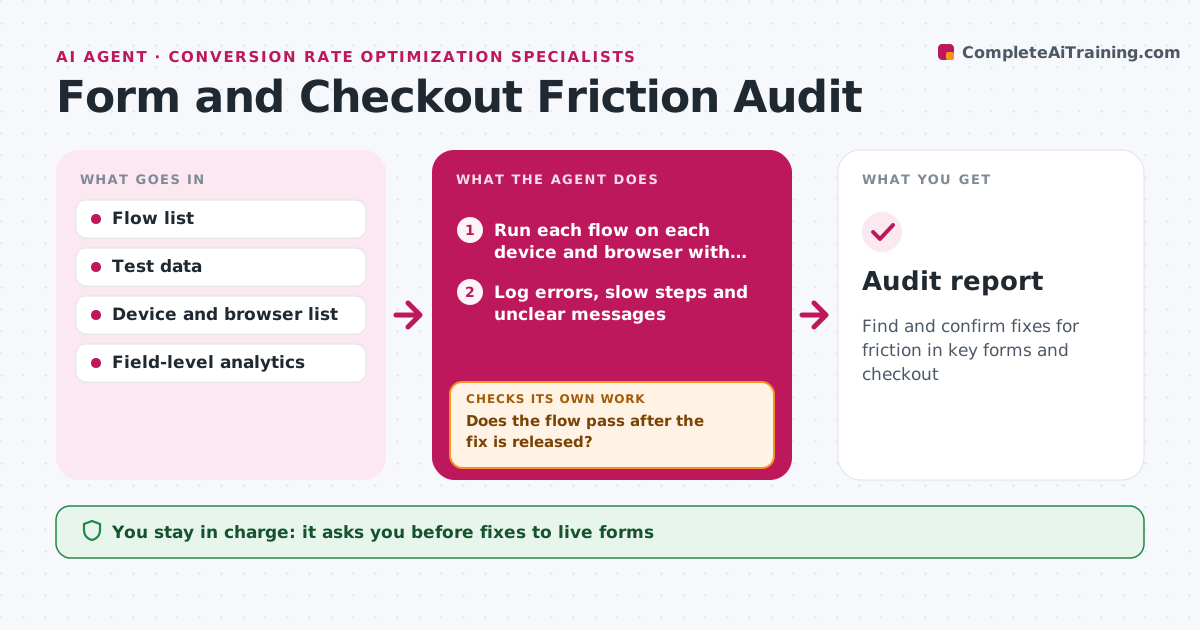
Forms and checkouts break in small ways: a field rejects valid input, an error message is unclear, or one step fails on one device. Each month this agent runs every key flow on a set of devices and browsers using test data, recording each step and its timing. It logs errors, slow steps, confusing messages and fields that block progress. It then compares its findings with field-level drop-off from analytics and ranks issues by drop-off times traffic, so the most costly problems come first. The specialist approves which fixes and tests go ahead. After a fix is released, the agent runs the flow again. If the issue is still there, it reopens it with the new evidence. Edge case: flows that need real payment are only run in the payment provider's test mode, never with live cards.
How it works
Follow the arrows from top to bottom. The orange dashed arrow is the loop: when a check fails, the agent goes back and tries again.
Read the steps as a list
- Monthly friction audit
- Run each flow on each device and browser with test data
- Log errors, slow steps and unclear messages
- Compare with field-level drop-off
- Rank issues by impact
- Specialist approves fixesThe agent waits here for your OK.
- Does the flow pass after the fix is released?If not: reopen the issue with the new evidence. Back to step 2.
- Audit report
How it decides
Issues are ranked by the drop-off at the affected field times the traffic on that path.
- Test mode only for payments
- Rank by drop-off times traffic
- Recheck after every related release
Make it yours
Every agent is a starting point. You choose these settings for your own situation.
- Flows tested
- Devices and browsers
- Audit schedule
What keeps you in control
It always asks you first
- Fixes to live forms
Hard limits
- Never uses real payment data
- Never changes live forms
It stops when
- Done: all issues fixed or accepted
- Stop: test environment down
Set it up
We guide you through the set-up, step by step
Members get the full set-up guide for this agent. No technical skills needed: you copy, paste and upload.
- One set of instructions to paste into your AI, with the clicks for ChatGPT, Claude, Microsoft 365 Copilot, Gemini and Grok
- The agent then walks you through connecting your own data, one source at a time
- A downloadable copy with the flow chart, the rules and the full guide