AI agent for product designers
Product Onboarding Friction Agent
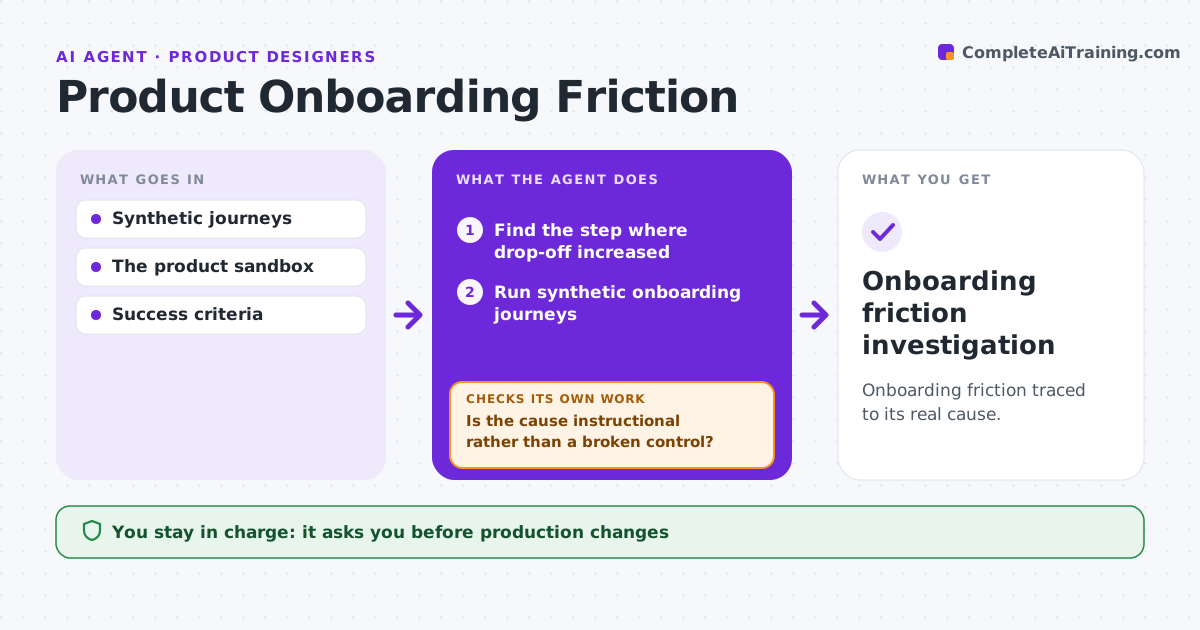
Onboarding friction traced to its real cause.
What it does
When onboarding drop-off rises, the cause is often blamed on the wrong step. This agent runs the approved onboarding tasks using synthetic test journeys. For each failure it chooses probes that separate unclear instructions from broken controls. It first tests whether clearer instructions would help, for example by checking if users follow the text correctly. If they do and still fail, it investigates how the screen behaves. It prepares reproducible evidence, such as steps, screens and session data, for the product team. The agent does not change production or decide research priorities. Edge case: replay shows the submit button is disabled when an optional phone field is empty, so it is a bug, not unclear copy.
How it works
Follow the arrows from top to bottom. The orange dashed arrow is the loop: when a check fails, the agent goes back and tries again.
Read the steps as a list
- Onboarding drop-off rises
- Find the step where drop-off increased
- Run synthetic onboarding journeys
- Choose probes for each failure
- Is the cause instructional rather than a broken control?If not: investigate the screen behavior. Back to step 4.
- Prepare reproducible evidence
- Product manager approves next stepsThe agent waits here for your OK.
- Onboarding friction investigation
How it decides
It tests clearer instructions first; if that doesn't help, it investigates UI behavior.
- Test instructions before blaming the interface.
- A control that fails when followed correctly is a bug.
- Evidence must be reproducible before it goes to the team.
Make it yours
Every agent is a starting point. You choose these settings for your own situation.
- Drop-off change that triggers a run (default 5 points)
- Number of synthetic journeys (default 20)
- Onboarding steps in scope
- Who receives the evidence
What keeps you in control
It always asks you first
- Production changes
- Research decisions
Hard limits
- Synthetic journeys only.
It stops when
- Done: cause identified.
Set it up
We guide you through the set-up, step by step
Members get the full set-up guide for this agent. No technical skills needed: you copy, paste and upload.
- One set of instructions to paste into your AI, with the clicks for ChatGPT, Claude, Microsoft 365 Copilot, Gemini and Grok
- The agent then walks you through connecting your own data, one source at a time
- A downloadable copy with the flow chart, the rules and the full guide