AI agent for legislative assistants
Hearing Witness Testimony Collection Agent
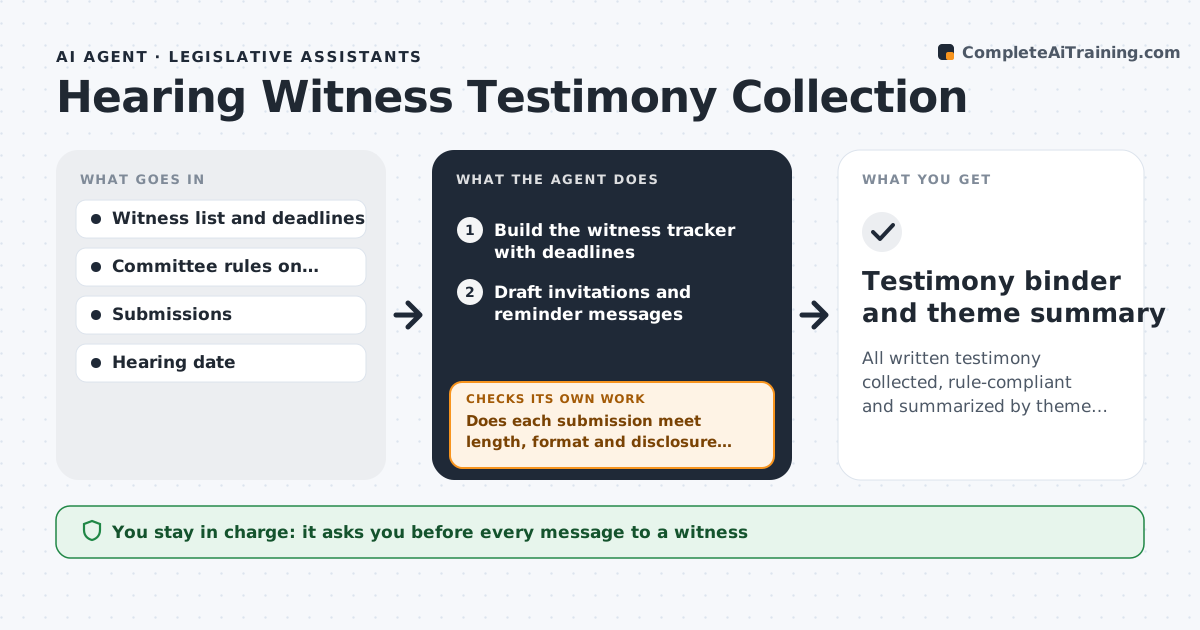
All written testimony collected, rule-compliant and summarized by theme before the hearing
What it does
Before a hearing, committee staff chase witnesses for written testimony that arrives late, too long or in the wrong format. This agent tracks witness invitations, deadlines and received testimony. It checks each submission against the committee rules on length, format and required disclosures, and flags those that break them. It drafts reminders to witnesses who have not submitted and polite requests to fix problems. When testimony arrives, it rechecks it and updates the status. After the deadline, it summarizes the themes across submissions, noting who supports, opposes and has concerns. It checks that every submission is counted in the summary. The staff director approves all messages. Edge case: a witness who sends a 40-page report is asked for a short summary with the report as an attachment.
How it works
Follow the arrows from top to bottom. The orange dashed arrow is the loop: when a check fails, the agent goes back and tries again.
Read the steps as a list
- Hearing is scheduled
- Build the witness tracker with deadlines
- Draft invitations and reminder messages
- Staff director approves messages before they go outThe agent waits here for your OK.
- Collect submissions and log receipt
- Does each submission meet length, format and disclosure rules?If not: draft a request to the witness to fix the problem and recheck on receipt. Back to step 5.
- Remind witnesses who have not submitted
- Has every invited witness submitted or declined?If not: send one more reminder and mark the status for the director. Back to step 5.
- Summarize themes and stances across submissions
- Testimony binder and theme summary
How it decides
A submission passes when it is on time and meets the length, format and disclosure rules. Themes are grouped by stance and issue.
- Remind witnesses 7 days and 2 days before the deadline
- Ask for a summary when testimony exceeds the page limit
- Count a late submission only if the chair allows it
- Group themes by issue and by support or opposition
Make it yours
Every agent is a starting point. You choose these settings for your own situation.
- Page limit and format rules
- Reminder schedule
- Theme categories
- Handling of late submissions
What keeps you in control
It always asks you first
- Every message to a witness
Hard limits
- Never sends messages without approval
- Does not edit a witness's testimony
It stops when
- Done: the binder and summary are complete
- Stop: the hearing is cancelled
Set it up
We guide you through the set-up, step by step
Members get the full set-up guide for this agent. No technical skills needed: you copy, paste and upload.
- One set of instructions to paste into your AI, with the clicks for ChatGPT, Claude, Microsoft 365 Copilot, Gemini and Grok
- The agent then walks you through connecting your own data, one source at a time
- A downloadable copy with the flow chart, the rules and the full guide