AI agent for venture capitalists
Portfolio Introduction Matching Agent
A short list of current, conflict-free introductions for each founder request, ready for approval
What it does
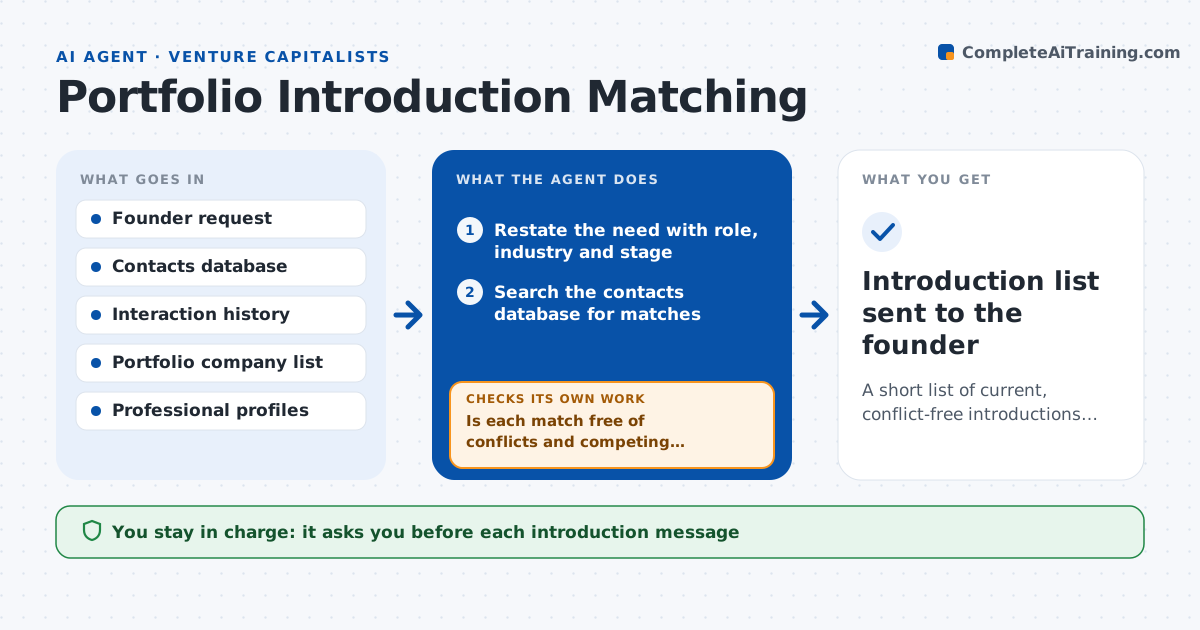
Founders ask for introductions in chats and calls, and the fund's best contacts are remembered by whoever happens to know them. When a founder posts a need, such as a customer, a hire or an investor, this agent searches the contacts database for matches. It checks the strength of each relationship, recent interactions and conflicts, such as a competing portfolio company or a person already in talks with the founder. It drafts a short list with the reason for each match and a draft request to the connector. Before the list goes out, it checks that each person is still in the role on a professional profile and drops those who have moved. The platform lead approves each introduction before anyone is contacted. Edge case: a contact who is also an investor in a competitor is dropped from the list.
How it works
Follow the arrows from top to bottom. The orange dashed arrow is the loop: when a check fails, the agent goes back and tries again.
Read the steps as a list
- Founder posts an introduction need
- Restate the need with role, industry and stage
- Search the contacts database for matches
- Check relationship strength and recent interactions
- Is each match free of conflicts and competing interests?If not: drop the match and search again with a wider filter. Back to step 3.
- Confirm each person's current role on their professional profile
- Is each person still in the role?If not: replace them with the next best match and recheck. Back to step 3.
- Draft a short list with reasons and a draft message for each connector
- Platform lead approves each introductionThe agent waits here for your OK.
- Introduction list sent to the founder
How it decides
Matches are ranked by fit to the request, relationship strength and recency. Any contact with a conflict or a changed role is removed.
- Rank by fit first, then relationship strength
- Drop contacts with investments in a direct competitor
- Drop contacts with no interaction in the last 18 months unless strongly relevant
- Limit the list to 5 names per request
Make it yours
Every agent is a starting point. You choose these settings for your own situation.
- Maximum names per request (default 5)
- Staleness limit for contacts (default 18 months)
- Conflict rules
- Data sources for contacts
What keeps you in control
It always asks you first
- Each introduction message
Hard limits
- Never contacts anyone without approval
- Does not share private notes about contacts
It stops when
- Done: an approved list is delivered to the founder
- Stop: the request is too vague to match
Set it up
We guide you through the set-up, step by step
Members get the full set-up guide for this agent. No technical skills needed: you copy, paste and upload.
- One set of instructions to paste into your AI, with the clicks for ChatGPT, Claude, Microsoft 365 Copilot, Gemini and Grok
- The agent then walks you through connecting your own data, one source at a time
- A downloadable copy with the flow chart, the rules and the full guide