AI agent for private equity associates
Portfolio Reporting Package Check Agent
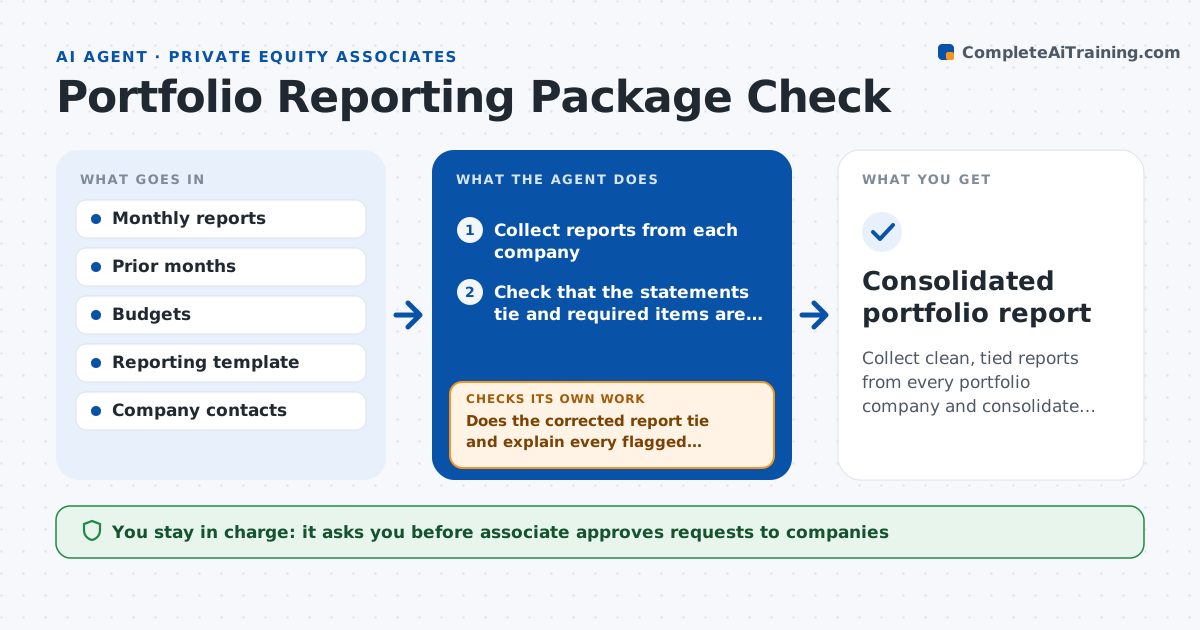
Collect clean, tied reports from every portfolio company and consolidate them.
What it does
Every month, portfolio companies send reports with financial statements, KPIs and comments, and many arrive with numbers that do not tie or pieces missing. This agent reads each report and checks that the statements tie, such as that the balance sheet balances and cash ties between statements. It compares each line with last month and with budget and flags big changes. It sends specific requests to the company for fixes and rechecks the corrected version. After all reports pass, it builds the consolidated view across companies. The associate approves the consolidated view before it goes to the partners.
How it works
Follow the arrows from top to bottom. The orange dashed arrow is the loop: when a check fails, the agent goes back and tries again.
Read the steps as a list
- Reporting deadline
- Collect reports from each company
- Check that the statements tie and required items are present
- Compare with last month and budget, flag errors and large variances
- Draft a specific request to each company
- Associate approves requests sent to companiesThe agent waits here for your OK.
- Receive corrected versions
- Does the corrected report tie and explain every flagged item?If not: send a second specific request and note the open item. Back to step 3.
- Build the consolidated view
- Associate approves the consolidated viewThe agent waits here for your OK.
- Consolidated portfolio report
How it decides
It passes a report when statements tie and variances are explained, and otherwise sends a specific request.
- Require the balance sheet to balance within $1
- Flag variances above 10 percent versus budget
- Flag any KPI that changes more than 20 percent month over month
- Chase companies 2 days after the deadline
Make it yours
Every agent is a starting point. You choose these settings for your own situation.
- Tie-out tolerance (default $1)
- Variance threshold (default 10 percent)
- Required items
- Reminder schedule
What keeps you in control
It always asks you first
- Associate approves requests to companies
- Associate approves the consolidated view
Hard limits
- Never changes a company's numbers
- Marks any unresolved item in the consolidated view
It stops when
- Done: all reports pass or open items are stated
- Stop: a company misses the deadline by more than 10 days
Set it up
We guide you through the set-up, step by step
Members get the full set-up guide for this agent. No technical skills needed: you copy, paste and upload.
- One set of instructions to paste into your AI, with the clicks for ChatGPT, Claude, Microsoft 365 Copilot, Gemini and Grok
- The agent then walks you through connecting your own data, one source at a time
- A downloadable copy with the flow chart, the rules and the full guide