AI agent for product analysts
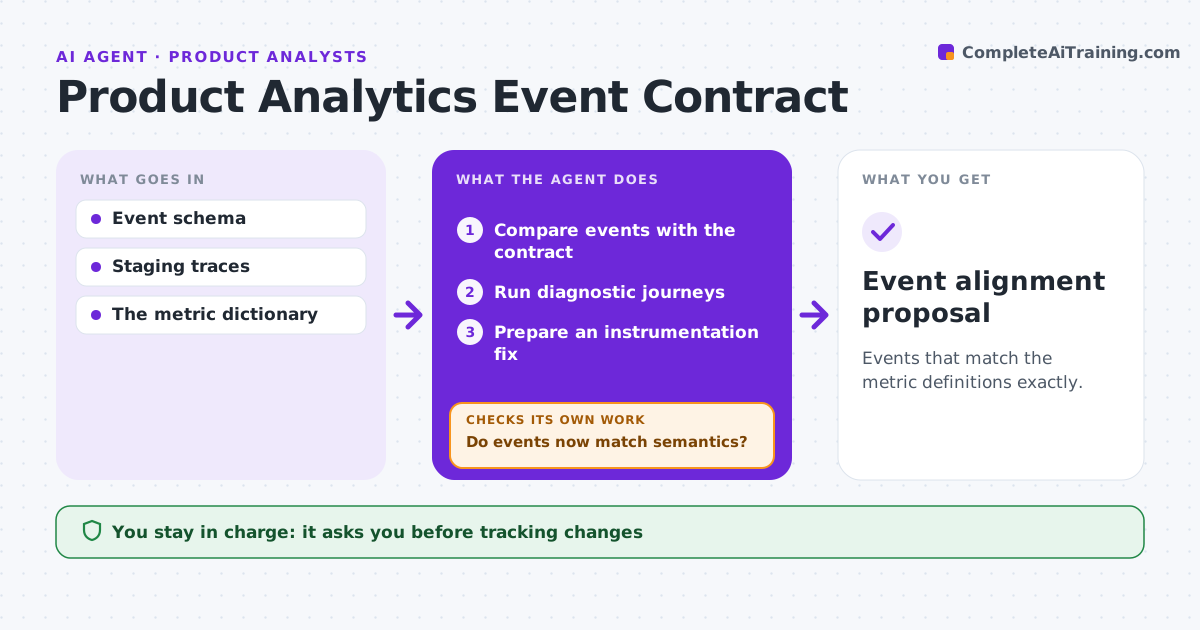
Product Analytics Event Contract Agent
Events that match the metric definitions exactly.
What it does
Product analytics events drift away from the approved metric definitions, so dashboards quietly become wrong. After an anomaly or a release, this agent compares the events being sent with the event contract, which says what each event means and when it fires. It runs diagnostic test journeys to expose missing, extra or duplicate events. It prepares an instrumentation fix and reruns the same journey that exposed the problem. If the events still do not match the meaning in the contract, it revises the fix. The analytics lead approves tracking changes and anything touching consent rules. Edge case: a patch for a duplicate event suppresses both events, so the agent narrows it.
How it works
Follow the arrows from top to bottom. The orange dashed arrow is the loop: when a check fails, the agent goes back and tries again.
Read the steps as a list
- Anomaly or release
- Compare events with the contract
- Run diagnostic journeys
- Prepare an instrumentation fix
- Rerun the same journey
- Do events now match semantics?If not: revise the fix. Back to step 4.
- Analytics lead approvesThe agent waits here for your OK.
- Event alignment proposal
How it decides
It tests fixes with the journey that exposed the problem.
- Preserve the meaning defined in the event contract.
- Test each fix with the journey that exposed the problem.
- No consent rule changes without approval.
Make it yours
Every agent is a starting point. You choose these settings for your own situation.
- Event contract source
- Diagnostic journeys per key metric
- Change size that triggers a run (default 20%)
- Who approves tracking changes
What keeps you in control
It always asks you first
- Tracking changes
- Consent rules
Hard limits
- Staging only.
It stops when
- Done: journeys pass.
Set it up
We guide you through the set-up, step by step
Members get the full set-up guide for this agent. No technical skills needed: you copy, paste and upload.
- One set of instructions to paste into your AI, with the clicks for ChatGPT, Claude, Microsoft 365 Copilot, Gemini and Grok
- The agent then walks you through connecting your own data, one source at a time
- A downloadable copy with the flow chart, the rules and the full guide