AI agent for civil servants
Public Records Request Assembly Agent
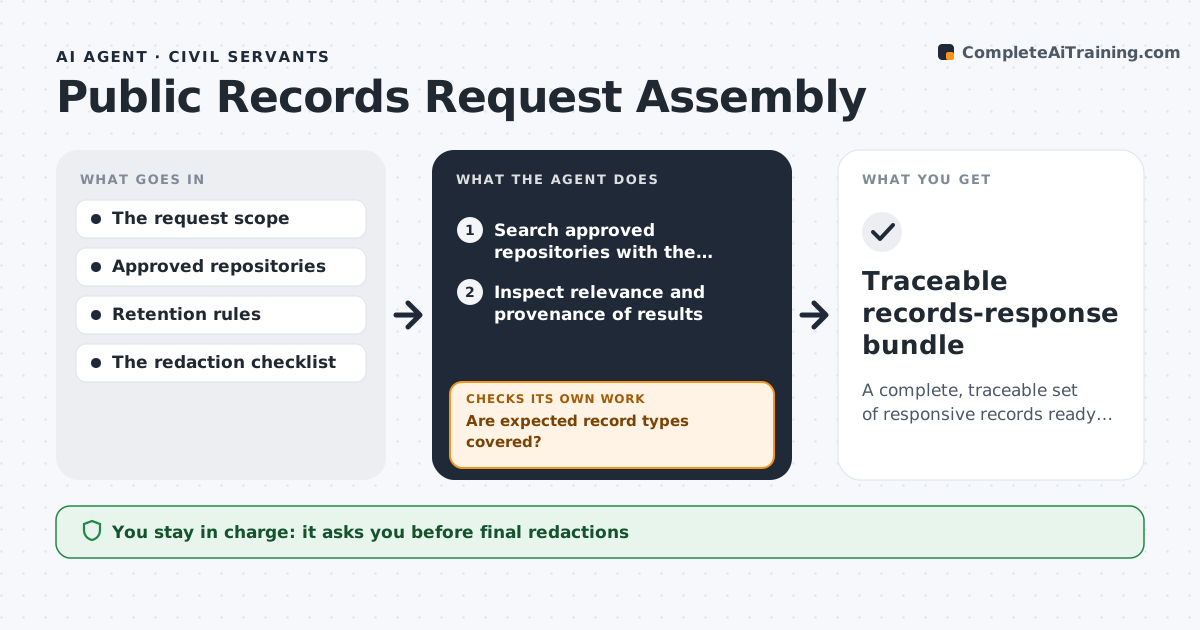
A complete, traceable set of responsive records ready for officer review.
What it does
Public records requests mean searching email, document systems and shared drives, and staff usually do it by hand. Once the records officer approves the scope, this agent searches only the approved repositories with the scoped terms. It inspects each result for relevance and provenance. If expected record types are missing, it broadens the query, but only within the approved scope. It removes duplicate copies and keeps the best original. It flags possibly protected content, such as personal data, legal privilege or security details, for redaction review. The officer receives a review bundle with a disclosure manifest and decides redactions, exemptions and release. Edge case: broadening would reach a department outside the scope, so the agent stops and asks the officer instead.
How it works
Follow the arrows from top to bottom. The orange dashed arrow is the loop: when a check fails, the agent goes back and tries again.
Read the steps as a list
- Records request scoped
- Search approved repositories with the scoped terms
- Inspect relevance and provenance of results
- Are expected record types covered?If not: broaden the approved query within scope. Back to step 2.
- Deduplicate copies and keep the best original
- Flag potentially protected content for redaction
- Assemble the review copy and manifest
- Records officer decides redactions, exemptions and releaseThe agent waits here for your OK.
- Traceable records-response bundle
How it decides
It chooses repositories and search terms from the scope, refines them based on what the first results show, and stops broadening when the scope is covered or further broadening would go outside it.
- Repository and terms: from the approved scope.
- Broaden: only within scope when expected records are missing.
- Flag: personal data, privileged material, security details.
Make it yours
Every agent is a starting point. You choose these settings for your own situation.
- Repositories the agent may search
- Types of content to flag for redaction (personal data, privilege, security)
- How far the query may be broadened before asking the officer
- Statutory response deadline to track (default 20 working days)
- Manifest format (spreadsheet or PDF index)
What keeps you in control
It always asks you first
- Final redactions
- Exemptions
- Release to the requester
Hard limits
- Never releases or redacts finally.
- Searches only approved repositories.
It stops when
- Done: scope covered and manifest complete.
- Needs a human: scope unclear.
Set it up
We guide you through the set-up, step by step
Members get the full set-up guide for this agent. No technical skills needed: you copy, paste and upload.
- One set of instructions to paste into your AI, with the clicks for ChatGPT, Claude, Microsoft 365 Copilot, Gemini and Grok
- The agent then walks you through connecting your own data, one source at a time
- A downloadable copy with the flow chart, the rules and the full guide