
AI agent for epidemiologists
Research Sample Metadata Agent
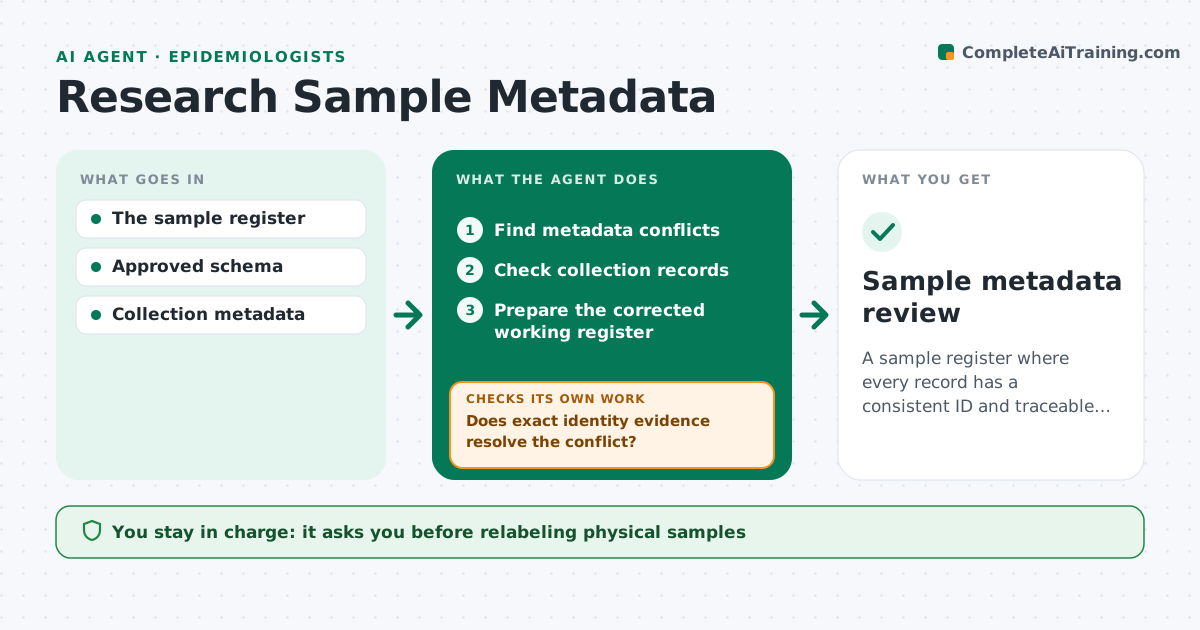
A sample register where every record has a consistent ID and traceable provenance.
What it does
In a lab sample register, identifiers drift over time, like S-104a versus S-104A, and the link between a sample and where it came from gets lost. This agent reviews the register for metadata conflicts, such as duplicate IDs, mismatched dates or missing collection details. It checks each conflict against the original collection records by exact sample identity: ID, collection date and time, collector and site. Only when exact identity evidence resolves the conflict does it propose a correction. A sample with a similar label but a different collection time stays a separate record until an authoritative source settles it. It prepares a corrected working register, and the data administrator approves. It never relabels physical samples. Edge case: a sample split into aliquots keeps the parent link on every aliquot.
How it works
Follow the arrows from top to bottom. The orange dashed arrow is the loop: when a check fails, the agent goes back and tries again.
Read the steps as a list
- Register review
- Find metadata conflicts
- Check collection records
- Does exact identity evidence resolve the conflict?If not: keep the records separate and ask the administrator. Back to step 3.
- Prepare the corrected working register
- Data administrator approvesThe agent waits here for your OK.
- Sample metadata review
How it decides
It matches by exact identity and collection evidence, never by label similarity.
- Corrections need exact identity evidence.
- Similar labels are not merged without an authoritative source.
- Physical samples are never relabeled by the agent.
- Aliquots keep their parent link.
Make it yours
Every agent is a starting point. You choose these settings for your own situation.
- Identity fields that must match (default: ID, collection time, site, collector)
- Collection record sources
- Review schedule (default: quarterly)
- Who approves corrections (default: data administrator)
- Register export format
What keeps you in control
It always asks you first
- Relabeling physical samples
- Scientific exclusions
Hard limits
- No physical changes.
It stops when
- Done: register reviewed.
Set it up
We guide you through the set-up, step by step
Members get the full set-up guide for this agent. No technical skills needed: you copy, paste and upload.
- One set of instructions to paste into your AI, with the clicks for ChatGPT, Claude, Microsoft 365 Copilot, Gemini and Grok
- The agent then walks you through connecting your own data, one source at a time
- A downloadable copy with the flow chart, the rules and the full guide



