AI agent for venture capitalists
Term Sheet Comparison Agent
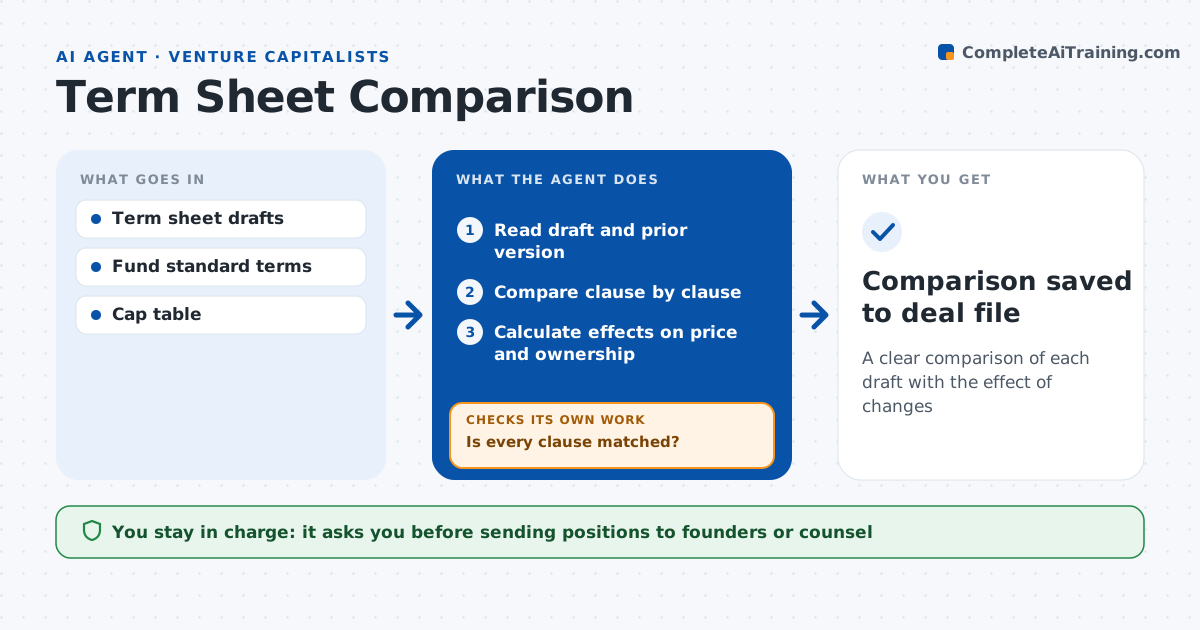
A clear comparison of each draft with the effect of changes
What it does
Term sheet drafts bounce back and forth, and small changes in the option pool or preferences can shift value without changing the headline price. When a draft arrives, this agent compares it with the fund's standard terms and the previous draft. It lists changes in valuation, option pool, liquidation preference, board seats, protective provisions and other key terms. It calculates the effect of key changes, such as how a larger pool lowers the true pre-money value. It flags any preference above 1x and lists new protective provisions. It then checks that the comparison covers every clause by matching section by section; unmatched clauses are listed and reviewed again until nothing is left out. It drafts a summary for the partner. The partner decides positions and counsel handles the legal text. Edge case: the pool is raised in a new draft without a price change, and the agent shows the real effect.
How it works
Follow the arrows from top to bottom. The orange dashed arrow is the loop: when a check fails, the agent goes back and tries again.
Read the steps as a list
- New draft received
- Read draft and prior version
- Compare clause by clause
- Is every clause matched?If not: list unmatched clauses and review again. Back to step 3.
- Calculate effects on price and ownership
- Draft summary for partner
- Partner decides positionsThe agent waits here for your OK.
- Comparison saved to deal file
How it decides
It flags any term that differs from the standard or the prior draft and calculates economic effects.
- Preference above 1x: flag
- Option pool change: show effect on pre-money
- New protective provision: list
Make it yours
Every agent is a starting point. You choose these settings for your own situation.
- Standard terms
- Clauses to track
- Summary layout
- Who gets the summary
What keeps you in control
It always asks you first
- Sending positions to founders or counsel
Hard limits
- Never gives legal advice
- Never sends to founders
It stops when
- Done: summary delivered
- Stop: draft incomplete
Set it up
We guide you through the set-up, step by step
Members get the full set-up guide for this agent. No technical skills needed: you copy, paste and upload.
- One set of instructions to paste into your AI, with the clicks for ChatGPT, Claude, Microsoft 365 Copilot, Gemini and Grok
- The agent then walks you through connecting your own data, one source at a time
- A downloadable copy with the flow chart, the rules and the full guide