AI tool
Burnstate
Burnstate is a Mac menu bar app that shows how fast you're using AI coding tools against the time remaining in each limit period. It tracks Claude Code, Codex, Cursor, and Vercel AI Gateway from existing logins and warns you before a limit runs ou...
About Burnstate
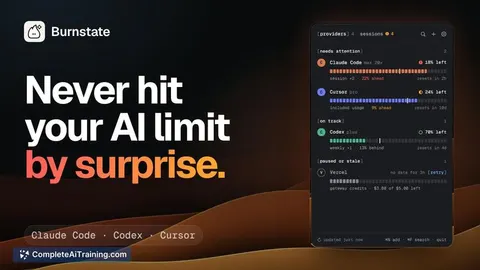
Burnstate is a native Mac menu bar app for people who code with AI. It tracks usage limits for Claude Code, Codex, Cursor, and Vercel AI Gateway, displaying how much of each time window has passed alongside your current burn rate. The app also lets you answer Claude Code permission prompts from a card, view per-session token counts and costs, and share a year of usage via a self-contained link-all without requiring an account or sending data to a Burnstate server.
Review
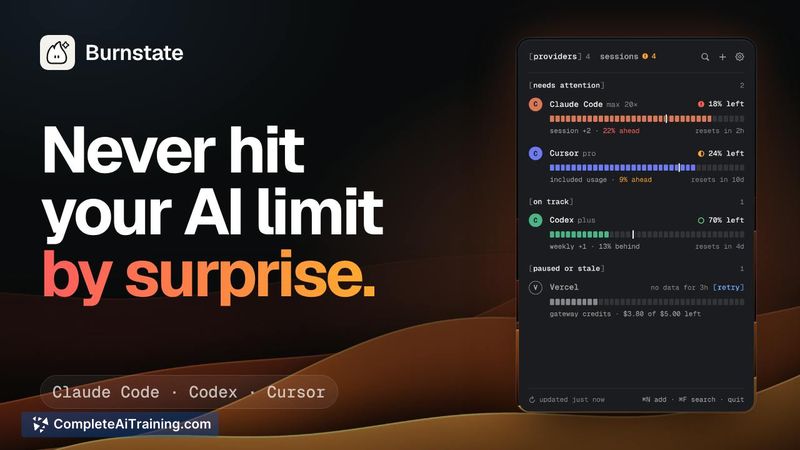
Burnstate addresses a specific pain point for developers who work across multiple AI coding tools: knowing whether you'll hit a rate limit before the reset. Rather than showing a simple percentage, each meter includes a pace tick that marks how much of the current window has elapsed. If your usage bar has outpaced that tick, the app calculates when you'd run out at your current pace. The tool runs locally, reads from your existing provider logins, and keeps transcripts on your Mac.
Key Features
- Pace-based limit meters - Each provider's meter displays a white tick indicating elapsed window time. Usage that fills past the tick means you're burning faster than the clock, and Burnstate estimates when you'd exhaust the limit.
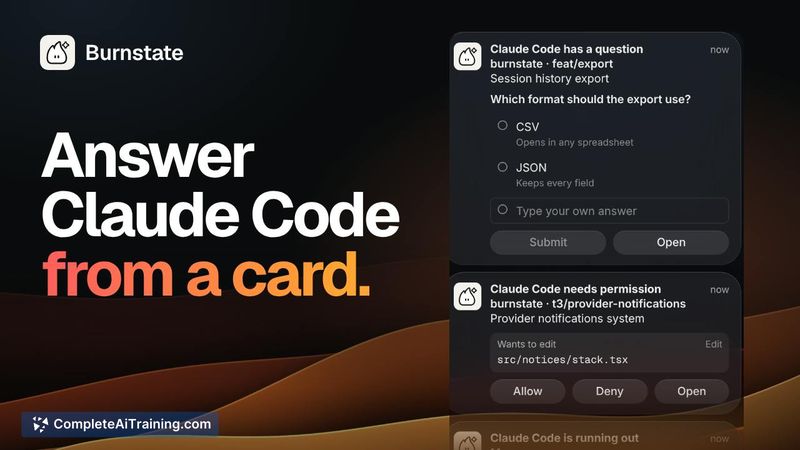
- Claude Code interaction cards - Permission prompts and multiple-choice questions from Claude Code appear in a floating card. You can allow, deny, or select an answer without switching to the terminal.
- Multi-provider tracking - Claude Code, Codex, Cursor, and Vercel AI Gateway limits sit side by side in the menu bar. For Claude Code and Codex, both the 5-hour and weekly windows are shown, each with its own pace tick.
- Session cost and token breakdown - The app reads local Claude Code and Codex logs to count tokens per model, including cache reads and writes, and calculates cost at published API rates. Cursor's own cost figures are used as-is.
- Burn report sharing - A year of AI coding activity can be shared as a link. The usage numbers are encoded directly in the link itself, so nothing is uploaded to a server.
Pricing and Value
Burnstate is available as a direct download with a one-time license starting at $12, which includes updates. The developers have stated it will also appear on Setapp and the Mac App Store, though those distribution channels are not yet live. The app requires macOS 26.5 Tahoe or later.
Pros
- No account creation or internet connection needed; all data stays on your Mac.
- The pace tick gives a quick visual check on whether you're ahead of or behind the clock, which a raw percentage doesn't convey.
- Claude Code prompt cards reduce the friction of context-switching to the terminal for permissions and questions.
- Supports multiple AI coding tools in one compact menu bar view, with separate meters for short and weekly windows.
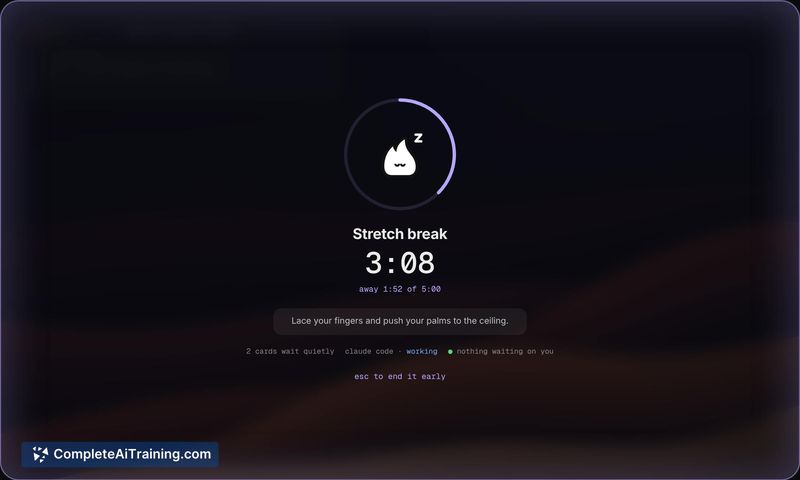
- Break reminders count only time you're actually away, letting agents continue working while you step aside.
Cons
- Custom warning thresholds per tool and per limit type are not available yet; the same pace-based thresholds apply across all providers.
- Multiple Claude Code accounts on the same Mac aren't split out in the current version, though the developers say this is planned for an upcoming release.
- Burnstate is not well suited for developers who use only a single AI coding tool and don't need cross-provider limit pacing-a simpler usage tracker or the provider's own dashboard may suffice.
Burnstate fits developers who regularly switch between Claude Code, Codex, and Cursor and want to see all their rate limits paced against the clock in one place. The local-only, no-account approach will appeal to those who prefer not to connect their usage data to yet another service. If your workflow revolves around a single provider, the multi-tool dashboard might be more than you need, but for anyone managing several AI coding windows simultaneously, the pace-based meters and in-context Claude Code cards are practical additions to the menu bar.