AI tool
PulseDev
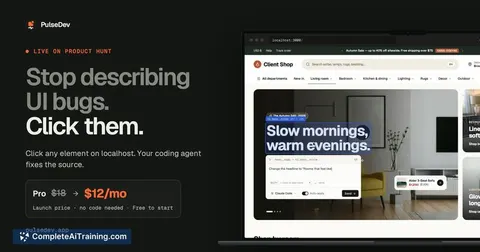
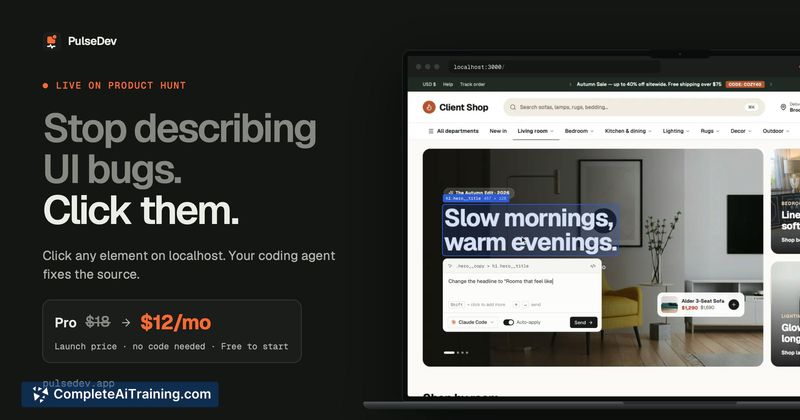
PulseDev lets you click an element on your local site to send its selector and style context directly to a coding agent. It is for developers who want to describe a visual change instead of writing out the element's location manually.
About PulseDev
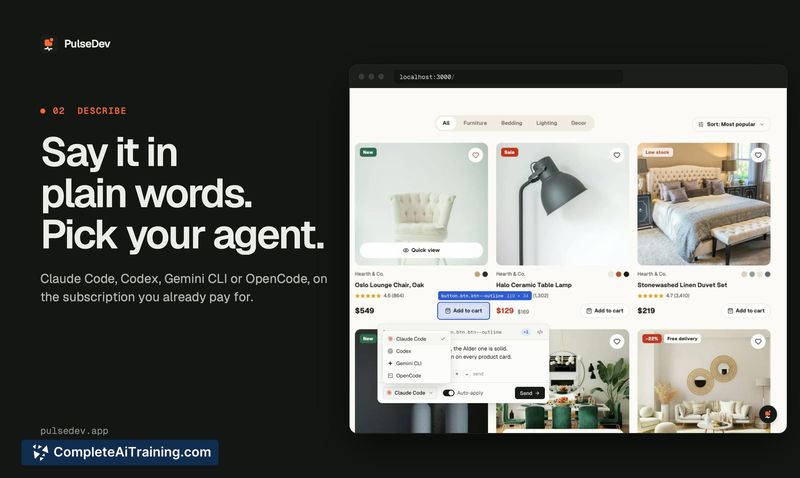
PulseDev is a macOS tool that connects your browser's localhost site to a coding agent. You click any UI element on the page, describe the change you want, and the tool sends the element's selector and computed styles to your installed agent-Claude Code, Codex, Gemini CLI, or OpenCode. The agent edits the relevant file, and you review the proposed diff in the browser before anything is written to disk.
Review
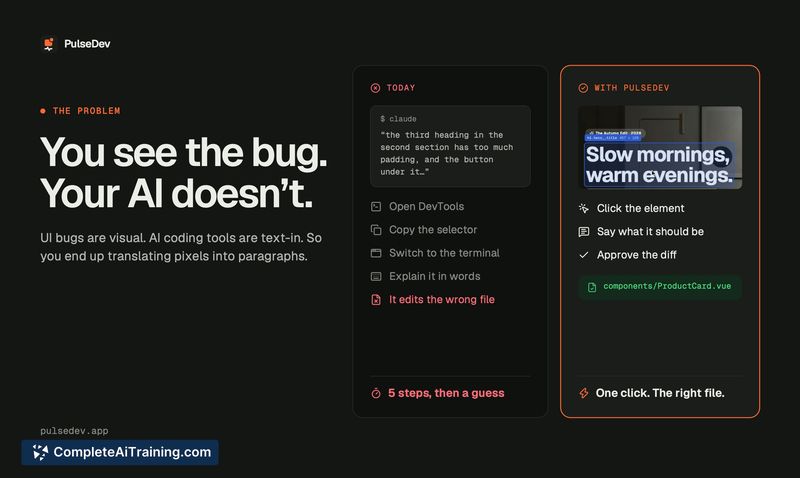
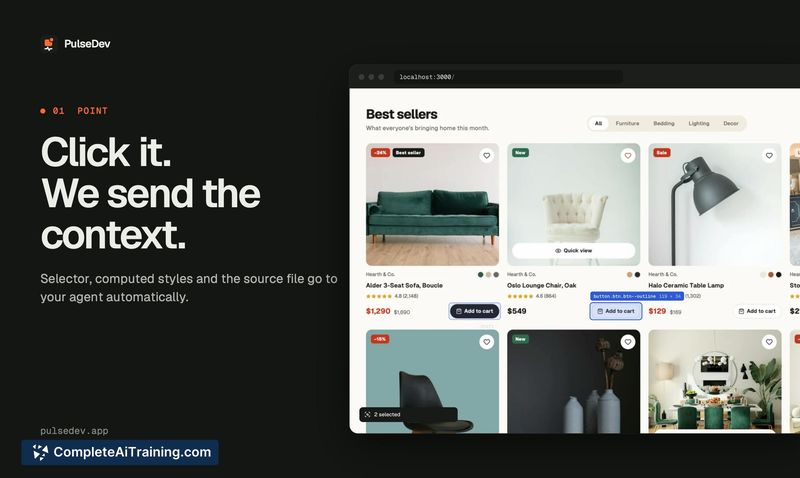
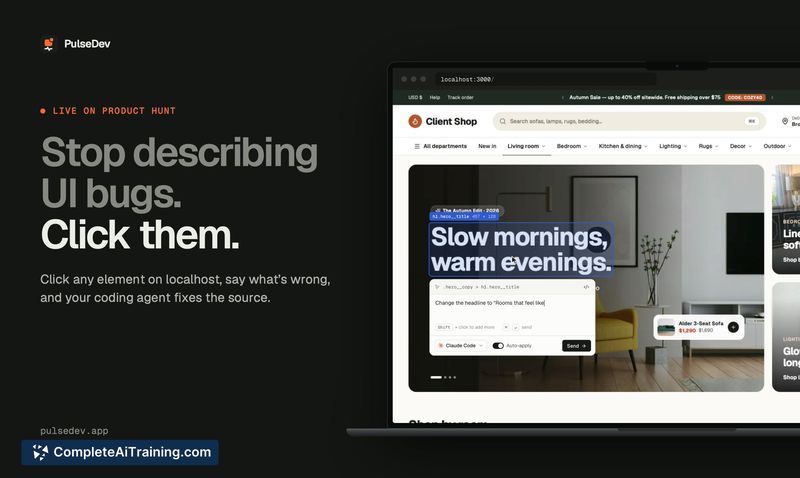
PulseDev tackles a specific friction point in AI-assisted frontend work: translating a visual bug you can see into a text prompt the agent can act on. Instead of opening DevTools, copying selectors, switching to a terminal, and pasting context, you click the element and type what needs to change. The tool handles the handoff, then surfaces the agent's proposed diff for approval directly in the browser.
Key Features
- Click-to-context element selection. Click any element on your localhost site to capture its selector and computed styles. Shift-click to select multiple elements for comparison-based requests.
- Multi-agent support. Works with Claude Code, Codex, Gemini CLI, and OpenCode. Your existing agent usage limits and provider charges still apply.
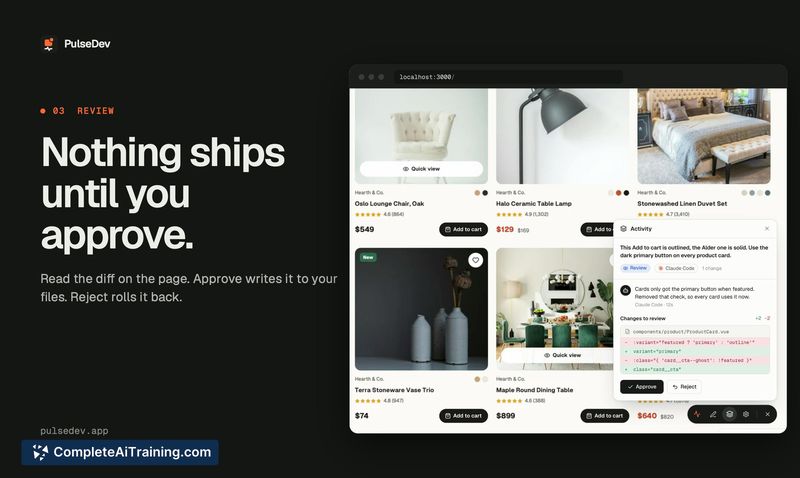
- In-browser diff review. After the agent proposes a change, PulseDev shows the diff on the page. You approve or reject it in review mode, or enable auto-apply. Nothing is written until you approve.
- Vite plugin with source mapping. The optional Vite plugin adds source mapping where supported, helping the agent locate the relevant code more precisely. For projects without Vite, the tool falls back to selector and style data.
- Framework-agnostic script tag. Add the widget via a script tag to any project that runs in a browser-including Next.js, WordPress themes, and page builders like Elementor.
Pricing and Value
PulseDev is free for one project on macOS. A Pro plan unlocks unlimited projects. Subscribing before November 3, 2026 locks in a $12/month rate. After that date, new subscriptions are $18/month. The pricing page does not mention team or enterprise tiers.
Pros
- Removes the back-and-forth of describing element location in text prompts.
- Shift-click for multi-element selection simplifies "make this match that" requests.
- Diff approval happens in the browser, so you see exactly what changes before they land.
- Works with the coding agent you already have installed-no new agent subscription required.
- Runs on any browser-based project, not just specific frameworks.
Cons
- Without the Vite plugin, the agent receives only selector and computed style data-component resolution may be less accurate in those cases.
- macOS-only at launch; Windows and Linux users cannot run the tool.
- The tool is not well suited for developers who prefer terminal-based workflows and don't want a browser widget in their process.
PulseDev fits teams and solo developers who do frequent UI polish work-spacing adjustments, style matching, copy changes-and want to reduce the prompt-engineering overhead of pointing an agent at the right element. It's less relevant for backend-focused work or projects where visual feedback isn't the primary development loop. The free single-project tier makes it straightforward to test against a real workflow before committing to a subscription.