AI app for sales · no coding needed
Source-linked website assistant and action console
Turn website visits into booked or purchased outcomes with an assistant the team owns.
Made for: Small sales and support teams that run a website and want visitors to book or buy without adding staff
What it does for you
The problem
Website visitors ask questions and leave without booking or buying because no one answers in time and the site cannot act on their behalf.
What it gives you
Source-linked answers and completed visitor actions
What you give it
Site contentdocumentsFAQspast conversationspage contextvisitor messages
Build your own version of Foyer, zookish and more
One app with what these 8 AI tools do, yours to keep and change: Foyer, zookish, Rover by rtrvr.ai, Clara AI SDR, Lumro, WebAssistants.ai, Neexa AI, FAQWidget.
Everything these tools do, in one app
- One-line embed Add the assistant to a website with a single line of code or script tag.Found in Foyer, Rover by rtrvr.ai, WebAssistants.ai
- Conversational visitor engagement Starts and holds natural-language conversations with website visitors.Found in Foyer, zookish, Rover by rtrvr.ai and 3 more
- Knowledge base training Builds or is trained on your site content, docs, FAQs, and past conversations so answers fit your business.Found in Foyer, Clara AI SDR, Lumro and 1 more
- Context awareness Reads page content and keeps track of the conversation so responses stay relevant.Found in Foyer, zookish, WebAssistants.ai
- Custom prompts and instructions Lets you give the assistant specific tasks, prompts, or instructions to tailor its behavior.Found in Foyer, WebAssistants.ai
- Lead qualification Asks questions and judges visitor intent, fit, and engagement to qualify leads.Found in Clara AI SDR, Lumro
- Meeting booking Books appointments or meetings automatically during the conversation.Found in Clara AI SDR, Lumro
- Action execution Performs real actions in the page such as typing, clicking, filling forms, and completing checkout.Found in Rover by rtrvr.ai, Lumro
- CRM and tool integrations Connects conversations to systems like CRMs, calendars, and payment tools to update records and trigger workflows.Found in Clara AI SDR, Lumro
- Multi-channel deployment Places the assistant where customers already engage, beyond just the website embed.Found in Rover by rtrvr.ai, Lumro
- Multi-language support Serves visitors in multiple languages.Found in Clara AI SDR, FAQWidget
- Analytics dashboard Tracks performance and engagement metrics for the assistant or content.Found in Neexa AI, FAQWidget
- Legacy compatibility Works with existing or legacy website code and infrastructure.Found in WebAssistants.ai
- Guided workflows Runs conversational tours and multi-step task automation to reduce visitor friction.Found in Rover by rtrvr.ai
- Automated FAQ generation Creates FAQ content automatically from website data and user queries.Found in FAQWidget
- Content generation Generates written content such as articles, blog posts, and social media updates.Found in Neexa AI
How it works, step by step
- Embed the assistant with one script line
- Hold natural-language conversations with visitors
- Train answers on site content, docs, FAQs and past conversations
- Read page context and conversation history
- Apply custom prompts and instructions
- Qualify visitor intent, fit and engagement
- Book meetings during the conversation
- Execute page actions such as typing, clicking, form filling and checkout
- Sync conversations to CRM, calendar and payment tools
- Deploy beyond the website to other channels
- Serve visitors in multiple languages
- Track engagement and performance in a dashboard
- Run on existing or legacy website code
- Guide visitors through tours and multi-step tasks
- Generate FAQ content from site data and queries
- Generate articles, posts and social updates
- Compare the reviewed result with the recorded baseline and value assumptions
- Capture corrections and named-owner approval before consequential use
- Export a versioned source-linked answers and completed visitor actions record with source references and unresolved questions
Jobs this app suits
Our AI checked this app against 500 jobs; these get the most out of it. Each job links to its learning path.
Build it yourself with your AI system
Build this app yourself, no coding needed
Start with a quick version you can try in a few minutes. Like it? Then build the full app by copying and pasting our step-by-step instructions: everything is prepared for you.
Sign in to see how to build it yourself
Build a quick version to try, or get the full app pack for Source-linked website assistant and action console with the step-by-step building instructions. You don't need any technical skills: you copy, paste and answer a few questions. Both are included in the membership.
4 Have it built for you days to a few weeks
Rather not do it yourself, or want it fully tailored to your data, your way of working and your brand? Nexibeo builds Source-linked website assistant and action console with you.
What's in the app pack
Included in the Complete AI Training membership.
- The building instructions your AI follows, step by step
- The questions your AI will ask you about your business before it starts
- A clickable demo you can open in your browser, to see how it should work
- A detailed blueprint of the screens, the information it keeps and the checks it runs
Become a member to get the app packAlready a member? Sign in
The files, for the technically curious
- START-HERE.mdHow to build it with your own AI (read first)3 KB
- README.mdOverview and links4 KB
- questions.mdQuestions to answer before you build3 KB
- prompt-cloudflare.mdThe full build prompt, hosted on Cloudflare25 KB
- prompt-vps.mdThe same build on your own server (Docker)25 KB
- spec.jsonData model, API, AI pipeline, acceptance criteria13 KB
- demo/index.htmlThe working demo on sample data194 KB
Questions
Do I need to know how to code?
No. You copy and paste the prompts on this page into ChatGPT or Claude, and the AI does the building. When it asks you something, you answer in your own words.
What does it cost?
The quick version, the app pack and the step-by-step instructions are for members: you pay the membership price, not a price per app (see the plans). Building the full app uses your own ChatGPT or Claude subscription. Putting it online is often cheap or no cost at the start, and your AI tells you before anything costs money.
How long does it take?
The quick version: about two minutes. The real app: an afternoon for a first version you can use, longer if you want every feature.
Can I change it to fit my business?
Yes. Tell your AI what to change in plain words, like “add a column for the price” or “use our logo and colours”. Or have Nexibeo build and customise it for you.
More detailsHow the AI works, safeguards and what to build first
Turn website visits into booked or purchased outcomes with an assistant the team owns. For small sales and support teams that run a website and want visitors to book or buy without adding staff, convert site content, documents, FAQs and past conversations into source-linked answers and completed visitor actions. The benefit is a testable hypothesis, measured through qualified conversations per week and completed bookings or purchases per conversation; do not assume that AI output alone produces business value.
Confirm the buyer's problem and scope, collect site content, documents, FAQs and past conversations, then follow this sequence: 1. Embed the assistant with one script line. 2. Hold natural-language conversations with visitors. 3. Train answers on site content, docs, FAQs and past conversations. 4. Read page context and conversation history. 5. Apply custom prompts and instructions. 6. Qualify visitor intent, fit and engagement. 7. Book meetings during the conversation. 8. Execute page actions such as typing, clicking, form filling and checkout. Resolve uncertain cases with qualified reviewers, approve source-linked answers and completed visitor actions, and measure qualified conversations per week and completed bookings or purchases per conversation against a documented baseline.
How the AI works
Use AI to interpret permitted inputs, suggest structured mappings and generate candidate outputs for the three stated task modules. Use deterministic code for arithmetic, schema validation, hard constraints and reproducible tests. Review source-linked explanations and uncertainty before accepting results. One website and one booking or checkout flow; final pricing, commitments and refunds remain human. A model suggestion is never a verified fact, professional decision or authorization to act.
Safeguards
Preserve brand voice, source attribution, answer accuracy and usage permissions. Buyers approve substantive changes and publication scope. One website and one booking or checkout flow; final pricing, commitments and refunds remain human. Keep all consequential actions under authorized human control and do not fabricate missing inputs, permissions, professional judgments or market evidence.
What to build first
Pilot scope: One website and one booking or checkout flow; final pricing, commitments and refunds remain human. Implement one approved input format, a bounded representative case set and the first two task modules: embed the assistant with one script line; hold natural-language conversations with visitors. Support the third module with operator review: train answers on site content, docs, FAQs and past conversations. Include source references, corrections, basic organization access, approval states, export and value measurement. Use managed operator assistance for unresolved exceptions. The cost estimate covers this narrow prototype, not unrestricted multi-tenant scale, complex production integrations, specialist certification or physical operations.
What it can connect to
Customer-owned site content, documents and permitted conversation logs. Cloud storage, CRM, calendar, payment and messaging destinations. Start with file exchange and validate destination specifications before promising direct publishing. Start with authorized file exchange. Validate current provider access, usage rights and schema behavior before promising a connector.
The screens in detail
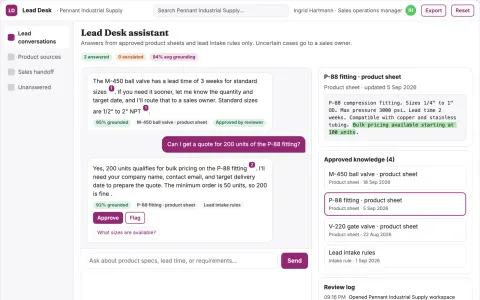
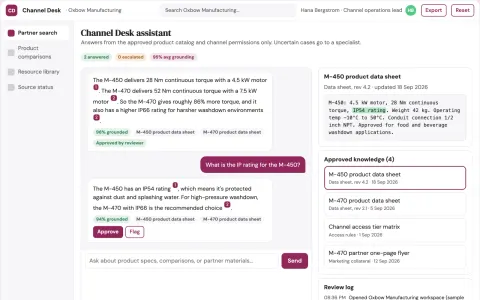
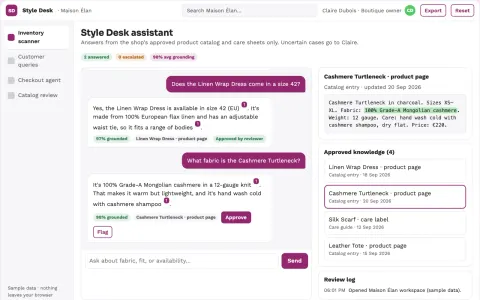
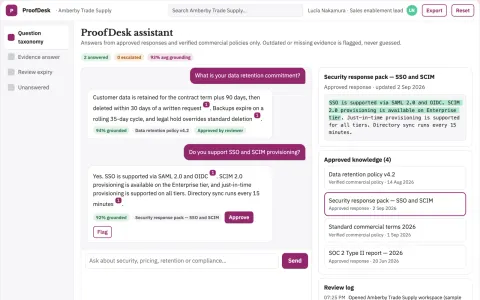
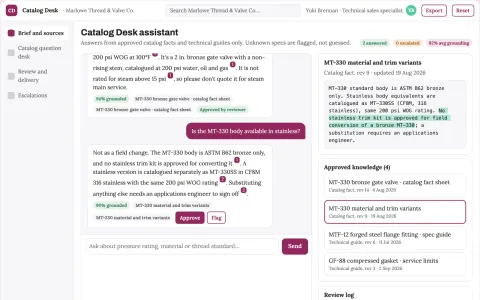
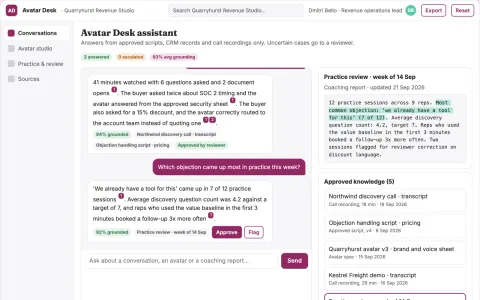
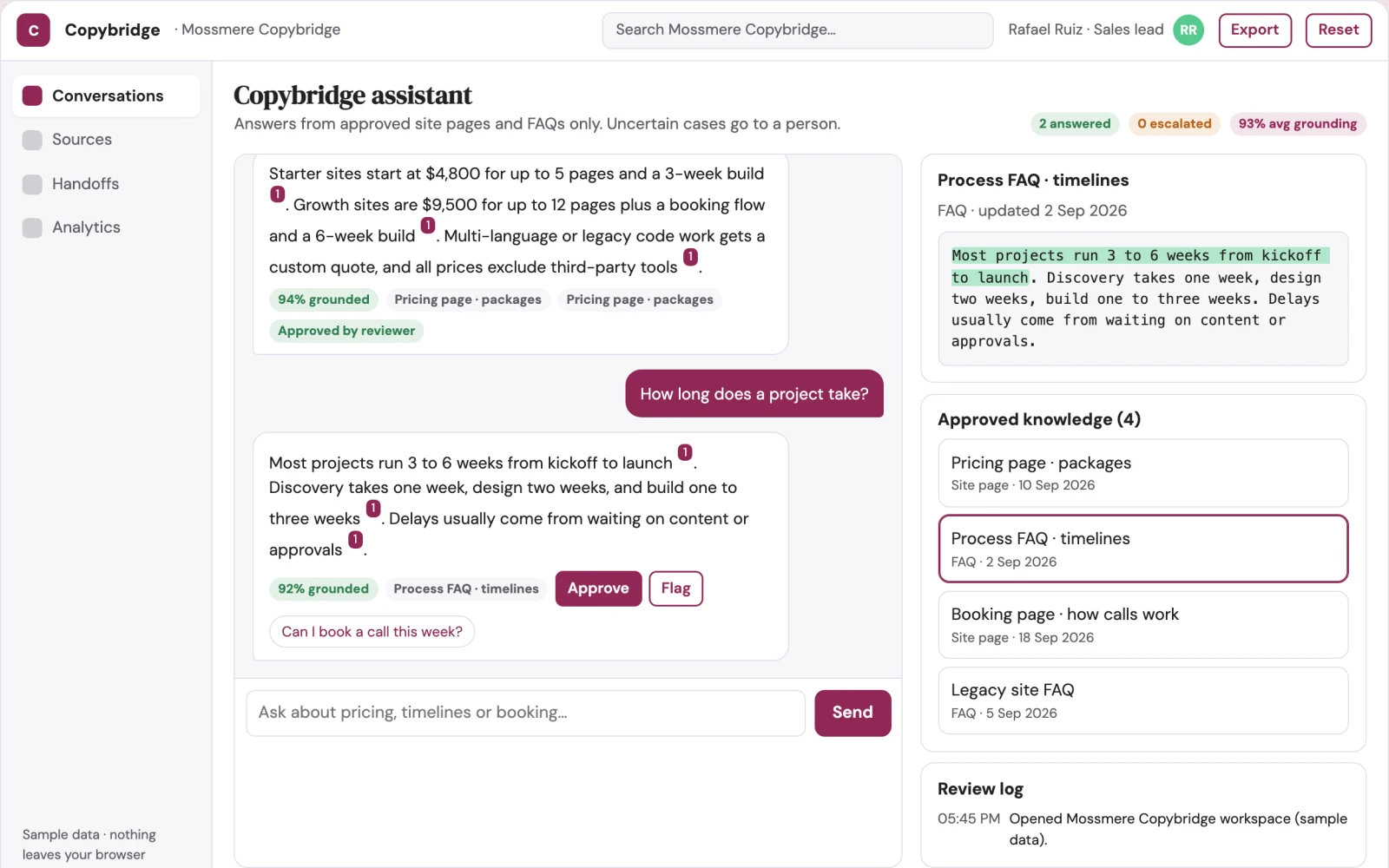
Primary screens: Assistant setup and knowledge, Live conversation console, Analytics and handoff. Use a thumbnail gallery for assistants and sites, a large central conversation canvas, and a right-hand panel for sources, actions and visitor context. Let users compare assistant versions side by side. Display draft, live and paused states. Provide a client preview link with comments anchored to the relevant answer or action. Make the task-specific outcome source-linked answers and completed visitor actions visible beside its evidence, review state and value baseline.