AI app for writers · no coding needed
Personal thought capture and reflection library
Reduce the effort of capturing and reflecting on personal information while keeping the user in control of their data.
Made for: Individuals and small teams who want to capture, organize and reflect on personal thoughts, notes and health data with AI support
What it does for you
The problem
Thoughts, notes, reading highlights and health signals sit in separate apps, so people cannot see patterns or reflect on them in one place.
What it gives you
User-approved reflections and summaries
What you give it
Permitted notesphotosvoice memosreading highlightshealth entries
Build your own version of Me.bot, Second.Me by Me.bot and more
One app with what these 10 AI tools do, yours to keep and change: Me.bot, Second.Me by Me.bot, Me.bot for iOS, Vital, Voxme, Drip, Napkin, Kin, Decypher, Story.
Everything these tools do, in one app
- Natural Language Interaction Lets users communicate with the tool using everyday language.Found in Me.bot, Decypher
- Content Capture Allows users to quickly record thoughts, photos, notes, and other content.Found in Me.bot for iOS, Napkin, Kin
- Personalized Recommendations Provides suggestions and content tailored to the user's preferences.Found in Me.bot, Me.bot for iOS
- Multi-Platform Access Enables users to access the tool across different devices and platforms.Found in Me.bot, Second.Me by Me.bot, Napkin
- Third-Party Integrations Connects with other popular applications and data sources.Found in Me.bot, Second.Me by Me.bot, Vital and 3 more
- Task Automation Automates repetitive actions to streamline workflows.Found in Me.bot
- Avatar Creation Generates a digital avatar that reflects the user's personality.Found in Second.Me by Me.bot
- Interactive Avatar Chat Allows avatars to engage in conversations with others.Found in Second.Me by Me.bot
- Avatar Customization Lets users adjust the appearance and behavior of their avatar.Found in Second.Me by Me.bot
- Data Privacy Protects user information with secure handling and privacy options.Found in Second.Me by Me.bot, Drip, Kin
- Automatic Insight Discovery Identifies key moments and connections to reveal underlying themes.Found in Me.bot for iOS, Napkin
- Mood and Health Tracking Tracks mood, health, skills, and personal growth over time.Found in Me.bot for iOS
- Interactive Chat Support Offers conversational support and understanding like a close friend.Found in Me.bot for iOS
- Automated Data Analysis Identifies trends and anomalies in data automatically.Found in Vital, Decypher
- Customizable Dashboards Provides real-time data visualization through personalized dashboards.Found in Vital, Decypher
- Collaboration Tools Supports team-based projects and sharing.Found in Vital, Story
- Export Options Allows exporting data in various formats for reporting.Found in Vital
- AI Coaching Offers personalized insights and encouragement to help users overcome obstacles.Found in Voxme
- Goal Tracking Helps users set goals, track progress, and reflect on achievements.Found in Voxme
- Wellness Activities Provides curated exercises and mindfulness practices for well-being.Found in Voxme
- Gamification Uses a virtual companion that evolves with user commitment and growth.Found in Voxme
- Community Engagement Connects users with like-minded individuals for support and motivation.Found in Voxme
- Guided Introspection Provides guided reflections to uncover underlying thoughts and emotions.Found in Drip
- Personalized Prompts Offers journaling prompts that adapt to the user's journey.Found in Drip
- Adaptive Learning Improves responses over time by learning from user entries.Found in Drip
- Web Clipper Saves online content for later reflection.Found in Napkin
- Readwise Integration Aggregates insights from reading material.Found in Napkin
- Long-Term Memory Remembers user interactions to provide personalized support over time.Found in Kin
- Intelligent Reminders Sends timely reminders to help users stay on top of priorities.Found in Kin
- Voice Chat Enables natural and engaging interaction through voice.Found in Kin
- Natural Language Query Allows users to interact with data using plain English.Found in Decypher
- Real-Time Data Updates Keeps insights current and relevant with live data.Found in Decypher
- AI Story Generation Generates coherent and engaging stories from simple prompts.Found in Story
- Tone and Style Customization Adjusts the tone and style of generated content to match different audiences.Found in Story
- Editing and Refinement Provides tools to polish and refine generated content.Found in Story
How it works, step by step
- Capture thoughts, photos, notes and voice memos in one inbox
- Accept natural language queries over the personal library
- Suggest personalized prompts and recommendations from past entries
- Sync across web, mobile and desktop
- Connect permitted third-party sources such as calendars, health apps and reading services
- Automate repetitive filing, tagging and reminder actions
- Create a user-controlled avatar that reflects stated preferences
- Let the avatar hold bounded conversations with the user's permission
- Allow avatar appearance and behavior customization
- Apply privacy controls, access boundaries and retention settings
- Surface recurring themes and connections across entries
- Track mood, health, skills and personal growth over time
- Offer conversational support with source-linked responses
- Detect trends and anomalies in permitted personal data
- Show customizable dashboards with current values
- Support shared team projects with named roles
- Export entries and summaries in common formats
- Provide AI coaching prompts and goal tracking
- Suggest wellness activities and guided introspection
- Use a virtual companion that evolves with user commitment
- Connect users to permissioned community groups
- Save online content through a web clipper and reading-service import
- Retain long-term memory of user interactions with clear reset options
- Send intelligent reminders for priorities and reviews
- Support voice chat for hands-free capture and reflection
- Generate draft stories from prompts with tone and style options
- Provide editing and refinement tools for generated content
Build it yourself with your AI system
Build this app yourself, no coding needed
Start with a quick version you can try in a few minutes. Like it? Then build the full app by copying and pasting our step-by-step instructions: everything is prepared for you.
Sign in to see how to build it yourself
Build a quick version to try, or get the full app pack for Personal thought capture and reflection library with the step-by-step building instructions. You don't need any technical skills: you copy, paste and answer a few questions. Both are included in the membership.
4 Have it built for you days to a few weeks
Rather not do it yourself, or want it fully tailored to your data, your way of working and your brand? Nexibeo builds Personal thought capture and reflection library with you.
What's in the app pack
Included in the Complete AI Training membership.
- The building instructions your AI follows, step by step
- The questions your AI will ask you about your business before it starts
- A clickable demo you can open in your browser, to see how it should work
- A detailed blueprint of the screens, the information it keeps and the checks it runs
Become a member to get the app packAlready a member? Sign in
The files, for the technically curious
- START-HERE.mdHow to build it with your own AI (read first)3 KB
- README.mdOverview and links6 KB
- questions.mdQuestions to answer before you build2 KB
- prompt-cloudflare.mdThe full build prompt, hosted on Cloudflare25 KB
- prompt-vps.mdThe same build on your own server (Docker)25 KB
- spec.jsonData model, API, AI pipeline, acceptance criteria11 KB
- demo/index.htmlThe working demo on sample data196 KB
Questions
Do I need to know how to code?
No. You copy and paste the prompts on this page into ChatGPT or Claude, and the AI does the building. When it asks you something, you answer in your own words.
What does it cost?
The quick version, the app pack and the step-by-step instructions are for members: you pay the membership price, not a price per app (see the plans). Building the full app uses your own ChatGPT or Claude subscription. Putting it online is often cheap or no cost at the start, and your AI tells you before anything costs money.
How long does it take?
The quick version: about two minutes. The real app: an afternoon for a first version you can use, longer if you want every feature.
Can I change it to fit my business?
Yes. Tell your AI what to change in plain words, like “add a column for the price” or “use our logo and colours”. Or have Nexibeo build and customise it for you.
More detailsHow the AI works, safeguards and what to build first
Reduce the effort of capturing and reflecting on personal information while keeping the user in control of their data. For individuals and small teams who want to capture, organize and reflect on personal thoughts, notes and health data with AI support, convert permitted notes, photos, voice memos, reading highlights and health entries into a searchable personal library with user-approved reflections and summaries. The benefit is a testable hypothesis, measured through captured entries per active week and user-approved reflections per month; do not assume that AI output alone produces business value.
Confirm the user's problem and scope, collect permitted notes, photos, voice memos, reading highlights and health entries, then follow this sequence: 1. Capture thoughts, photos, notes and voice memos in one inbox. 2. Accept natural language queries over the personal library. 3. Suggest personalized prompts and recommendations from past entries. Resolve uncertain cases with the user, approve user-approved reflections and summaries, and measure captured entries per active week and user-approved reflections per month against a documented baseline.
How the AI works
Use AI to interpret permitted inputs, suggest structured mappings and generate candidate outputs for the stated task modules. Use deterministic code for arithmetic, schema validation, hard constraints and reproducible tests. Review source-linked explanations and uncertainty before accepting results. Final reflection, health interpretation and sharing decisions remain with the user. A model suggestion is never a verified fact, professional decision or authorization to act.
Safeguards
Preserve user voice, source attribution, quotation accuracy and usage permissions. Users approve substantive changes and sharing scope. One user account type and one approved capture set; final reflection, health interpretation and sharing decisions remain with the user. Keep all consequential actions under authorized human control and do not fabricate missing inputs, permissions, professional judgments or market evidence.
What to build first
Pilot scope: One user account type and one approved capture set; final reflection, health interpretation and sharing decisions remain with the user. Implement one approved input format, a bounded representative case set and the first two task modules: capture thoughts, photos, notes and voice memos in one inbox; accept natural language queries over the personal library. Support the third module with user review: suggest personalized prompts and recommendations from past entries. Include source references, corrections, basic account access, approval states, export and value measurement. Use managed operator assistance for unresolved exceptions. The cost estimate covers this narrow prototype, not unrestricted multi-tenant scale, complex production integrations, specialist certification or physical operations.
What it can connect to
User-owned notes, photos, voice memos, reading highlights and health entries. Cloud storage, calendar, health and reading-service import/export. Start with file exchange and validate destination specifications before promising direct publishing. Start with authorized file exchange. Validate current provider access, usage rights and schema behavior before promising a connector.
The screens in detail
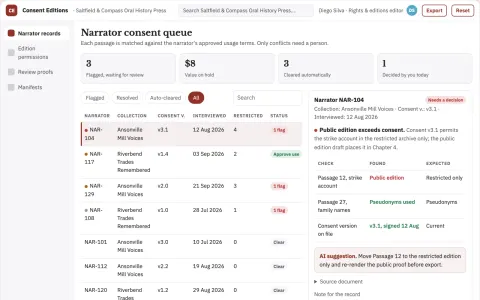
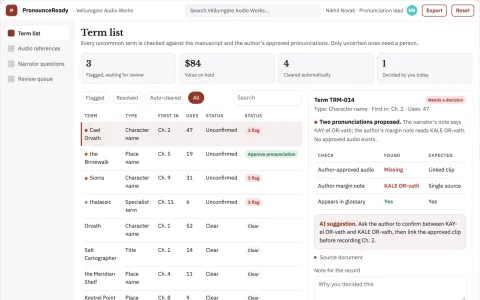
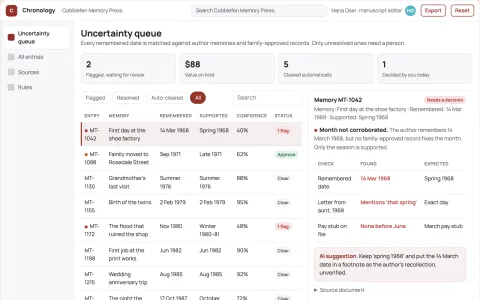
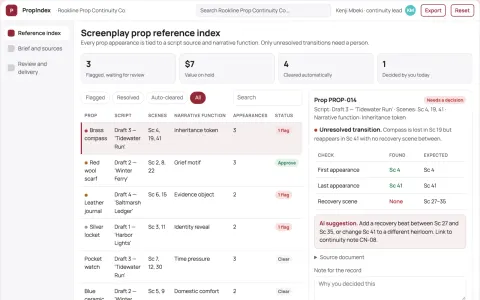
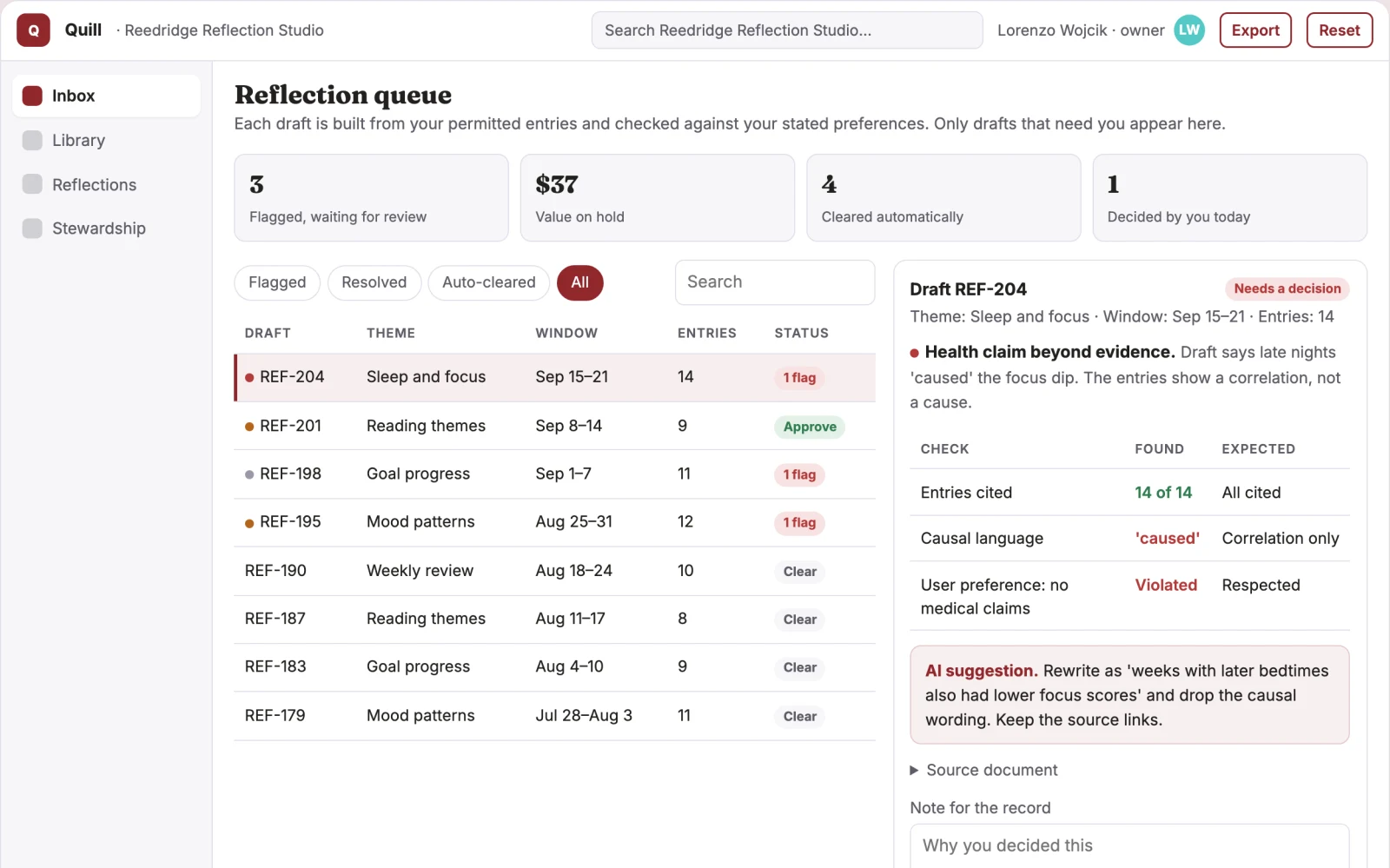
Primary screens: Capture and inbox, Searchable library, Reflection and review, Data stewardship console. Use a thumbnail or list gallery for entries, a large central reading and editing canvas, and a right-hand panel for tags, sources, related entries and comments. Let users compare entries side by side. Display draft, needs review and approved states. Provide a shareable read-only link with comments anchored to the relevant entry. Make the task-specific outcome user-approved reflections and summaries visible beside its evidence, review state and value baseline.