AI tool
Kin
Kin acts as a control layer between your AI tools and your accounts, letting you set Allow, Ask, or Block rules for each action. It is for people who use multiple AIs daily and want centralized approvals without sharing passwords or keys.
About Kin
Kin is a security layer that sits between AI assistants and connected accounts like GitHub, Gmail, and Stripe. It centralizes approval workflows so AIs from different labs (ChatGPT, Claude, Cursor) all operate under one set of rules. The tool handles credentials itself, keeping passwords and API keys encrypted and away from the AI models.
Review
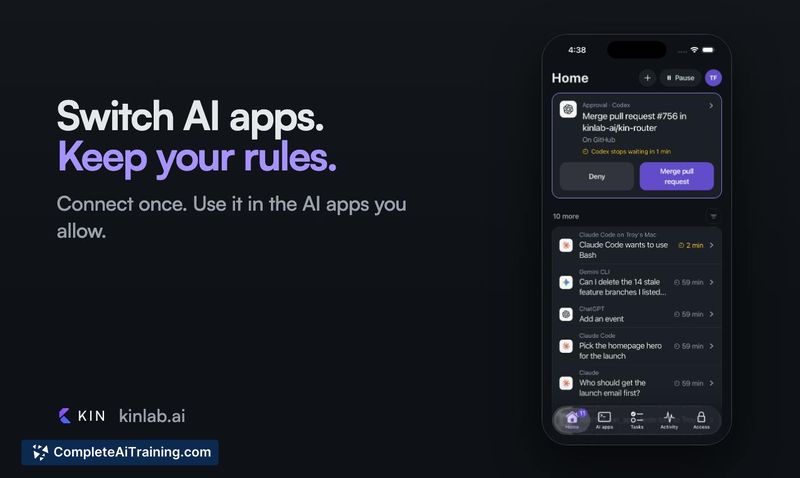
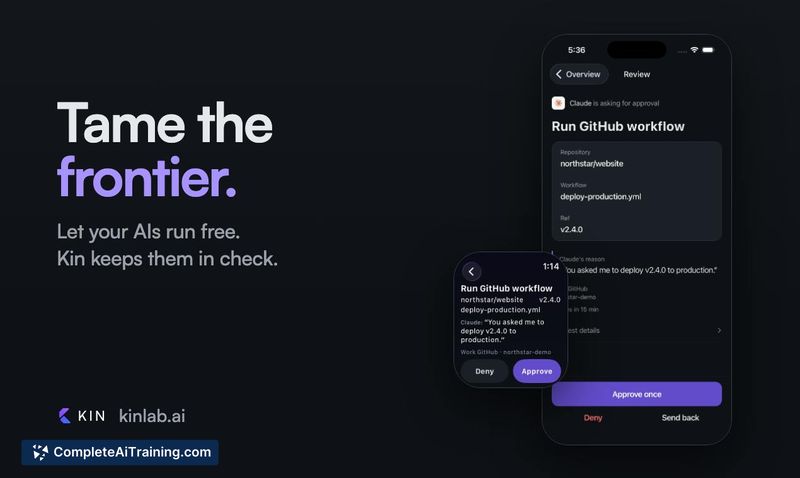
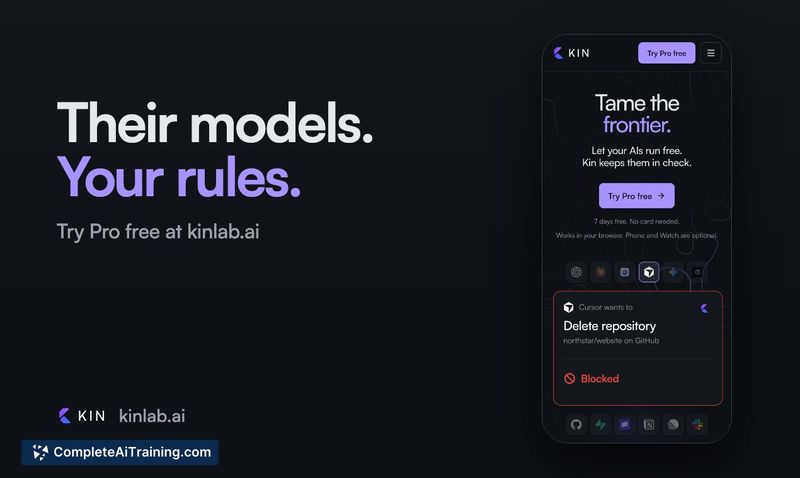
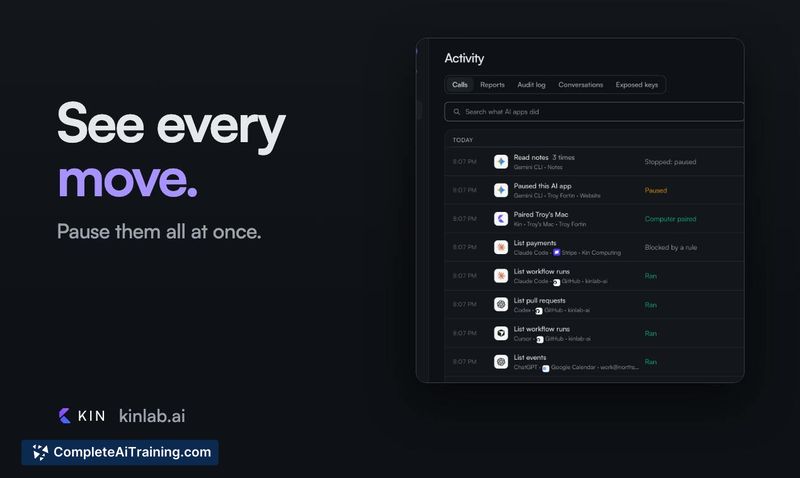
Kin addresses a practical gap in current AI agent workflows: every AI app handles permissions differently, and there's no unified place to see what agents are doing across accounts. The core mechanic is simple. You connect accounts once, then assign each action one of three rules: Allow, Ask me, or Block. When an AI attempts something, Kin checks the rule before anything executes.
Key Features
- Allow, Ask me, Block rules - Per-action permission controls applied uniformly across connected AI apps. "Ask me" pauses execution until you approve from the web or your phone.
- Versioned actions - If a provider changes an action's schema, it appears as a new version and cannot run on the old description. It must be re-described before rules apply again.
- Block feedback loop - When an action is blocked, the agent receives a clear response explaining the block, that it won't run, and not to retry. This prevents auto-running agents from looping on silent failures.
- Centralized activity log - All AI attempts, including blocked ones, appear in one activity log. You can pause all agents at once if something looks off.
- Credential isolation - AIs only sign in to Kin. They never hold your GitHub token, Gmail credentials, or Stripe keys directly.
Pricing and Value
Kin lists a free option on its page. Specific pricing tiers or paid plans are not yet defined in the available information. The tool's value lies in consolidating approval workflows and credential handling across multiple AI applications, which otherwise require separate configuration in each app.
Pros
- Unified rules across ChatGPT, Claude, Cursor, and any future AI tools, so a new AI inherits existing account permissions automatically.
- Blocked actions return a clear explanation to the agent, which prevents retry loops that silent failures can cause.
- Versioned actions stop old rules from quietly applying when a provider changes an action schema.
- A single pause switch stops all connected AI agents at once.
- Credentials stay on Kin's side, encrypted, rather than being distributed to each AI app.
Cons
- Roadmap items like time-delayed allow, allow-but-notify, and enterprise defenses against agent swarm attacks are not available yet.
- Only GitHub, Gmail, and Stripe are mentioned as connectable accounts, which limits scope for users relying on other services.
- Not well suited for people who want AI agents to run fully autonomously without any approval friction, since the tool's core function is inserting a permission check layer.
Kin fits developers and operators who run multiple AI agents against real accounts and want a single control point for what those agents can do. It also suits people who are uncomfortable handing credentials directly to AI tools but still want agents to perform actions on their behalf. Teams that need audit trails of agent activity, or individuals who want phone-based approval for sensitive actions, are the most likely to get practical use from it in its current form.
Alternatives to Kin
Other tools that do the same main job. Our AI compared Kin with similar tools and kept the ones you could use instead.