
AI news ·
Best AI art generators for designers in 2026
AI art generators are now standard in professional design work, used for branding, ads, packaging, and UI concepts. Each platform has a specialty-Midjourney for cinematic art, Ideogram for typography, Recraft for vectors.
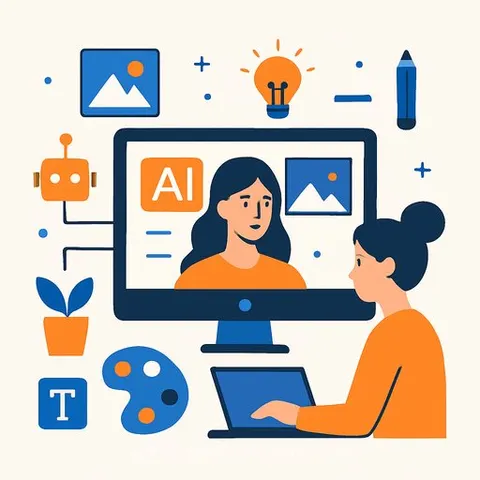
AI Art Generators Become Standard Tools for Professional Designers
Designers now use AI art generators for branding, advertising, social media graphics, UI concepts, packaging, storyboards, and product mockups. The tools have moved past experimental status. Modern platforms offer faster rendering, cleaner outputs, stronger editing controls, and better integration with existing design workflows than earlier versions.
Different platforms excel at different tasks. Some focus on photorealistic images, others on typography, cinematic visuals, or vector graphics. The best choice depends on the type of work, editing flexibility, and production requirements.
Midjourney for Cinematic Images
Midjourney remains strong for artistic and cinematic work. Designers use it to create posters, editorial art, luxury campaign visuals, and concept art. The platform handles lighting and textures well. It also provides style references and tools for consistent character creation across projects and campaigns.
Adobe Firefly for Production Workflows
Adobe Firefly integrates directly into Photoshop and Illustrator, eliminating the need to switch between tools. Designers can generate extended images, fills, mockups, and social media graphics without leaving the Creative Cloud ecosystem.
The platform uses a commercially safer training model, which appeals to agencies handling client work. Editing options keep the tool useful in production environments.
ChatGPT Image Generator for Quick Concepts
ChatGPT Image Generator works through conversation. Designers generate concepts for ads, posters, layouts, packaging, and branded imagery by describing what they need in plain language.
The tool now handles typography well for marketing designs and social media. Color and layout adjustments happen within the same workflow.
Leonardo AI for Game and Entertainment Design
Game artists and entertainment designers rely on Leonardo AI to create fantasy worlds, anime artwork, cinematic characters, and prop elements consistently. The layer-based editing tool and asset creation features save time for both studios and independent creators. Storyboarding and world-building projects benefit from its focused feature set.
Ideogram for Typography-Heavy Work
Ideogram stands apart for clean text rendering in images-a weakness in most competing tools. Designers use it for posters, packaging, logos, and social media content. The Canvas editor lets users adjust spacing and alignment with precision.
Recraft for Vector Graphics and Branding
Recraft AI generates vector graphics with proper styling, where most AI image generators fail. It handles logos, icons, illustrations, packaging designs, and SVG files. The tool suits branding projects that require scalable, editable assets.
Flux Pro for Photorealistic Output
Flux Pro produces high-quality photorealistic images for product mockups, advertisements, fashion campaigns, and architecture visualization. The tool renders fast and offers API flexibility for production pipelines. Realistic lighting effects and scene composition are its strengths.
Using Multiple Tools Together
Designers often combine multiple AI platforms to improve workflow flexibility and visual consistency. One tool might handle cinematic work, another typography, a third vector graphics. This approach reduces repetitive production work and keeps quality uniform across projects.
The best results come from matching the right tool to each task rather than forcing one platform to do everything.
Commercial Use and Licensing
Many platforms now offer commercially safer models and licensing. Designers should review usage rights and copyright policies for each platform before publishing client-facing work. Terms vary significantly between tools.
For Designers Starting Out
ChatGPT Image Generator works well for beginners. Conversational prompts, simple editing workflows, and intuitive controls make it accessible for creating posters, mockups, UI concepts, and branded visuals quickly.
Explore AI Design Courses and Generative Art Courses to build skills with these tools.