
AI news ·
Digital artists rediscover imperfect, human-made looks amid AI art backlash
AI-perfect digital art now reads as machine-made, pushing artists to embrace rough textures and visible brushwork. Procreate, Rebelle 8.3, and ArtRage offer new tools for that human, imperfect look.
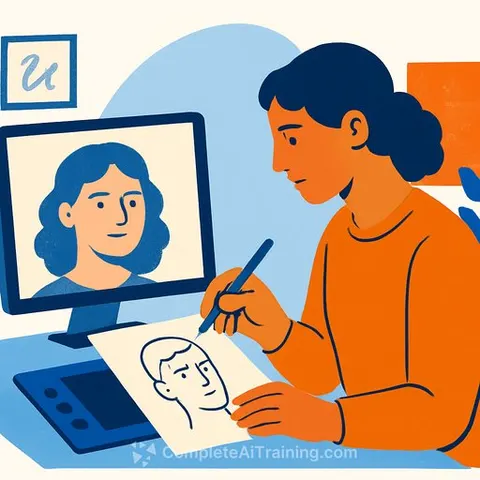
The backlash against AI-generated art has created a problem for digital artists: work that looks too polished now draws suspicion. Glossy, hyper-detailed images carry the whiff of AI, even when a human spent days on them. For years, that kind of perfection was a standard many digital artists aimed to hit. Now it's a liability.
But the shift is also opening creative doors. The techniques digital art spent years trying to eliminate - visible brush marks, rough edges, paper grain, wobbly lines, messy color - are starting to feel interesting again. It's unfortunate that some artists are rethinking their process to avoid false AI accusations, but the moment invites experimentation.
The timing aligns with software changes. Digital painting tools are pushing harder into physical realism. Rebelle 8.3 recently expanded its bristle brushes to simulate individual brush hairs with more variation in color and texture. Procreate's brush libraries are packed with grunge, street art, and textured options. Heavy Paint delivers a rawness and geometric quality that's hard to find elsewhere.
Embracing the looseness offered in apps like ArtRage and Rebelle can help make your art feel more human made.
Digital that feels traditional
You don't need to become a traditional painter to get that look. Start in Procreate, Photoshop, Fresco, or whatever you already use, then bring in decent paper textures, scanned marks, dry-brush presets, or a bit of grain. Better still, make your own: scan watercolor paper, photograph an old canvas, scribble with a pencil, splash ink around, and bring those marks back into your digital workflow.
Rebelle is worth a look if you want to push this further. Its core design makes digital paint behave like actual paint, with bristles, pigment, granulation, and the inconsistencies that make a physical brush unpredictable.
Maybe that's where digital art is heading next. Not backwards, and not abandoning the technology, but remembering that the looser, raw part of a painting is often the part you remember and return to studying - because you can see the human process in each stroke, line, color palette, and mistake.
Six ways to add a messy, traditional feel
1. Start with the brushes you've already got
Before buying another enormous brush pack, dig through Procreate's existing libraries. Grunge, Street Art, and Creative contain plenty of rough, expressive marks, and you might be surprised how far a stock brush can take you.
2. Try Rebelle for proper paint behavior
If you want digital paint that actually behaves like paint, Rebelle 8's Bristle Brushes are worth investigating. Individual brush hairs, color variation, and texture create much less uniform marks.
3. Make your own texture library
Grab your phone and photograph everything: old paper, canvas, cardboard, pencil marks, dried paint, ink splashes. Turn those into overlays, and you've got textures nobody else has in their brush folder.
4. Stop smoothing every line
Turn down stabilisation, vary your pressure, and leave some rough edges alone. A slightly shaky line or uneven brushstroke can give an otherwise polished digital painting far more personality.
5. Print it, mess it up, scan it back in
Print your finished artwork, draw over it, paint across it, scribble on it, fold it, scan it, and carry on working. Those accidental marks can give digital work a wonderfully grubby physical quality.
6. Smudge with your finger
If you're used to working with chalk, charcoal, or pencil, you know the quickest way to blend something is often to stick a finger on it and smudge it around. Procreate lets you do much the same thing on screen. Head to Gesture Controls, choose Smudge, then switch on Touch at the top. Now you can use your finger to push and blend marks around the canvas, just like you would with a traditional medium.
Why this matters for creatives
The practical takeaway is that your existing toolkit already contains most of what you need to dodge the "AI look." The techniques above cost nothing beyond time. For photographers working with AI-assisted editing, the same principle applies: AI Photography Editing Courses can teach you the technical side, but the human marks - the grain, the imperfect lines, the visible process - are what separate your work from a machine's. The broader Generative Art conversation is pushing in the same direction: audiences increasingly value visible human input over flawless output.
The artists who thrive in this moment aren't necessarily the most technically skilled. They're the ones willing to leave mistakes in, build their own texture libraries, and let their process show. That's a standard worth meeting.