
AI news ·
Elon Musk rolls out Grok's image-to-video feature, bringing photos to life with a long press
Grok now turns any photo into a short animated clip-long-press, add a prompt, and you're off. It's fast and flexible, handy for pitches, quick pre-viz, and looping social motion.
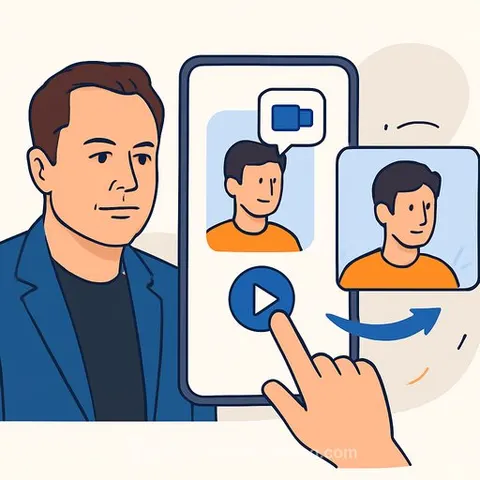
From Still to Motion: Grok's New Image-to-Video for Creatives
Elon Musk introduced a new creative capability for Grok, xAI's chatbot: image-to-video. Long-press any photo in Grok, add a prompt, and it turns into a short animated clip. Musk demoed it on X (formerly Twitter) and called the effect "magical."
What it does
Grok lets you animate a still image with simple text direction. You can preview, save, or share the clip immediately. It's fast, playful, and surprisingly flexible with creative instructions.
How to use it
- Open Grok on X or in the Grok app and upload/select an image.
- Long-press the image to open the image-to-video tool.
- Optionally add a prompt to guide the result. Example Musk shared: "add a boyfriend and they transition into muppets."
- Generate, then preview, save, or share your clip.
Why creatives should care
- Pitch faster: Turn mood boards into moving mood loops for clients.
- Pre-viz on the fly: Create quick animatics from storyboards or frames.
- Content variations: Spin up short social motion from a single hero image.
- Character/brand tests: Explore style, motion cues, and transitions without a full edit pass.
Prompt patterns that work
- Subject + action + style + timing: "Street photo; slow camera push-in; soft neon glow; 4 seconds."
- Transformation beats: "Add a boyfriend; both morph into muppets at the 2-second mark."
- Camera cues: "Start static, slight parallax, tilt up at the end."
- Loop intent: "Seamless loop; end frame matches start."
Practical tips for clean results
- Use high-resolution images with clear subjects and good contrast.
- Keep faces centered if you want expressive motion.
- Start with short, direct prompts; iterate in small steps.
- If you need subtle motion, say it: "minimal movement," "gentle drift," "slight camera sway."
- Mind rights and likenesses for commercial work.
Availability and what's next
The image-to-video feature is live for Grok users on X and in the standalone app. Musk also hinted that more creative tools are on the way from xAI. Learn more about the company behind Grok at x.ai.
Level up your workflow
- Explore leading tools for generative video: Top Generative Video Tools
- Sharpen your prompting for visual tasks: Prompt Courses