
AI news ·
Logitech launches a standalone MX Keypad for developers
Logitech's new MX Keypad is a $99 standalone 3×3 macro pad stripped of the dialpad from its Creative Console. It targets developers who need programmable AI-workflow keys and includes three free months of GitHub Copilot Pro+.
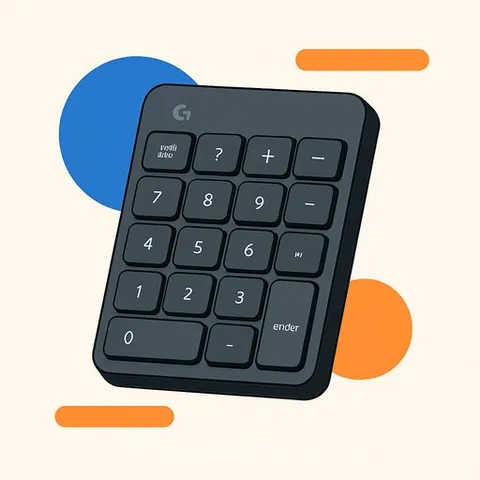
Logitech introduced the MX Keypad today, a $99 standalone keypad pulled directly from the company's MX Creative Console. The move strips away the bundled dialpad to target software developers and automators who need physical, programmable keys for their AI workflows without paying for a rotary controller they may rarely use.
Hardware unchanged from the Creative Console
The MX Keypad hardware is identical to the keypad half of the MX Creative Console released last year. It ships with a kickstand for angled placement and connects to a Mac via USB-C. The 3×3 grid of backlit keys runs on Logi Options+ software, the same platform that powers the company's other productivity peripherals.
Logitech did not explicitly say why it dropped the dialpad. But the reasoning becomes clear after extended use of the Creative Console. Dialpads serve timeline-based creative work well - scrubbing video, adjusting brush sizes - but offer less utility for coding and automation tasks. Removing the dialpad let Logitech hit the $99 price point, roughly half the cost of the full Creative Console bundle.
Automation options for developers
Logi Options+ supports Smart Actions built from keyboard shortcuts and macros, similar to what a Stream Deck offers. Users who prefer pre-built solutions can browse a Smart Actions marketplace with plugins for specific applications. For those who want deeper control, the AI Automation Courses approach becomes practical: Logitech provides a Logi Actions API that gives developers full access to each device's capabilities for building custom plugins.
The combination opens several workflow possibilities. Developers can launch AI agents, monitor agent activity through dynamically updated keys, trigger saved prompts, activate voice input, and automate repetitive tasks. The keypad becomes a physical control surface for actions that would otherwise require memorizing shortcuts or navigating menus.
GitHub Copilot partnership
Logitech is pairing the MX Keypad launch with a GitHub Copilot plugin, echoing the Adobe partnership that accompanied the MX Creative Console. The plugin places Copilot controls directly on the keypad's keys. Buyers also get three months of GitHub Copilot Pro+ at no cost, adding subscription value to the hardware purchase.
For developers whose daily work increasingly involves prompting and steering AI tools, the Copilot integration turns the keypad into a dedicated command center. The physical keys can reduce friction when switching between writing code and interacting with an AI assistant - a workflow pattern where keyboard-only navigation often breaks down. Those working in AI for IT & Development roles may find this pairing particularly useful for streamlining repetitive coding and deployment tasks.
Why this matters for creatives
Creatives who split their time between design tools and development environments get a lower-cost entry point to Logitech's automation hardware. The keypad handles the same Smart Actions and macros as the Creative Console, minus the dialpad that primarily serves timeline-based apps. If your workflow leans toward triggering scripts, launching tools, or managing AI prompts rather than scrubbing through video, the $99 MX Keypad delivers the relevant half of the equation without asking you to pay for hardware you won't use. The device is available directly from Logitech and from Amazon.