AI agent for executive coachs
360 Feedback Synthesis Agent
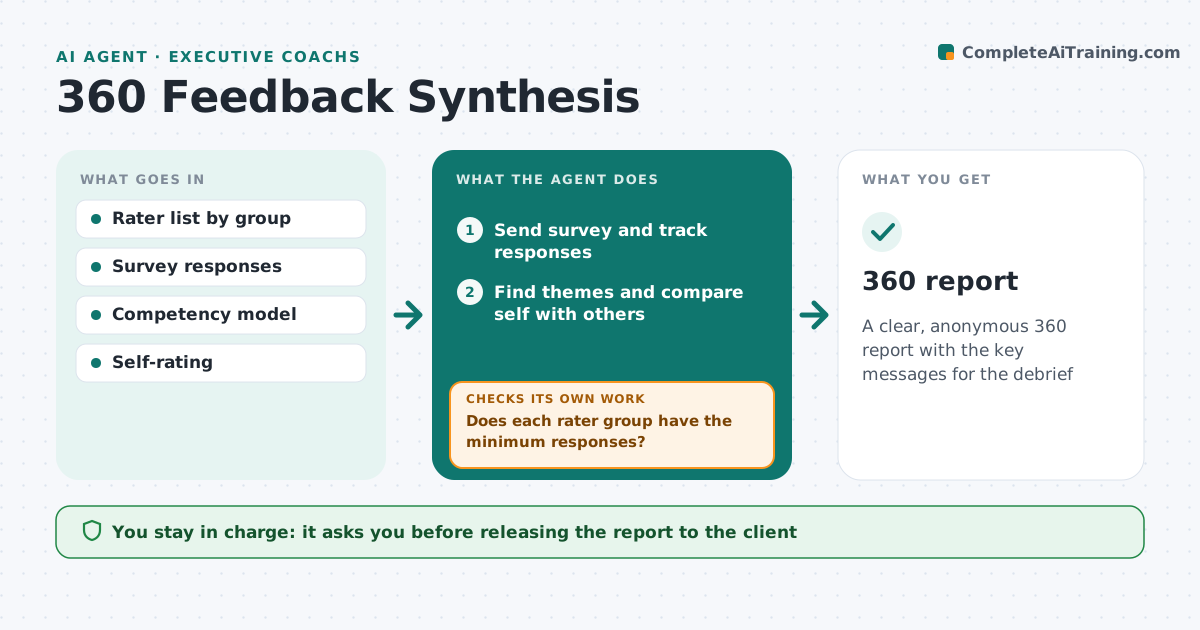
A clear, anonymous 360 report with the key messages for the debrief
What it does
A 360 review asks a leader's manager, peers and team for feedback, but collection is slow and reports bury key messages in pages of quotes. This agent sends the survey to the raters the client chose, tracks responses and sends reminders. It checks that each rater group has enough responses to keep answers anonymous. If a group is short, it reminds that group and, if still short, merges it with another. It finds themes across ratings and comments, compares the self-rating with others, and notes blind spots and hidden strengths. A comment that could identify the rater is reworded or removed. It drafts a report for the coach, who reviews it before the debrief.
How it works
Follow the arrows from top to bottom. The orange dashed arrow is the loop: when a check fails, the agent goes back and tries again.
Read the steps as a list
- 360 launched
- Send survey and track responses
- Does each rater group have the minimum responses?If not: remind the short group, then merge it if still short. Back to step 2.
- Find themes and compare self with others
- Remove comments that identify raters
- Draft 360 report
- Coach reviews before the debriefThe agent waits here for your OK.
- 360 report
How it decides
It reports a group only when it has at least the minimum number of responses, and marks blind spots where self-rating is well above others.
- Minimum three responses per group
- Blind spot when self is 1 point above others
- Identifying comments removed
Make it yours
Every agent is a starting point. You choose these settings for your own situation.
- Minimum per group
- Competency model
- Reminder schedule
- Report format
What keeps you in control
It always asks you first
- Releasing the report to the client
Hard limits
- Never reveals who said what
- Never shares with the client's manager without consent
It stops when
- Done: report ready
- Stop: too few responses overall; extend the deadline
Set it up
We guide you through the set-up, step by step
Members get the full set-up guide for this agent. No technical skills needed: you copy, paste and upload.
- One set of instructions to paste into your AI, with the clicks for ChatGPT, Claude, Microsoft 365 Copilot, Gemini and Grok
- The agent then walks you through connecting your own data, one source at a time
- A downloadable copy with the flow chart, the rules and the full guide