AI agent for bank branch managers
Account Opening Exception Aging Agent
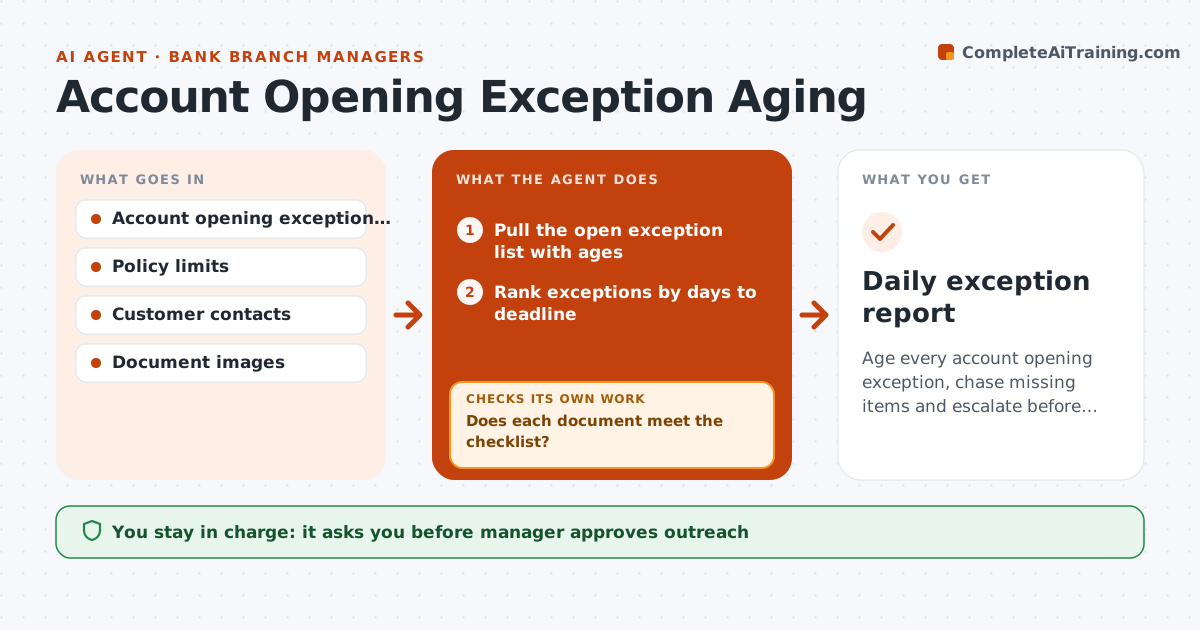
Age every account opening exception, chase missing items and escalate before restriction deadlines
What it does
New accounts sit with missing identification papers past the policy limit and become a compliance risk. Each morning the agent lists all open exceptions with their age and the item that is missing. It drafts a message to each customer in a tone the branch uses and tracks replies. When documents arrive, it checks them against the checklist: name match, expiry date, image quality. If a document fails, it asks again and says why. It escalates accounts approaching the restriction deadline and prepares a summary for the manager. The manager approves any restriction or closure. Edge case: an ID expired last month, and the agent asks for a renewed one rather than accepting it.
How it works
Follow the arrows from top to bottom. The orange dashed arrow is the loop: when a check fails, the agent goes back and tries again.
Read the steps as a list
- Morning start
- Pull the open exception list with ages
- Rank exceptions by days to deadline
- Draft customer reminders for missing items
- Manager approves outreach batchThe agent waits here for your OK.
- Check documents as they arrive
- Does each document meet the checklist?If not: Tell the customer what failed and ask again. Back to step 6.
- Close exceptions that pass
- Is any account within 5 days of the restriction deadline?If not: Escalate with a call plan and draft the restriction notice. Back to step 3.
- Manager approves restrictions or closuresThe agent waits here for your OK.
- Daily exception report
How it decides
Each exception ages against policy limits; documents are accepted only if they meet the checklist.
- Remind at days 5, 12 and 20
- Reject expired or unclear documents
- Escalate at 5 days before the deadline
- Never restrict without manager approval
Make it yours
Every agent is a starting point. You choose these settings for your own situation.
- Reminder days
- Document age limit (default 90 days)
- Escalation lead time (default 5 days)
- Message tone
What keeps you in control
It always asks you first
- Manager approves outreach
- Manager approves any restriction or closure
Hard limits
- Never restrict or close an account without approval
- Never accept a document outside policy
It stops when
- Done: all exceptions are cleared or handled
- Stop: a customer disputes the request and the manager must decide
Set it up
We guide you through the set-up, step by step
Members get the full set-up guide for this agent. No technical skills needed: you copy, paste and upload.
- One set of instructions to paste into your AI, with the clicks for ChatGPT, Claude, Microsoft 365 Copilot, Gemini and Grok
- The agent then walks you through connecting your own data, one source at a time
- A downloadable copy with the flow chart, the rules and the full guide