AI agent for managing directors
Acquisition Integration Milestone Agent
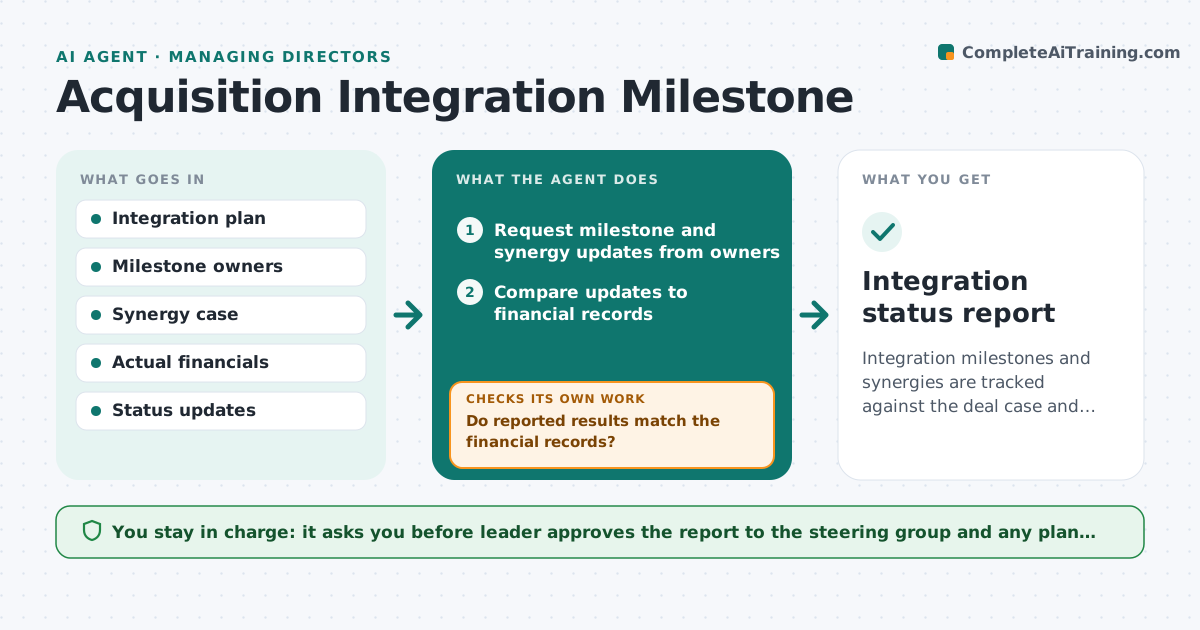
Integration milestones and synergies are tracked against the deal case and recovered when behind.
What it does
After an acquisition, integration promises such as combined systems, shared customers and cost savings are rarely tracked. Synergies slip without anyone seeing. This agent reads the integration plan, collects milestone status and synergy numbers from owners, compares them to the case, flags slippage and proposes recovery steps. It decides by dates and the dollar gap to the deal case. The leader approves what goes to the steering group. It asks owners to reconcile any difference between what they report and the financial records, then checks again. Recovery steps always name an owner and a date. The leader approves everything that goes to the steering group. Edge case: a cost saving is reported as done but the invoice shows the old supplier still paid, so the agent flags the difference.
How it works
Follow the arrows from top to bottom. The orange dashed arrow is the loop: when a check fails, the agent goes back and tries again.
Read the steps as a list
- Biweekly integration check
- Request milestone and synergy updates from owners
- Compare updates to financial records
- Flag late milestones and synergies behind plan
- Do reported results match the financial records?If not: ask the owner to reconcile the difference. Back to step 2.
- Estimate the gap to the deal case
- Propose recovery steps with owners
- Leader approves what goes to the steering groupThe agent waits here for your OK.
- Integration status report
How it decides
It flags a milestone late after its date and a synergy behind when the actual is under 90% of plan. It checks reported results against financial records.
- Flag a late milestone the day after its date
- Flag a synergy under 90% of plan
- Check reported savings against invoices
- Rank gaps by dollars
Make it yours
Every agent is a starting point. You choose these settings for your own situation.
- Check frequency (default biweekly)
- Behind threshold (default 90%)
- Owners
- Report format
- Escalation rule
What keeps you in control
It always asks you first
- Leader approves the report to the steering group and any plan change
Hard limits
- Never change the plan itself
- Never report a saving without financial proof
It stops when
- Done: status reconciled and recovery steps approved
- Stop: owners do not report
Set it up
We guide you through the set-up, step by step
Members get the full set-up guide for this agent. No technical skills needed: you copy, paste and upload.
- One set of instructions to paste into your AI, with the clicks for ChatGPT, Claude, Microsoft 365 Copilot, Gemini and Grok
- The agent then walks you through connecting your own data, one source at a time
- A downloadable copy with the flow chart, the rules and the full guide