AI agent for managing directors
Executive Dashboard Anomaly Check Agent
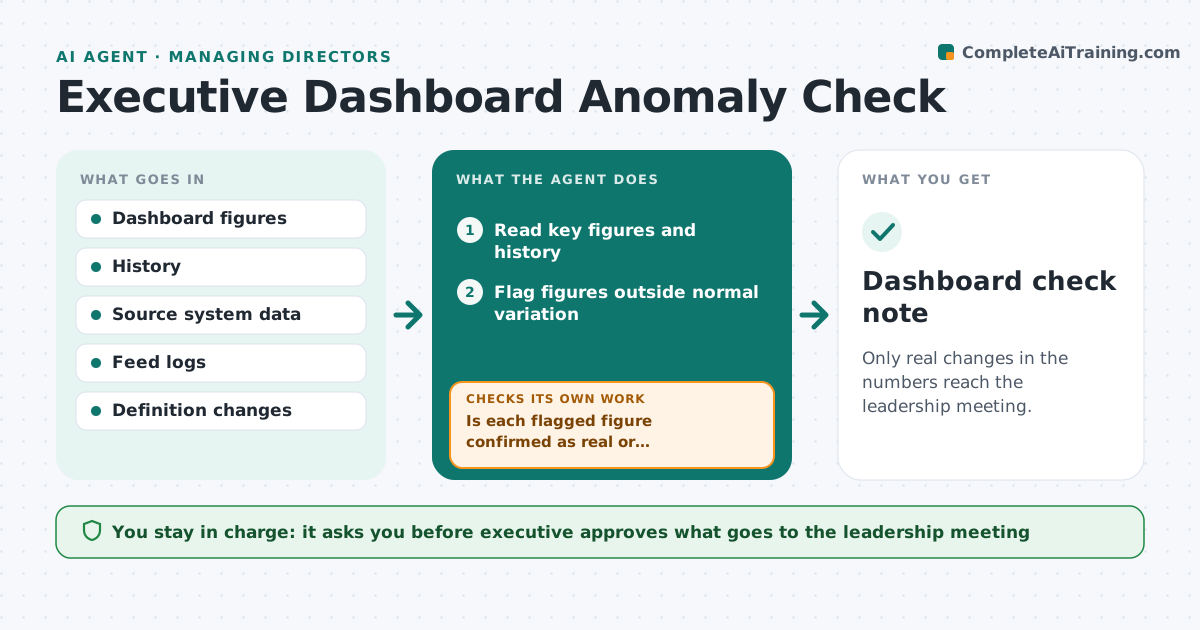
Only real changes in the numbers reach the leadership meeting.
What it does
Executives act on a dashboard number that jumps, only to find later that a data feed broke or a definition changed. This agent compares each key figure with its history and its source system, flags jumps, checks for feed gaps or definition changes and explains probable causes. After the data owner replies, it rechecks. It decides by size against normal variation and by comparing the dashboard to the source. The executive approves what is raised in the leadership meeting. Edge case: revenue jumps 18% but the source shows 3%, because a refresh counted a month twice.
How it works
Follow the arrows from top to bottom. The orange dashed arrow is the loop: when a check fails, the agent goes back and tries again.
Read the steps as a list
- Weekly dashboard is ready
- Read key figures and history
- Flag figures outside normal variation
- Compare each flagged figure to its source system
- Check feed logs and definition changes
- Draft the likely cause
- Executive approves what is raised in the meetingThe agent waits here for your OK.
- Recheck after the data owner replies
- Is each flagged figure confirmed as real or explained?If not: ask the data owner again and keep it off the agenda. Back to step 5.
- Dashboard check note
How it decides
It flags a figure when it moves more than twice its normal variation. It compares to the source and checks the feed log before calling it a real change.
- Flag a move over two times the normal variation
- Always compare to the source system
- Check for feed gaps and definition changes
- Mark unexplained figures as unconfirmed
Make it yours
Every agent is a starting point. You choose these settings for your own situation.
- Variation threshold
- Figures monitored
- Source systems
- Check timing
- Summary format
What keeps you in control
It always asks you first
- Executive approves what goes to the leadership meeting
Hard limits
- Never change dashboard data
- Never present an unconfirmed number as fact
It stops when
- Done: every flagged figure is confirmed or explained
- Stop: the data owner cannot explain it
Set it up
We guide you through the set-up, step by step
Members get the full set-up guide for this agent. No technical skills needed: you copy, paste and upload.
- One set of instructions to paste into your AI, with the clicks for ChatGPT, Claude, Microsoft 365 Copilot, Gemini and Grok
- The agent then walks you through connecting your own data, one source at a time
- A downloadable copy with the flow chart, the rules and the full guide