
AI agent for paid media specialists
Ad Account Billing and Payment Health Agent
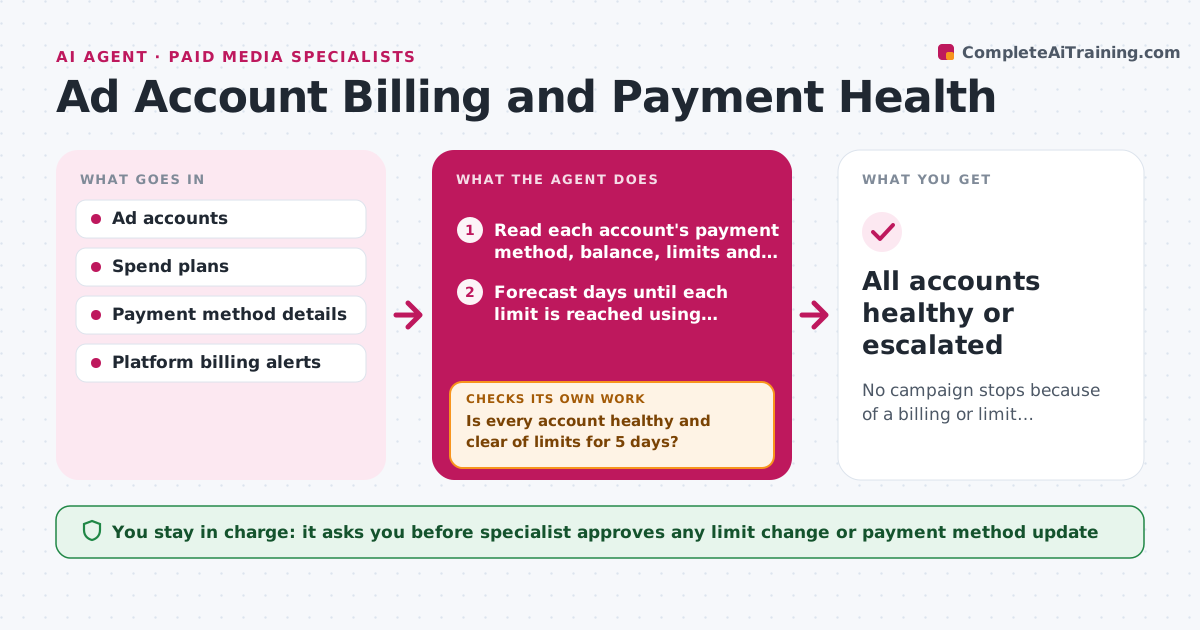
No campaign stops because of a billing or limit problem that could have been seen in advance.
What it does
A card expires or a spend limit is reached on a Friday night, and campaigns stop until Monday. This agent checks each ad account every day: the payment method and its expiry, the account balance, spend limits, billing thresholds and any alerts from the platform. It forecasts when each limit will be reached based on current spend and flags risks days ahead. When someone has fixed an issue, such as updating a card, it checks again to confirm the account shows as healthy. It cannot change money settings. The specialist approves any limit change and updates the payment method. Edge case: two campaigns scheduled to start together will exceed the daily limit, so the agent warns before the day begins.
How it works
Follow the arrows from top to bottom. The orange dashed arrow is the loop: when a check fails, the agent goes back and tries again.
Read the steps as a list
- Daily billing check
- Read each account's payment method, balance, limits and alerts
- Forecast days until each limit is reached using recent spend and scheduled campaigns
- Is every account healthy and clear of limits for 5 days?If not: recheck the numbers with the latest spend, then rank the risks. Back to step 2.
- Draft the risk list with a suggested fix for each
- Specialist approves any limit change and payment updateThe agent waits here for your OK.
- Wait for the fix to be made by the specialist or finance
- Recheck the account status in the platform
- Does the account now show as healthy?If not: alert the specialist again with the platform message and retry after 4 hours. Back to step 7.
- Update the billing log and tomorrow's forecast
- All accounts healthy or escalated
How it decides
It flags a risk when a limit will be hit within 5 days at current spend, or a payment method expires within 30 days.
- Flag a payment method expiring within 30 days.
- Flag a limit that will be reached within 5 days.
- Alert immediately for a failed payment.
- Include scheduled campaigns in the forecast.
Make it yours
Every agent is a starting point. You choose these settings for your own situation.
- Warning horizon for limits (default 5 days)
- Card expiry warning (default 30 days)
- Accounts watched
- Alert channel
What keeps you in control
It always asks you first
- Specialist approves any limit change or payment method update
Hard limits
- Never change limits or payment methods itself
- Do not store card numbers
It stops when
- Done: all accounts healthy.
- Stop: platform access fails, so the specialist is alerted.
Set it up
We guide you through the set-up, step by step
Members get the full set-up guide for this agent. No technical skills needed: you copy, paste and upload.
- One set of instructions to paste into your AI, with the clicks for ChatGPT, Claude, Microsoft 365 Copilot, Gemini and Grok
- The agent then walks you through connecting your own data, one source at a time
- A downloadable copy with the flow chart, the rules and the full guide



