AI agent for medical coders
Anesthesia Time and Units Reconciliation Agent
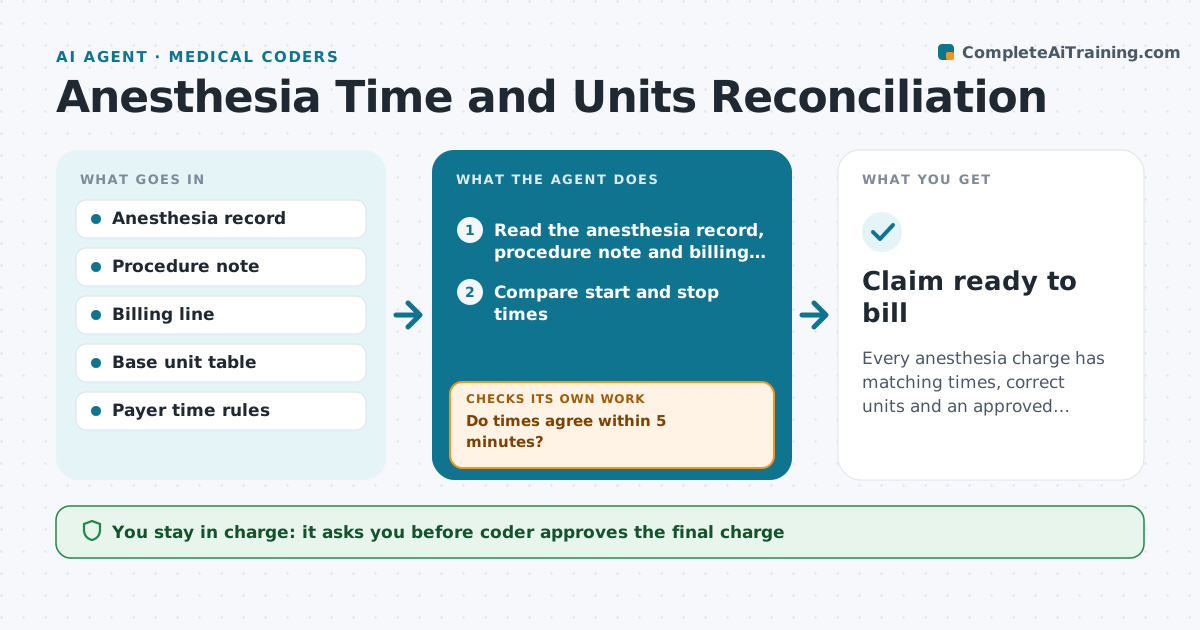
Every anesthesia charge has matching times, correct units and an approved total.
What it does
Anesthesia start and stop times, base units and modifiers often disagree between the anesthesia record, the procedure note and the billing line. The agent compares the three records, calculates time units and base units for the procedure, and flags mismatches. If times conflict, it sends a correction request to the anesthesia provider and recalculates when the answer comes back. It then checks the total against the payer's rules and the expected range for the procedure. The coder approves the final charge. Edge case: a case that runs past midnight, where the date on the stop time may be wrong.
How it works
Follow the arrows from top to bottom. The orange dashed arrow is the loop: when a check fails, the agent goes back and tries again.
Read the steps as a list
- Anesthesia record closed
- Read the anesthesia record, procedure note and billing line
- Compare start and stop times
- Do times agree within 5 minutes?If not: Send a correction request to the provider. Back to step 3.
- Calculate time units and base units
- Check modifiers and physical status
- Is the total in the expected range for this procedure?If not: Recheck codes and times and request clarification. Back to step 5.
- Coder approves the final chargeThe agent waits here for your OK.
- Update the claim
- Claim ready to bill
How it decides
It uses the anesthesia record as the time source, calculates units with the payer's time rule and treats any gap above the tolerance as a conflict.
- Allow a 5 minute difference between records
- Use the payer's unit length (usually 15 minutes)
- Check date changes for cases past midnight
- Flag totals more than 30% above the expected range
Make it yours
Every agent is a starting point. You choose these settings for your own situation.
- Time tolerance (default 5 minutes)
- Unit length by payer
- Procedures and base units
- Range check percentage
What keeps you in control
It always asks you first
- Coder approves the final charge
Hard limits
- Never alter a medical record
- Do not submit claims itself
It stops when
- Done: units calculated and charge approved
- Stop: records cannot be reconciled and the provider must review
Set it up
We guide you through the set-up, step by step
Members get the full set-up guide for this agent. No technical skills needed: you copy, paste and upload.
- One set of instructions to paste into your AI, with the clicks for ChatGPT, Claude, Microsoft 365 Copilot, Gemini and Grok
- The agent then walks you through connecting your own data, one source at a time
- A downloadable copy with the flow chart, the rules and the full guide