AI agent for medical billers
Payer Policy Change Agent
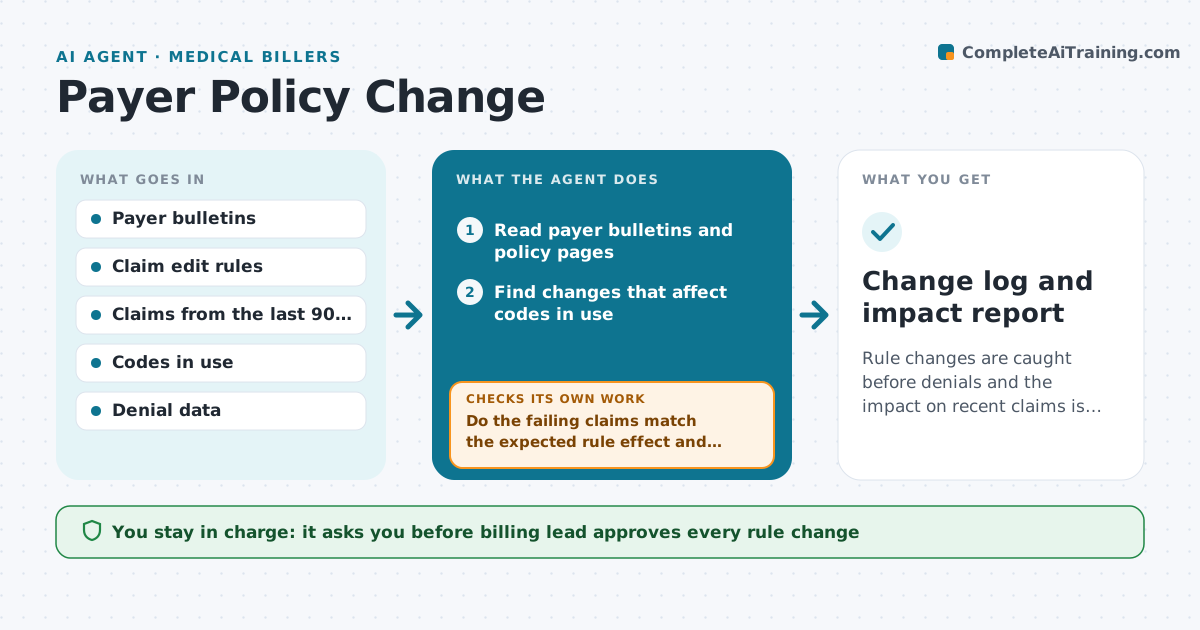
Rule changes are caught before denials and the impact on recent claims is known.
What it does
Payers publish coding and billing changes in bulletins that few people read, and the first sign is a wave of denials. Every week the agent monitors the payer bulletins and policy pages, finds changes affecting codes the practice uses, and drafts an update to the claim edit rules. When a rule changes, it reruns the last 90 days of claims through the new edit and lists the claims that would now fail, with the dollar amount. It proposes fixes, such as a modifier or documentation requirement. The billing lead approves every change to the edit rules. After the rule goes live, it watches denials for that code and checks that they fall. Edge case: a change with a future effective date is scheduled, not applied today.
How it works
Follow the arrows from top to bottom. The orange dashed arrow is the loop: when a check fails, the agent goes back and tries again.
Read the steps as a list
- Weekly run
- Read payer bulletins and policy pages
- Find changes that affect codes in use
- Draft updates to the claim edit rules
- Run the last 90 days of claims through the new edit
- List the claims that would now fail and the dollar amount
- Do the failing claims match the expected rule effect and nothing else?If not: Adjust the draft rule and rerun the test. Back to step 3.
- Billing lead approves the rule changeThe agent waits here for your OK.
- Apply the rule with its effective date
- Did denials for the affected code fall after the change?If not: Review the rule and the documentation fix and propose another. Back to step 4.
- Change log and impact report
How it decides
It matches bulletin changes to codes in use and measures impact by rerunning past claims.
- A change affecting a code used 10 or more times a month is reviewed
- Future dates are scheduled
- A rule that fails more than 5% of valid claims is rechecked
- Always keep the source link
Make it yours
Every agent is a starting point. You choose these settings for your own situation.
- Payers to monitor
- Look-back days (default 90)
- Code list
- Run day
- Impact threshold
What keeps you in control
It always asks you first
- Billing lead approves every rule change
- Billing lead approves any claim resubmission
Hard limits
- Never change a rule without approval
- Never resubmit claims on its own
- Never apply a rule before its effective date
It stops when
- Done: rule changes applied and denials monitored
- Stop: the bulletin is unclear and needs a payer call
Set it up
We guide you through the set-up, step by step
Members get the full set-up guide for this agent. No technical skills needed: you copy, paste and upload.
- One set of instructions to paste into your AI, with the clicks for ChatGPT, Claude, Microsoft 365 Copilot, Gemini and Grok
- The agent then walks you through connecting your own data, one source at a time
- A downloadable copy with the flow chart, the rules and the full guide