
AI agent for neuroscientists
Animal Protocol Compliance Agent
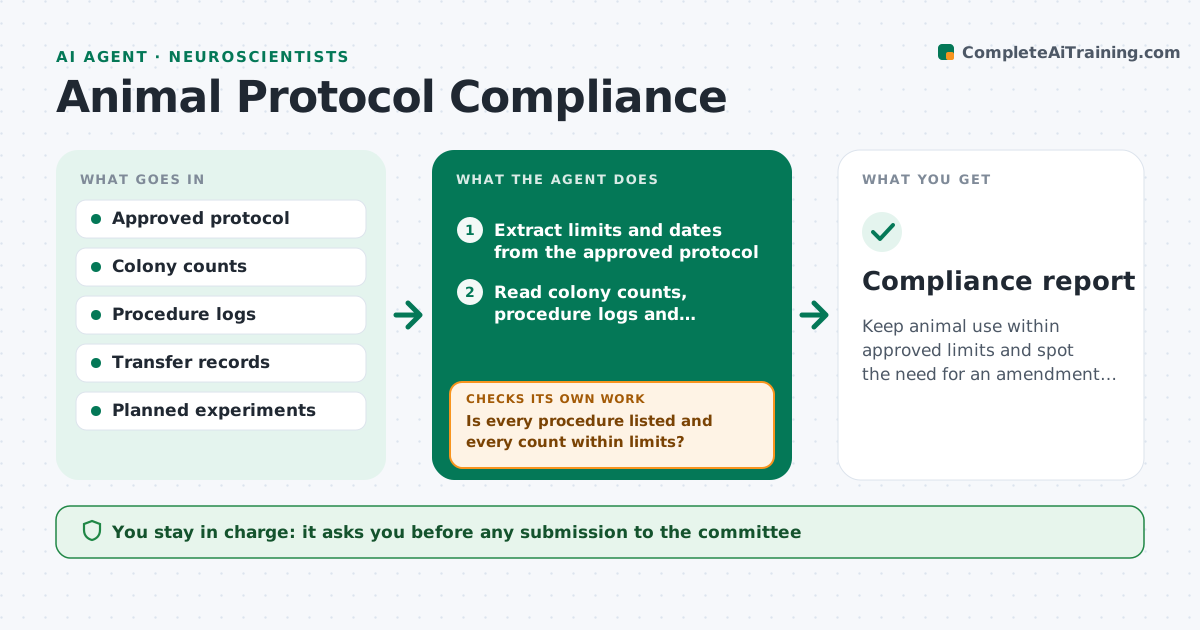
Keep animal use within approved limits and spot the need for an amendment early.
What it does
An approved animal protocol sets the number of animals, the procedures allowed, and the dates. Over months, colony records and procedure logs drift past those limits before anyone checks. This agent reads the approved protocol and extracts the limits: animal numbers by species and strain, allowed procedures, pain categories and expiry dates. Each month it compares the colony and procedure logs against them, calculates how much of each limit is used, and flags numbers above a set share of the limit and procedures not on the protocol. It projects the use to the end of the protocol and drafts an amendment request when a limit will be exceeded. It never submits to the committee. The investigator approves any submission. Edge case: animals transferred to another protocol are subtracted only with a transfer record.
How it works
Follow the arrows from top to bottom. The orange dashed arrow is the loop: when a check fails, the agent goes back and tries again.
Read the steps as a list
- Monthly run
- Extract limits and dates from the approved protocol
- Read colony counts, procedure logs and transfers
- Calculate use against each limit
- Is every procedure listed and every count within limits?If not: recount from the logs, resolve transfers, and list the remaining issues. Back to step 4.
- Project use to the protocol end date
- Will any limit be reached before the end date?If not: draft an amendment request with the numbers and justification. Back to step 6.
- Investigator approves the amendment requestThe agent waits here for your OK.
- Log the status and reminders for the next month
- Compliance report
How it decides
It flags a limit when use plus planned use will exceed it before the protocol ends, and flags any procedure not listed on the protocol at once.
- Flag a limit when use reaches 80% before the protocol midpoint
- Flag any procedure not listed at once
- Subtract transfers only with a transfer record
- Flag protocols expiring in under 90 days
Make it yours
Every agent is a starting point. You choose these settings for your own situation.
- Warning level (default 80%)
- Protocol list
- Planned experiments source
- Reminder schedule
- Report recipients
What keeps you in control
It always asks you first
- Any submission to the committee
- Corrections to logs
Hard limits
- Never submit an amendment or change a record
- Keep welfare issues separate and flag them to the investigator
It stops when
- Done: report approved
- Stop: protocol document missing
Set it up
We guide you through the set-up, step by step
Members get the full set-up guide for this agent. No technical skills needed: you copy, paste and upload.
- One set of instructions to paste into your AI, with the clicks for ChatGPT, Claude, Microsoft 365 Copilot, Gemini and Grok
- The agent then walks you through connecting your own data, one source at a time
- A downloadable copy with the flow chart, the rules and the full guide



