AI agent for medical coders
Annual Code Set Update Agent
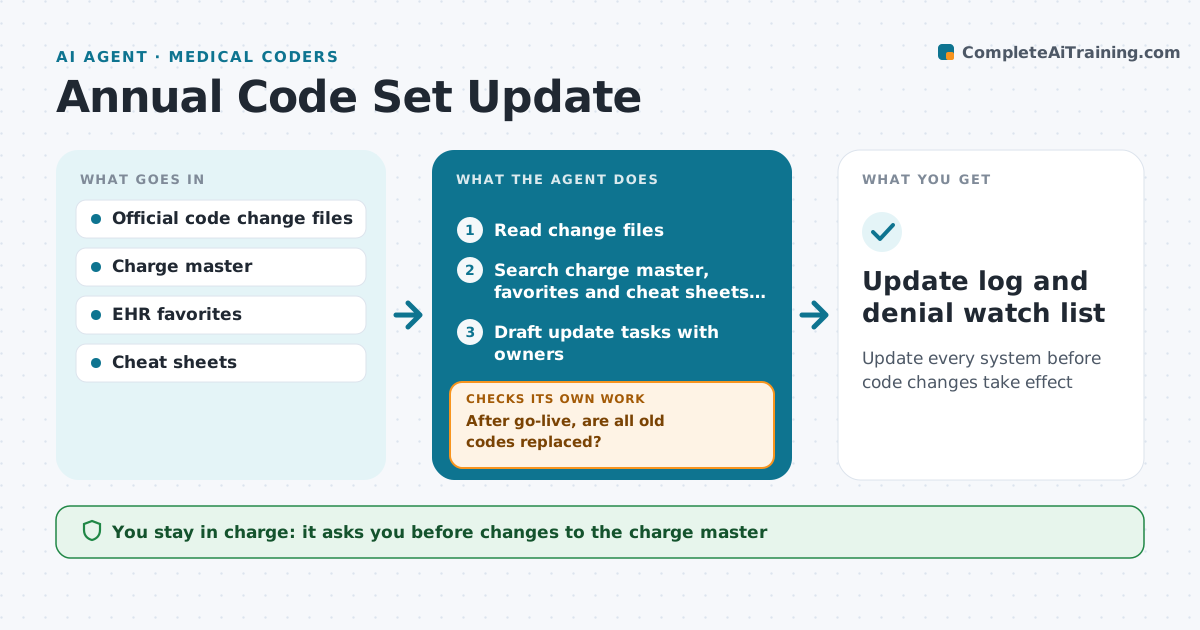
Update every system before code changes take effect
What it does
Each year diagnosis and procedure code sets change, and practices must update charge lists, templates and favorites or claims start failing. This agent reads the official change files and lists added, deleted and revised codes. It searches the charge master, EHR favorites and coding cheat sheets for every affected code. It drafts update tasks with owners. Codes that were split into several new codes are flagged for clinical input on which applies. The coding lead approves every change. Deleted codes must be removed before the effective date. After go-live, it searches each system again to confirm old codes are gone and reopens tasks for any that remain. For the first month it watches claims for denials tied to changed codes and reviews them weekly. Edge case: a split code goes to clinicians rather than being mapped automatically.
How it works
Follow the arrows from top to bottom. The orange dashed arrow is the loop: when a check fails, the agent goes back and tries again.
Read the steps as a list
- Code changes published
- Read change files
- Search charge master, favorites and cheat sheets for affected codes
- Draft update tasks with owners
- Coding lead approves changesThe agent waits here for your OK.
- After go-live, are all old codes replaced?If not: reopen tasks for remaining uses. Back to step 3.
- Watch first-month claims for related denials
- Are denials tied to changed codes resolved?If not: draft fixes and update the cheat sheet. Back to step 7.
- Update log and denial watch list
How it decides
Each changed code is matched against where it is used. Uses of deleted or split codes become tasks with owners.
- Deleted codes must be removed before the effective date
- Split codes need clinical input
- First-month denials tied to changed codes are reviewed weekly
Make it yours
Every agent is a starting point. You choose these settings for your own situation.
- Code sets in scope
- Systems to scan
- Go-live check dates
- Owner list
What keeps you in control
It always asks you first
- Changes to the charge master
- Template changes
Hard limits
- The agent does not edit live systems
- Every change has an owner and approval
It stops when
- Done: no old codes in use and no related denials
- Stop: vendor update delayed, alert IT
Set it up
We guide you through the set-up, step by step
Members get the full set-up guide for this agent. No technical skills needed: you copy, paste and upload.
- One set of instructions to paste into your AI, with the clicks for ChatGPT, Claude, Microsoft 365 Copilot, Gemini and Grok
- The agent then walks you through connecting your own data, one source at a time
- A downloadable copy with the flow chart, the rules and the full guide