
AI agent for paid media specialists
Audience Overlap and Exclusion Audit Agent
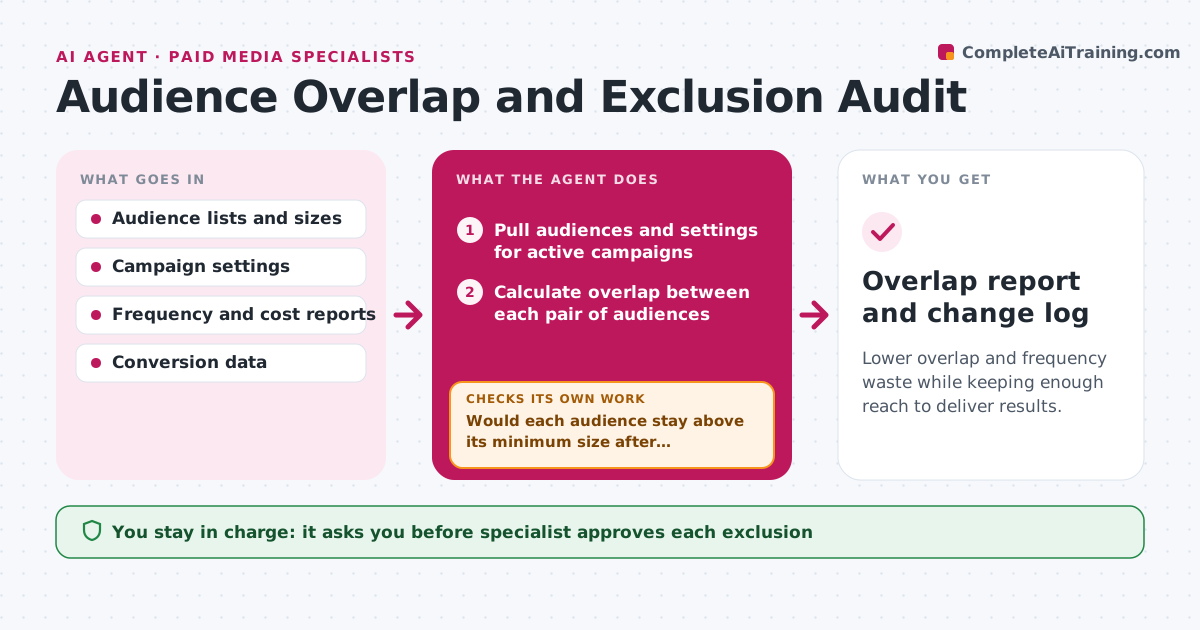
Lower overlap and frequency waste while keeping enough reach to deliver results.
What it does
When prospecting, retargeting and loyalty campaigns reach the same people, the brand bids against itself and shows the same ad six times a week. The agent compares audience lists across the active campaigns, calculates the overlap between each pair and finds where frequency per person is highest. It then proposes exclusions, such as removing recent purchasers from prospecting. Before the specialist approves, it estimates the effect on reach so that exclusions do not shrink an audience below a workable size. After approved changes go live, the agent rechecks reach, frequency and cost per result, and loops back if reach has dropped too far or costs did not improve. Edge case: an exclusion list that includes customers the campaign was meant to upsell. The specialist approves each exclusion.
How it works
Follow the arrows from top to bottom. The orange dashed arrow is the loop: when a check fails, the agent goes back and tries again.
Read the steps as a list
- Monthly audit starts
- Pull audiences and settings for active campaigns
- Calculate overlap between each pair of audiences
- Check frequency and cost per result for the overlapping groups
- Propose exclusions and estimate the effect on reach
- Would each audience stay above its minimum size after exclusion?If not: narrow the exclusion or exclude from the smaller campaign only. Back to step 5.
- Specialist approves each exclusionThe agent waits here for your OK.
- Apply the exclusions in the ad account
- After 14 days, pull reach, frequency and cost per result
- Did cost improve with reach down by 15 percent or less?If not: propose a smaller exclusion or a rollback. Back to step 5.
- Overlap report and change log
How it decides
Overlap above 30 percent between two campaigns triggers an exclusion proposal. The change stays only if cost per result improves and reach drops by no more than 15 percent.
- Propose exclusions when overlap passes 30 percent
- Exclude recent purchasers from prospecting for 30 days
- Keep each audience above the platform's minimum size
- Roll back when reach falls over 15 percent with no cost gain
Make it yours
Every agent is a starting point. You choose these settings for your own situation.
- Overlap threshold (default 30 percent)
- Maximum reach loss (default 15 percent)
- Exclusion period (default 30 days)
- Platforms
- Re-check delay (default 14 days)
What keeps you in control
It always asks you first
- Specialist approves each exclusion
- Specialist approves a rollback
Hard limits
- Never apply exclusions itself
- Do not exclude customers from loyalty campaigns
It stops when
- Done: exclusions verified after 14 days
- Stop: audience data is not available, report what is missing
Set it up
We guide you through the set-up, step by step
Members get the full set-up guide for this agent. No technical skills needed: you copy, paste and upload.
- One set of instructions to paste into your AI, with the clicks for ChatGPT, Claude, Microsoft 365 Copilot, Gemini and Grok
- The agent then walks you through connecting your own data, one source at a time
- A downloadable copy with the flow chart, the rules and the full guide



