AI agent for automation engineers
Automation Documentation Update Agent
System documentation that matches the live machine, with changes traceable
What it does
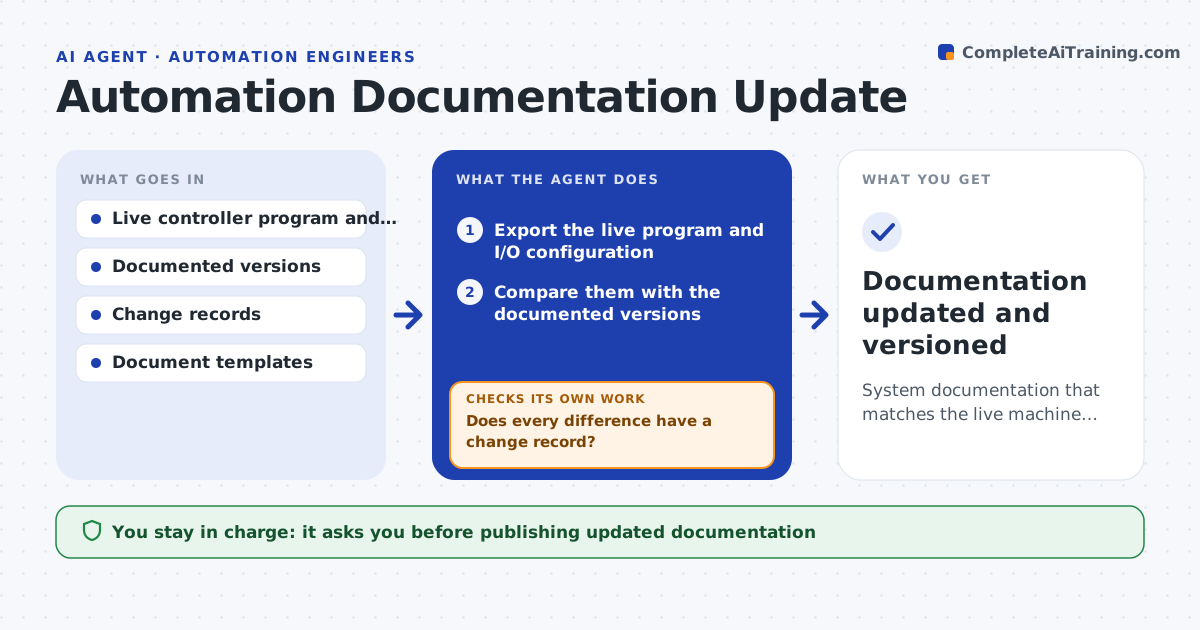
After every change to a machine, the drawings, I/O lists and logic notes should be updated, but they rarely are, so the next engineer cannot trust them. This agent compares the current controller program and I/O configuration with the documented versions and lists every difference: added I/O, changed addresses, modified logic and new alarms. For each difference it looks for a matching change record. Where one exists, it drafts the documentation update and a change note. Where none exists, it flags an undocumented change for review before touching the documents. It also looks for forced outputs and test overrides left in place. It keeps a version history of every document. You approve publishing updates. Edge case: a temporary override left in the program is flagged for removal, not documented as permanent.
How it works
Follow the arrows from top to bottom. The orange dashed arrow is the loop: when a check fails, the agent goes back and tries again.
Read the steps as a list
- Change made or monthly review due
- Export the live program and I/O configuration
- Compare them with the documented versions
- List differences and match each to a change record
- Does every difference have a change record?If not: flag undocumented changes for review and wait before updating them. Back to step 4.
- Are any forced outputs or test overrides still in place?If not: flag each override for removal instead of documenting it. Back to step 3.
- Draft updated I/O lists, drawing notes and change log
- Engineer approves publishing the updatesThe agent waits here for your OK.
- Documentation updated and versioned
How it decides
It treats the live program as current and only documents a difference as permanent when a change record supports it.
- Treat the live program as the source of truth
- Flag undocumented changes before updating
- Flag temporary overrides for removal
Make it yours
Every agent is a starting point. You choose these settings for your own situation.
- Documents to keep in sync
- Review schedule
- Change record source
- Version history format
What keeps you in control
It always asks you first
- Publishing updated documentation
Hard limits
- Does not change the controller program
- Flags undocumented and temporary changes
It stops when
- Done: documents match the machine
- Stop: live program cannot be read
Set it up
We guide you through the set-up, step by step
Members get the full set-up guide for this agent. No technical skills needed: you copy, paste and upload.
- One set of instructions to paste into your AI, with the clicks for ChatGPT, Claude, Microsoft 365 Copilot, Gemini and Grok
- The agent then walks you through connecting your own data, one source at a time
- A downloadable copy with the flow chart, the rules and the full guide