AI agent for automation engineers
Controller Program Version Compare Agent
Keep the repository equal to what really runs, with every difference explained
What it does
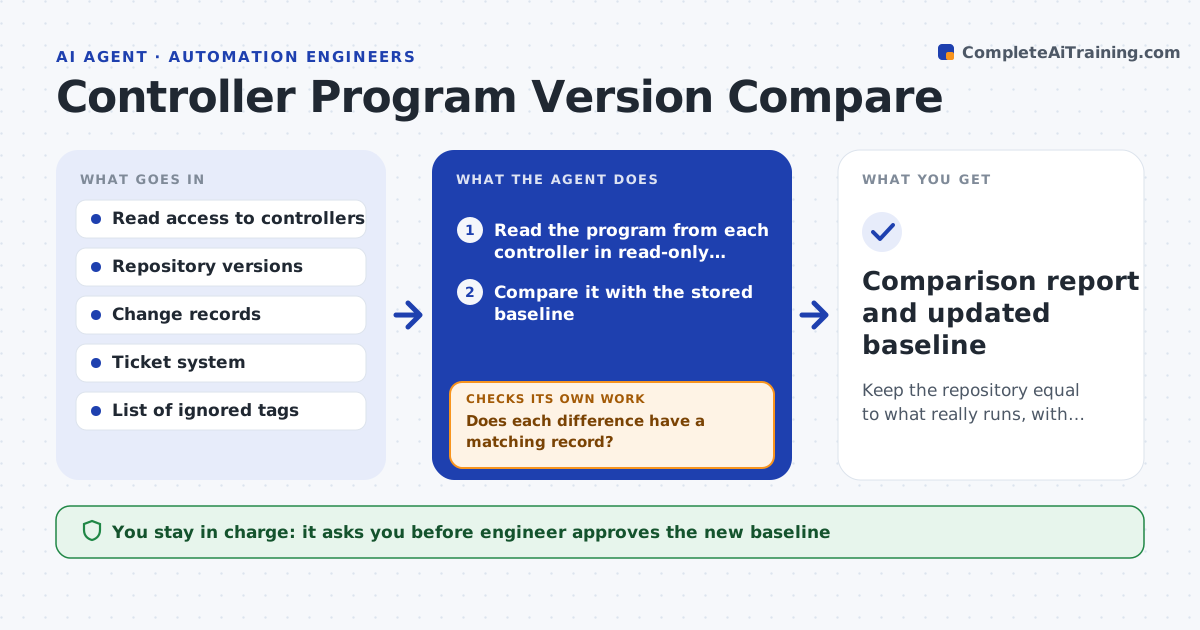
A technician fixes a problem at 2 a.m. by changing the controller, and the repository never hears about it. Weeks later the stored backup is wrong. On a schedule, this agent reads the program from each controller, using read-only access, and compares it with the stored version. It lists differences by routine, tag and setting, and ignores values that are meant to change, such as counters. For each difference it searches change records, tickets and shift notes for a matching reason. It asks the owner of the machine to explain any change with no record. The engineer decides which version becomes the new baseline and approves the update of the repository. Edge case: a difference is only a comment change, so the agent labels it as harmless.
How it works
Follow the arrows from top to bottom. The orange dashed arrow is the loop: when a check fails, the agent goes back and tries again.
Read the steps as a list
- Weekly schedule or maintenance visit
- Read the program from each controller in read-only mode
- Compare it with the stored baseline
- List differences and remove ignored tags and comments
- Search change records and tickets for each difference
- Does each difference have a matching record?If not: ask the machine owner to explain the changes without a record. Back to step 4.
- Rank differences by effect on machine behavior
- Engineer chooses which version becomes the baselineThe agent waits here for your OK.
- Update the repository and record the reason
- Does a new comparison show no unexplained differences?If not: repeat the read and list the remaining differences. Back to step 2.
- Comparison report and updated baseline
How it decides
It ranks differences by effect on machine behavior and treats any logic or setting change without a change record as needing an explanation.
- Ignore counters, timers and process values
- Treat logic and setpoint changes as high impact
- Label comment-only changes harmless
- Raise unexplained high-impact changes the same day
Make it yours
Every agent is a starting point. You choose these settings for your own situation.
- Controllers and schedule
- Tags to ignore
- Where change records are kept
- How impact is ranked
- Who owns each machine
What keeps you in control
It always asks you first
- Engineer approves the new baseline
- Engineer approves any write back to a controller
Hard limits
- Read-only access, never write to a controller
- Never delete an older baseline
It stops when
- Done: the repository matches the controllers and all differences are explained
- Stop: a controller is unreachable or access is refused
Set it up
We guide you through the set-up, step by step
Members get the full set-up guide for this agent. No technical skills needed: you copy, paste and upload.
- One set of instructions to paste into your AI, with the clicks for ChatGPT, Claude, Microsoft 365 Copilot, Gemini and Grok
- The agent then walks you through connecting your own data, one source at a time
- A downloadable copy with the flow chart, the rules and the full guide