AI agent for midwifes
Birth Plan Review Agent
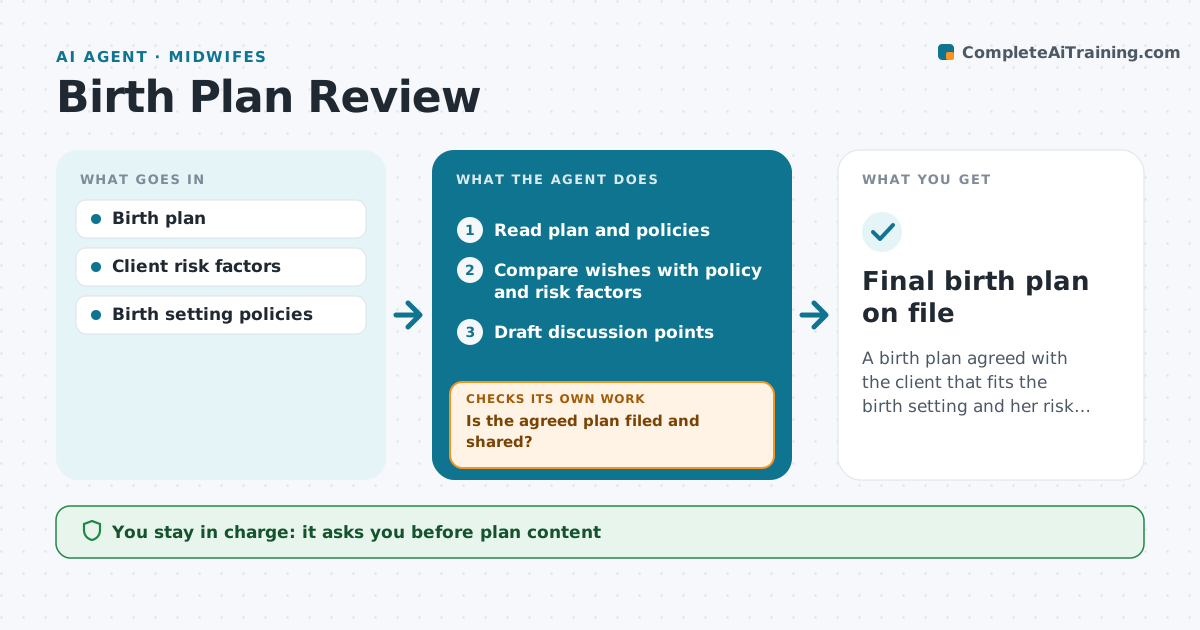
A birth plan agreed with the client that fits the birth setting and her risk profile
What it does
Clients write birth plans with hopes for pain relief, positions, monitoring and newborn care, and some wishes clash with policy or risk. This agent reads the plan and compares each wish with the birth setting's policies and the client's current risk factors. It lists conflicts and items to discuss, such as a water birth when a risk factor calls for continuous monitoring. It drafts discussion points for the next visit and plain-language explanations. After the visit, it checks that the plan was updated and that the agreed version is filed and shared with the birth setting. If not, it reminds the midwife to finish it. The midwife leads every conversation and approves the content and sharing. Edge case: a new risk factor late in pregnancy triggers a fresh review of the plan.
How it works
Follow the arrows from top to bottom. The orange dashed arrow is the loop: when a check fails, the agent goes back and tries again.
Read the steps as a list
- Birth plan received
- Read plan and policies
- Compare wishes with policy and risk factors
- Draft discussion points
- Midwife discusses plan with clientThe agent waits here for your OK.
- Is the agreed plan filed and shared?If not: remind the midwife to finalize and share. Back to step 5.
- Final birth plan on file
How it decides
Each wish is checked against policy and risk. Conflicts are flagged with the reason.
- Risk factors take precedence
- Policy conflicts explained plainly
- Re-review after new risk factors
Make it yours
Every agent is a starting point. You choose these settings for your own situation.
- Birth setting policies
- Re-review triggers
- Explanation reading level
- Sharing method
What keeps you in control
It always asks you first
- Plan content
- Sharing with the birth setting
Hard limits
- The agent never changes the client's plan
- No clinical decisions
It stops when
- Done: plan filed
- Stop: client transfers care
Set it up
We guide you through the set-up, step by step
Members get the full set-up guide for this agent. No technical skills needed: you copy, paste and upload.
- One set of instructions to paste into your AI, with the clicks for ChatGPT, Claude, Microsoft 365 Copilot, Gemini and Grok
- The agent then walks you through connecting your own data, one source at a time
- A downloadable copy with the flow chart, the rules and the full guide